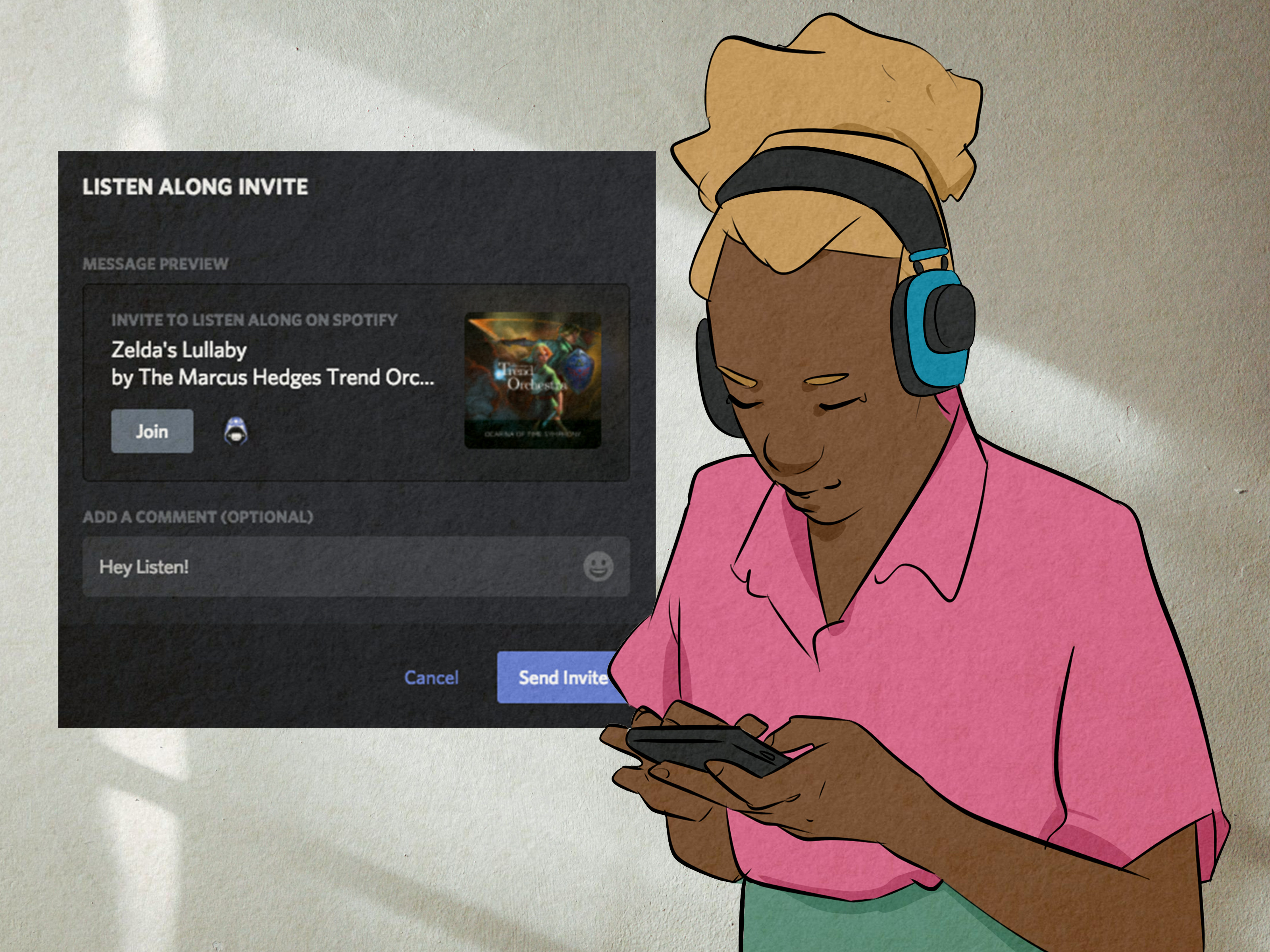

Music used to be something you listened to alone with headphones, possibly while pretending the rainy bus window was the opening scene of your biopic. Spotify has been working hard to make that lonely little soundtrack more social. One of the most talked-about results is the Spotify Listening Party feature, a live audio experience that lets fans celebrate music releases with artists and other listeners in real time.
But here is where things get a little confusing: when people search for “Spotify listening party,” they may mean two different things. First, there is Spotify’s official Listening Party, a limited artist-hosted experience for Premium users in certain markets. Second, there is Spotify Jam, the more widely available social listening feature that lets friends listen together, add songs to a shared queue, and gently judge each other’s music taste without saying it out loud.
This guide explains both, because in real life, users often use “listening party” as a general phrase for listening together on Spotify. We will cover what Spotify Listening Party is, how it works, who can join, how it compares with Jam, what to expect during an event, and how to host your own group music experience without turning the queue into a musical traffic accident.
What Is the Spotify Listening Party Feature?
Spotify Listening Party is a live audio experience designed to bring artists and fans together around new music releases. During a Listening Party, fans can hear behind-the-scenes stories, listen to music alongside the artist, and chat with other fans in real time. Think of it as an album release party that lives inside Spotify instead of a crowded venue where someone is definitely blocking your view with their phone.
The feature is especially valuable for superfans. Instead of simply pressing play on a new album at midnight, listeners may get a chance to join a live session where the artist explains the meaning behind certain tracks, shares stories from the studio, or reacts to fan excitement as the music plays. For artists, it is a fan engagement tool. For listeners, it is a chance to feel closer to the people who made the songs they have already looped 47 times.
Spotify has described Listening Parties as a way for fans to celebrate new releases with artists and other top fans. The company has hosted events with artists such as Peso Pluma, Bleachers, Gracie Abrams, and SEVENTEEN. Earlier reporting also noted tests involving artists including Zara Larsson, MGMT, Lizzy McAlpine, and Billie Eilish.
Spotify Listening Party vs. Spotify Jam: What Is the Difference?
The biggest source of confusion is the difference between Spotify Listening Party and Spotify Jam. They both involve shared listening, but they are not the same feature.
Spotify Listening Party
A Spotify Listening Party is usually tied to an artist, a release, or a special fan moment. It is more like a live event. Fans may need to register, be invited, or live in an eligible market. It is designed around artist-to-fan interaction, not just friends adding songs to a playlist.
Spotify Jam
Spotify Jam is a real-time group listening feature for everyday use. A Premium user can start a Jam, invite friends, and let everyone add songs to a shared queue. Jam works for in-person hangouts and remote listening, depending on account type and setup. If Listening Party is the VIP album release room, Jam is the kitchen party where everyone becomes DJ for three minutes and chaos politely wears sneakers.
Simple Comparison
| Feature | Best For | Who Starts It? | Main Experience |
|---|---|---|---|
| Spotify Listening Party | Artist events, album releases, fan engagement | Spotify or artist teams | Live audio, fan chat, artist stories |
| Spotify Jam | Friends, parties, road trips, remote listening | Spotify Premium users | Shared queue, group recommendations, real-time listening |
Who Can Join a Spotify Listening Party?
Spotify Listening Parties are not available to everyone everywhere. According to Spotify’s current support information, the feature is available to Spotify Premium Individual, Duo, Family, or Student users in certain markets. Market eligibility depends on the country or region listed on the listener’s Spotify account.
Spotify has also stated that Listening Parties are still being developed and tested, which means spaces can be limited. In other words, getting a link does not always guarantee a seat. If the room fills up, you may be left outside the velvet rope, dramatically staring at your phone like it betrayed you.
Spotify’s support page also notes that users can share a Listening Party link with others, but those people still need to register with the same Spotify Premium account they plan to use for joining the party. Since spots are limited, not every invited or registered fan will necessarily get in.
What Happens During a Spotify Listening Party?
The exact experience can vary by artist and event, but a typical Spotify Listening Party may include several interactive elements.
Live Artist Commentary
The artist may talk about the music, the creative process, lyrics, production choices, or the emotional story behind a release. This is the part fans love because it turns a song from “nice chorus” into “oh wow, I understand why that bridge hits like emotional furniture falling down the stairs.”
Real-Time Fan Chat
Fans can often chat with each other during the event. This creates a live community feeling, especially during album drops or major singles. For artists with passionate fan bases, the chat can move quickly, so expect excitement, emojis, inside jokes, and at least one person typing in all caps because feelings have taken over the keyboard.
Possible Fan Interaction
Some versions of the feature have included the ability for fans to request to go “onstage” or interact more directly with the artist. However, the actual level of interaction depends on the event. Some parties may feel like a lively fan Q&A, while others may be closer to a guided album playback with chat.
No Guaranteed Recording
Spotify’s support information says recordings of Listening Parties are not currently provided. That makes these events feel more exclusive, but it also means you should show up on time. This is not the moment to say, “I’ll just catch the replay,” because there may not be one.
How to Join a Spotify Listening Party
Spotify Listening Parties may appear through artist promotions, email invitations, in-app experiences, or event listings connected to an artist. Because the feature is still limited, there is no universal “Start Listening Party” button for regular users.
If you receive access, the usual process looks something like this:
- Open the Listening Party link or event invitation.
- Register using your eligible Spotify Premium account.
- Join at the scheduled time from the correct device or browser.
- Make sure you are not logged into the party from another device.
- Refresh the page or app if audio fails to load.
Spotify notes that only one device can tune in at a time. So if the audio is not working, check whether your account is active on another phone, tablet, or desktop. The problem may not be the event; it may be your personal device orchestra playing out of sync.
How Spotify Jam Works for Everyday Listening Parties
If you want to host your own listening party with friends, Spotify Jam is the feature you are more likely to use. Jam allows friends to listen together and add songs to the queue, whether they are in the same room or joining virtually.
A Spotify Premium user is required to start and host a Jam. Free users can join and add songs to a Jam hosted by a Premium user for in-person sessions. Premium users can join remotely. Jam also works with smart speakers and most Bluetooth speakers, which makes it useful for parties, dorm rooms, family gatherings, and road trips where everyone insists their song is “perfect for the vibe.”
How to Start a Spotify Jam
To start a Jam, open Spotify and play a song, album, or playlist. Then look for the speaker icon or the three-dot menu and choose Start a Jam. Spotify supports Jam across mobile, desktop, TV, Android Auto, and CarPlay, though exact menu placement can vary by device.
Once the Jam begins, you can invite others by sharing a link, showing a QR code, or bringing phones close together if Bluetooth is enabled. People on the same Wi-Fi network may also be prompted to join when they open Spotify.
What Guests Can Do in a Jam
People who join a Jam can add tracks, see who added which song, and receive recommendations based on the group’s combined listening tastes. The host can manage who is in the session, change the queue order, remove songs, and decide whether guests can control what is playing.
This host control is important. Without it, every group listening session eventually becomes a duel between “sad indie acoustic hour” and “2000s club bangers only.” Spotify knows humanity. Spotify added controls.
Spotify SharePlay, Messages, and Request to Jam
Spotify has continued expanding its social listening tools beyond the original Jam launch. On Apple devices, Spotify supports SharePlay during FaceTime calls for Premium users on mobile and tablet. When someone starts Spotify during a FaceTime call, it can begin a Spotify Jam, allowing people in the call to listen together and control playback.
Spotify has also introduced Messages in select markets, allowing users to share music, podcasts, and audiobooks directly inside the app. In 2026, Spotify added Listening Activity and Request to Jam in Messages-enabled markets. With Request to Jam, Premium users can tap the Jam option in a Messages chat and invite a friend or family member into a remote Jam. If the other person accepts, they become the host, and both people can add tracks to a shared queue.
Listening Activity is opt-in, which is good news for anyone whose private listening habits include workout metal at breakfast, whale sounds at lunch, and one suspiciously dramatic musical theater number at midnight. Users can enable it through Spotify’s privacy and social settings where available.
Why Spotify Is Investing in Listening Parties
Spotify’s push into social listening makes strategic sense. Streaming is convenient, but it can feel solitary. Listening parties bring back some of the communal energy that music has always had: friends passing around CDs, families arguing over car radio stations, fans lining up outside record stores, or group chats exploding when an artist drops a surprise album.
For artists, Listening Parties create a deeper promotional moment. Instead of simply releasing a song into the endless ocean of streaming content, an artist can create an event around it. That event can generate fan excitement, encourage merch discovery, and make a new release feel like something people experienced together.
For Spotify, these features keep users inside the app longer. If fans can discover music, talk about it, join a Jam, message friends, and attend artist events without leaving Spotify, the platform becomes more than a library. It becomes a social environment built around audio.
Best Ways to Use Spotify Jam as Your Own Listening Party
Even if you never receive an official artist Listening Party invite, you can still create a great Spotify listening party with Jam. The secret is planning just enough to prevent chaos, but not so much that it feels like a corporate workshop with snacks.
1. Pick a Theme
A themed Jam is easier to manage than a random queue. Try “new music Friday,” “summer road trip,” “songs from high school,” “90s R&B night,” “movie soundtrack showdown,” or “songs that make cleaning the house feel heroic.” Themes help people add tracks that belong together.
2. Set a Queue Rule
Give everyone one or two song picks at a time. This prevents one excited friend from adding 36 tracks and accidentally turning the group session into their autobiography.
3. Use Host Controls
If you are hosting, keep an eye on the queue. Remove duplicates, move crowd favorites upward, and gently rescue the vibe if someone adds a 12-minute experimental flute piece during pizza night.
4. Pair the Jam With a Chat
Jam does the music part well, but if your group wants conversation, use Spotify Messages where available or pair the Jam with FaceTime, Discord, Zoom, WhatsApp, or a group text. Music is better when people can react in real time.
5. Save the Best Songs
After the session, save standout tracks to a playlist. This creates a memory of the night and gives everyone something to replay later. A good Jam playlist becomes a musical photo album, minus the unflattering flash photography.
Common Problems and Quick Fixes
You Cannot Start a Jam
Make sure your Spotify Premium subscription is active. Also confirm that your app is updated and that you are selecting a compatible playback device.
Your Friend Cannot Join Remotely
Remote Jam listening generally requires Premium. Free users can join in-person Jams hosted by a Premium user, but remote participation has more restrictions.
The Listening Party Says It Is Full
Spotify Listening Parties may have limited spaces. If you leave and try to return, someone else may take the open spot. It is painful, yes. It is also a very modern version of “you left your chair, so it belongs to the party now.”
You Cannot Hear Audio in a Listening Party
Check whether your Spotify account is logged into the Listening Party on another device. If not, refresh the web page or app and rejoin.
Is Spotify Listening Party Worth It?
For superfans, yes. A Spotify Listening Party can feel special because it gives context to the music. Hearing an artist talk about a track while fans react live can make the release feel more personal. It is not just streaming; it is participating.
That said, expectations matter. Because the feature is still limited and event formats can vary, not every Listening Party will feel like a full concert, interview, and fan meet-and-greet combined. Some may be highly interactive. Others may be closer to a guided listening session. The best approach is to treat it as a bonus experience, not a guaranteed front-row ticket to the artist’s entire creative soul.
For everyday users, Spotify Jam is more practical and more flexible. It is available more broadly, works across more normal situations, and lets you build shared music moments with people you already know. If official Listening Parties are for artist fandom, Jam is for friendship, families, roommates, dates, parties, road trips, and anyone brave enough to let multiple people near the queue.
Real-World Experience: What a Spotify Listening Party Feels Like
The best way to understand Spotify’s listening party ecosystem is to imagine a few real-life scenarios. First, picture an official artist Listening Party for a major album release. You receive an invitation, register with your Premium account, and enter the event a few minutes early. The chat is already moving quickly. Fans are posting favorite lyrics, guessing which track the artist will discuss first, and sending the kind of emoji combinations that should probably require a translator.
When the event starts, the room suddenly feels less like an app and more like a tiny digital venue. The artist speaks, the music begins, and the songs feel different because you are hearing them in a shared moment. A track you might have played casually now has context. Maybe the artist explains that a verse came from a difficult week, or that the beat was built around a weird sound recorded in a hotel room. Suddenly, the song has furniture, wallpaper, and emotional lighting.
Now compare that with a Spotify Jam at home. You invite friends over, start a playlist, and share the QR code. Within minutes, everyone is adding songs. One person contributes a perfect throwback. Another adds something no one expected but everyone loves. Someone else adds a track that makes the whole room pause and ask, “Are you okay?” That is the beauty of a Jam: it reveals personality. A shared queue is basically a group chat with drums.
Remote Jams have their own charm. Maybe your best friend lives in another city, or your family is spread across time zones. You start a Jam, open a video call, and listen together while cooking dinner, working on a project, or just catching up. The music fills the awkward pauses and gives the conversation a rhythm. It is not the same as sitting on the same couch, but it is warmer than sending a playlist link and hoping someone actually presses play.
For road trips, Spotify Jam may be at its most practical. The driver can host, passengers can scan a code, and everyone gets a say without grabbing the phone from the cup holder like a tiny DJ goblin. Because the host can manage the queue, the session stays fun without becoming dangerous or distracting. It turns the car stereo into a democracy with guardrails, which is honestly more than some group vacations achieve.
The main lesson from using these features is simple: shared listening works best when people feel included but the experience still has a little structure. Official Spotify Listening Parties create intimacy between artists and fans. Spotify Jam creates connection between people who already share a moment. Both features prove that streaming does not have to be a solo activity. Sometimes music is better when someone else is there to say, “Wait, replay that part.”
Conclusion
The Spotify Listening Party feature is part of a bigger shift toward social streaming. Official Listening Parties give Premium users in select markets a chance to join artist-led live audio events around new releases. Spotify Jam, meanwhile, gives everyday listeners a practical way to host their own listening parties with friends, family, classmates, coworkers, or anyone who can be trusted not to add the same song six times.
If you are a fan, Listening Parties can make new music feel more personal. If you are a casual listener, Jam can make ordinary moments more memorable. Either way, Spotify is clearly betting that music is not just something we consume. It is something we share, debate, celebrate, and occasionally use to expose our friends’ questionable taste in breakup songs.