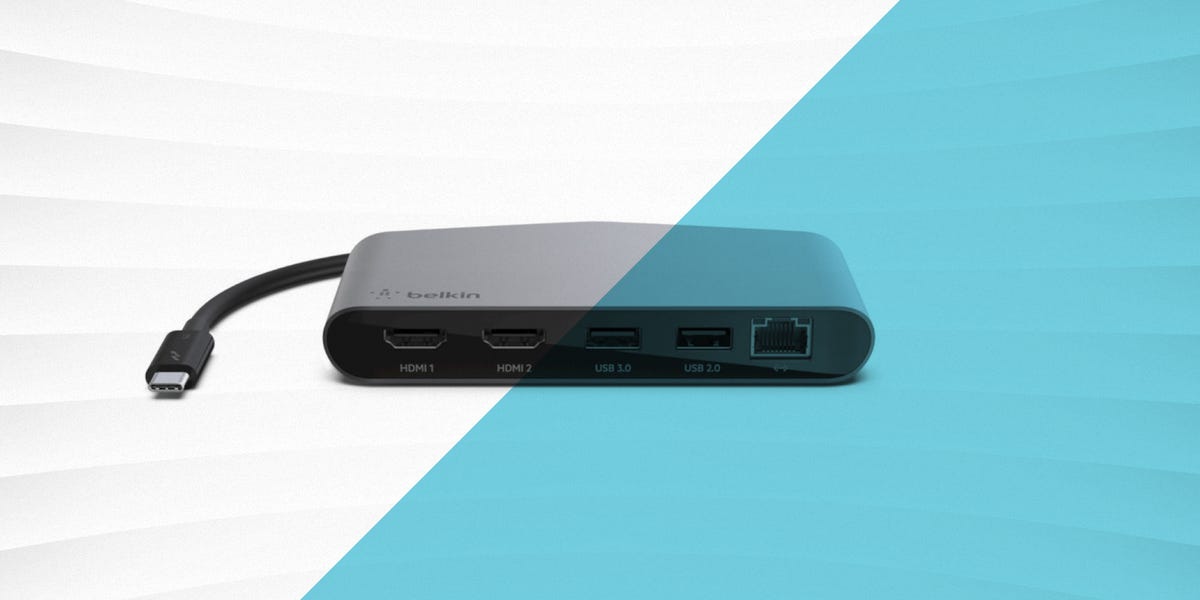

In 2022, the laptop docking station stopped being a nerdy office accessory and became the desk equivalent of a Swiss Army knife with ambition. Laptops were getting thinner, ports were disappearing faster than free donuts in a break room, and people wanted one cable to handle everything: monitors, charging, Ethernet, storage, SD cards, keyboards, mice, and the occasional mystery dongle nobody remembered buying. That made docking stations more than convenient. They became the difference between a calm desk and a cable jungle that looked like it had lost a fight with a blender.
The best laptop docking stations of 2022 were not always the cheapest, and they definitely were not all created equal. Some were true desktop powerhouses built for multi-monitor productivity. Others were better described as travel-friendly hubs wearing a docking-station nametag. The winners were the ones that balanced power delivery, display support, port selection, stability, and compatibility without acting like they were doing you a favor.
This guide looks back at the standout docking stations that shaped the conversation in 2022 and explains which models made sense for different kinds of users. If you wanted a premium Thunderbolt 4 command center, a dependable enterprise dock, or a flexible home-office setup, these were the docks that deserved serious attention.
What Made a Great Docking Station in 2022?
A great docking station in 2022 had one job: make your laptop feel like a real workstation without asking you to perform ritual sacrifices to the settings menu. The best models offered enough bandwidth for multiple displays, enough charging power to keep a demanding laptop alive, and enough ports to keep adapters from breeding on your desk.
Here is what actually mattered when judging a dock in 2022:
1. Power delivery that was more than “technically charging”
A dock that slowly trickle-charged a laptop while the battery still dropped during real work was not winning any popularity contests. For many buyers, 90W to 100W charging was the sweet spot, while some brand-specific docks pushed higher for supported systems.
2. Display support that matched real life
“Supports multiple displays” sounded great until buyers discovered the fine print. The better docking stations were honest and practical about dual 4K support, Thunderbolt requirements, and the fact that your laptop’s own graphics capabilities still mattered. In other words, the dock was powerful, but it was not magic.
3. A port mix that reflected how people actually worked
In 2022, a smart port selection meant USB-A for legacy accessories, USB-C for newer gear, Ethernet for reliable networking, audio jacks, card readers for creatives, and at least one video path that did not require interpretive dance. More ports were nice, but the right ports were better.
4. Compatibility without drama
Universal docks were increasingly attractive in mixed-device homes and offices, but branded docks from Dell, HP, and Lenovo still made a lot of sense for buyers deep inside one ecosystem. Sometimes the best dock was the universal option. Sometimes the best dock was the one your IT department would not glare at.
Best Laptop Docking Stations 2022: The Standout Picks
CalDigit TS4 – Best Overall Premium Dock
If 2022 had a “main character energy” docking station, the CalDigit TS4 was it. This dock arrived like it had read every complaint about previous docks and took notes. With an impressive 18-port design, strong 98W host charging, 2.5GbE networking, multiple USB-C and USB-A connections, card readers, audio options, and Thunderbolt 4 connectivity, it was built for people who were tired of compromise.
What made the TS4 special was not just the port count. It was the quality of the layout and the feeling that the dock had been designed for people who actually use their desks all day. Creators liked the front-facing card readers. Power users liked the bandwidth. Anyone with a messy setup liked the fact that one dock could clean up a whole pile of cables.
The downside was price. This was not a “maybe I’ll try a dock” purchase. This was a “my desk deserves better and so do I” purchase. For buyers who wanted the best overall docking station of 2022, though, the TS4 was hard to top.
Kensington SD5700T – Best for a Clean Thunderbolt 4 Setup
The Kensington SD5700T was one of the easiest docks to recommend for users who wanted a polished Thunderbolt 4 experience without wandering into overly exotic territory. It supported single 8K or dual 4K output for compatible Thunderbolt systems, delivered 90W power, and offered a strong mix of modern connectivity in a desktop-friendly design.
This dock felt especially appealing for professionals who wanted a neat, reliable centerpiece for a two-monitor office setup. It was not trying to be flashy. It was trying to be useful, and frankly, that was refreshing. The SD5700T also appealed to people who wanted a more future-facing Thunderbolt 4 dock without stepping all the way into top-dollar ultra-premium territory.
If your goal in 2022 was to connect your laptop, add displays, charge your machine, and get on with your day without hearing the phrase “have you tried reconnecting it,” the Kensington dock was a strong choice.
Plugable TBT4-UDZ – Best for Port Variety and Flexible Display Setups
Plugable earned plenty of respect in 2022 because the company understood an important truth: many buyers did not need a pretty dock as much as they needed a practical one. The Plugable TBT4-UDZ leaned into that idea with a generous 16-port layout that included HDMI, DisplayPort, USB-C, multiple USB-A ports, Ethernet, audio, and card readers.
This dock was especially attractive for users with complicated monitor needs, since it offered multiple display output options. It felt less like a minimalist design statement and more like a useful piece of desk equipment. In plain English, it looked ready for work.
The TBT4-UDZ was the kind of dock you bought because your setup had grown over time and now included just enough accessories to become mildly judgmental. External storage? Sure. Keyboard and mouse? Easy. Two monitors? Go ahead. Audio gear, Ethernet, charging, card readers? Also yes.
If you wanted flexibility in 2022, Plugable was one of the safest names in the game.
Dell WD19S – Best for Dell Laptop Owners
The Dell WD19S was not the sexiest dock of 2022, but it was one of the most sensible. And sometimes sensible is beautiful, like a spreadsheet that finally balances or a charger that is somehow exactly where you left it. Dell’s WD19S was built for dependable office use, and for buyers with Dell laptops, it made an awful lot of sense.
One reason was power. Compatible Dell systems could take advantage of higher delivery figures, while many non-Dell laptops still got solid charging and connectivity. The dock also fit neatly into corporate environments thanks to its manageability, familiar port layout, and mounting options.
For home users, the WD19S was attractive because it was straightforward. For business buyers, it was attractive because it reduced headaches. Either way, it was one of the strongest branded docking stations of 2022, particularly if your desk already had a Dell logo somewhere on it.
HP Thunderbolt Dock G4 – Best for Enterprise and Security-Conscious Offices
HP approached the docking station market in 2022 with the kind of buttoned-up professionalism that says, “Yes, this device has a policy.” The HP Thunderbolt Dock G4 was clearly aimed at serious office use, and that was not a bad thing. It offered Thunderbolt 4 connectivity, meaningful power delivery, and enterprise-friendly features for organizations that cared about fleet management, security, and a smooth desk-to-desk experience.
For the average home buyer, the G4 could feel a bit more corporate than charming. But for businesses, hot-desk environments, and users who wanted the peace of mind that comes with a carefully engineered office dock, it was a strong contender. This was the dock equivalent of showing up five minutes early with your calendar already color-coded.
Lenovo ThinkPad Universal Thunderbolt 4 Dock – Best for ThinkPad and Mixed-Device Workspaces
Lenovo’s ThinkPad Universal Thunderbolt 4 Dock was a smart answer to a very 2022 problem: people wanted one dock that could work across devices without making ThinkPad owners feel like second-class citizens. Lenovo positioned this dock as a flexible, high-bandwidth solution with strong display capability and up to 100W charging, making it appealing for both brand-loyal professionals and broader office deployments.
The word “universal” mattered here. Lenovo was clearly trying to give buyers a dock that could operate in a mixed environment, not just a single-brand bubble. That made it especially interesting for teams, shared desks, and users whose work laptop and personal laptop did not come from the same family tree.
For ThinkPad users, it also offered the simple joy of buying something that felt designed with their needs in mind, rather than adapted at the last minute by a marketing department holding a USB-C cable.
OWC Thunderbolt Dock – Best for Mac-Friendly Creative Desks
OWC has long had a good reputation with Mac users, and its Thunderbolt Dock fit neatly into that world in 2022. With 11 ports, 96W host charging, and support across Thunderbolt 4, Thunderbolt 3, USB4, and USB host devices, it was a strong choice for creative professionals and anyone who valued a clean, stable setup over maximum port excess.
The OWC dock felt especially well suited to photographers, editors, and content creators who wanted high-speed storage, dependable peripherals, and a desk setup that did not require three separate mini-adapters just to feel complete. It was not the most over-the-top dock of the year, but it was one of the most thoughtfully balanced.
If your workflow involved external drives, media cards, and the occasional need to look dramatically productive while sipping coffee, OWC offered a compelling option.
Anker 777 Thunderbolt Dock – Best for Hybrid Work and Everyday Value
Anker’s 777 Thunderbolt Dock landed in a sweet spot that many buyers appreciated in 2022: premium enough to feel serious, but not so oversized or overengineered that it seemed destined for a spaceship. With a 12-in-1 configuration, 90W upstream charging, dual HDMI 4K60 support, USB-A ports, Ethernet, audio, and an SD slot, it covered the needs of a modern hybrid-work desk very well.
This was the sort of dock that made sense for someone upgrading from a simple USB-C hub and wanting a more complete workstation without going full enterprise or full luxury. It was practical, polished, and easier to justify than the costliest options in the category.
For many home-office users in 2022, that was the magic formula. Not everyone needed a dock with every port ever invented. They just needed one that solved the actual problem sitting in front of them.
Which 2022 Dock Was Best for You?
Best overall
CalDigit TS4 was the most complete premium choice if you wanted top-tier connectivity and did not mind paying for it.
Best for office reliability
Dell WD19S, HP Thunderbolt Dock G4, and Lenovo ThinkPad Universal Thunderbolt 4 Dock were excellent for professional environments, especially when matched to the right laptop ecosystem.
Best for creative professionals
OWC Thunderbolt Dock and CalDigit TS4 stood out for fast workflows, external drives, and cleaner media-friendly setups.
Best balance of power and flexibility
Plugable TBT4-UDZ and Anker 777 offered a lot of day-to-day value, especially for users building out a home office.
Best if you wanted Thunderbolt 4 without overcomplicating life
Kensington SD5700T hit a very comfortable middle ground between premium capability and practical usability.
Buying Advice That Still Holds Up
One of the funniest things about docking stations is that people often buy them the way they buy gym equipment: full of hope, slightly confused, and maybe about to overspend. A few rules made the 2022 market much easier to navigate.
First, check your laptop before falling in love with a dock. Thunderbolt 4 docks are fantastic, but if your laptop does not support the right standard or display mode, that expensive dock may spend its life underachieving.
Second, think about whether you need a full dock or just a hub. Many 2022 roundups mixed these together, and while that is understandable, the distinction matters. A travel hub is great in a bag. A real docking station is great on a desk. Expecting one to perfectly replace the other is how disappointment gets invited into the room.
Third, buy for the setup you will have in six months, not the one you had last Tuesday. If you already know you want dual monitors, wired Ethernet, charging, fast storage, and room to grow, buying the bare minimum will only save money until it doesn’t.
Final Verdict
The best laptop docking stations of 2022 were the ones that made modern laptops feel less restricted. They expanded connectivity, simplified workspaces, and gave remote workers, creatives, and office professionals a way to build something closer to a real desktop experience with a single cable.
If you wanted the best all-around choice, the CalDigit TS4 was the standout star. If you wanted dependable enterprise functionality, Dell, HP, and Lenovo all made compelling cases. If you valued flexibility and real-world practicality, Plugable, Kensington, OWC, and Anker each had strong reasons to earn space on your desk.
In short, 2022 was a great year for docking stations because the category finally matured. The best models stopped feeling like awkward accessories and started feeling like essential tools. And for anyone tired of crawling under a desk to reconnect one more cable, that was beautiful.
Real-World Experiences With Laptop Docking Stations in 2022
Anyone who worked from home, split time between office and home, or tried to turn a kitchen table into a temporary productivity hub in 2022 probably remembers the emotional arc of docking station ownership. It usually started with optimism. “One cable,” you told yourself. “How hard could this be?” Then came the setup phase, where you discovered that one monitor worked immediately, the second monitor needed negotiation, and your old USB receiver had opinions.
But once you found the right dock, the experience was genuinely transformative. A good docking station changed the rhythm of the workday. You stopped plugging in five separate cables every morning like you were launching a small submarine. You sat down, connected one lead, and suddenly the keyboard lit up, the monitor woke up, Ethernet kicked in, and the laptop started charging. It felt less like using accessories and more like docking a machine into its proper habitat.
For remote workers, that convenience mattered more than spec sheets sometimes admit. A dependable dock created a real separation between “laptop mode” and “desk mode.” On the couch, your computer was portable and simple. At the desk, it became a full workstation with a big screen, proper peripherals, external drives, and fewer excuses to work hunched over like a shrimp with deadlines.
Creative users had their own reasons to care. Photographers and video editors appreciated front-facing card readers, fast storage connections, and the ability to keep multiple devices attached without playing musical chairs with cables. The best creative-friendly docks made importing footage and moving large files feel smooth instead of annoying. That sounds small until you do it every day. Then it becomes the difference between “nice setup” and “why am I still living like this?”
Office workers noticed another benefit: predictability. Branded docks from Dell, HP, and Lenovo often felt less exciting on paper than some flashy Thunderbolt competitors, but in real office life they were often easier to live with. They fit standardized desks, supported common workflows, and made IT departments slightly less dramatic. That alone was worth something.
Even the flaws became part of the 2022 docking station experience. Some docks were a little too expensive. Some ran warm. Some looked like they belonged in a data center instead of a home office. Some had enough ports to make you feel powerful, yet somehow still lacked the one connector you needed that day. But overall, the category improved in a way users could actually feel.
That is why so many people who bought the right dock in 2022 rarely wanted to go back. Once you experience the luxury of dropping one cable into your laptop and watching your entire desk come alive, the old way starts to feel primitive. Not impossible. Just annoyingly prehistoric, like rewinding a VHS tape or typing a password with one finger while holding coffee in the other hand.