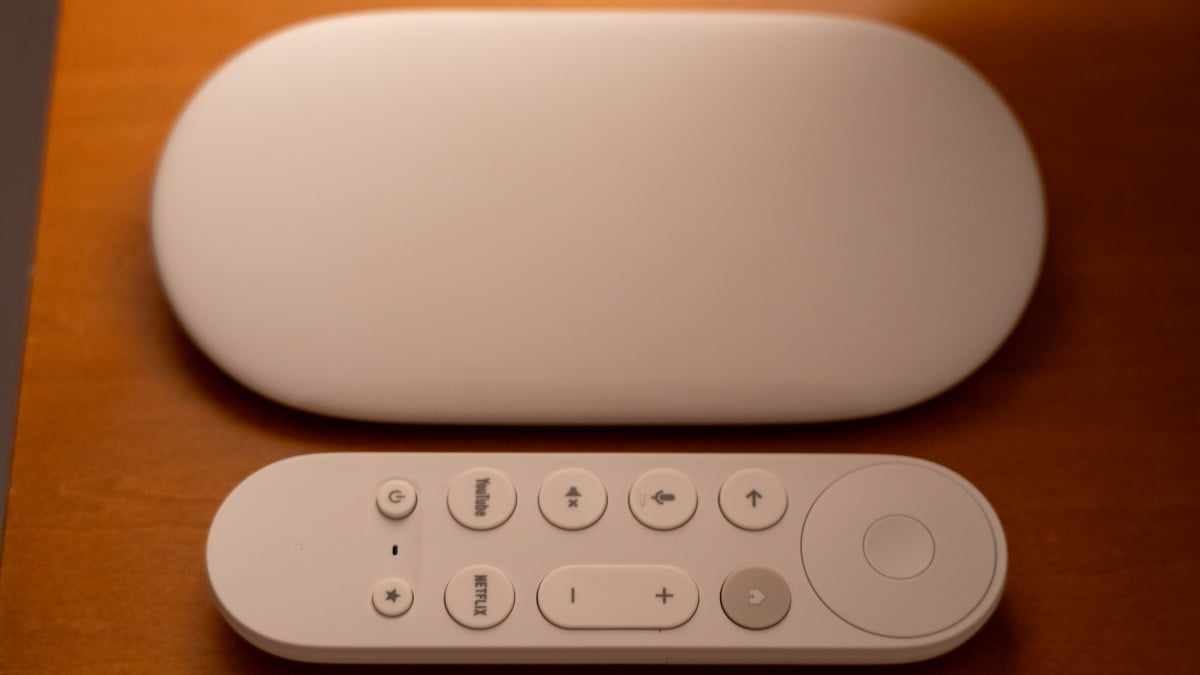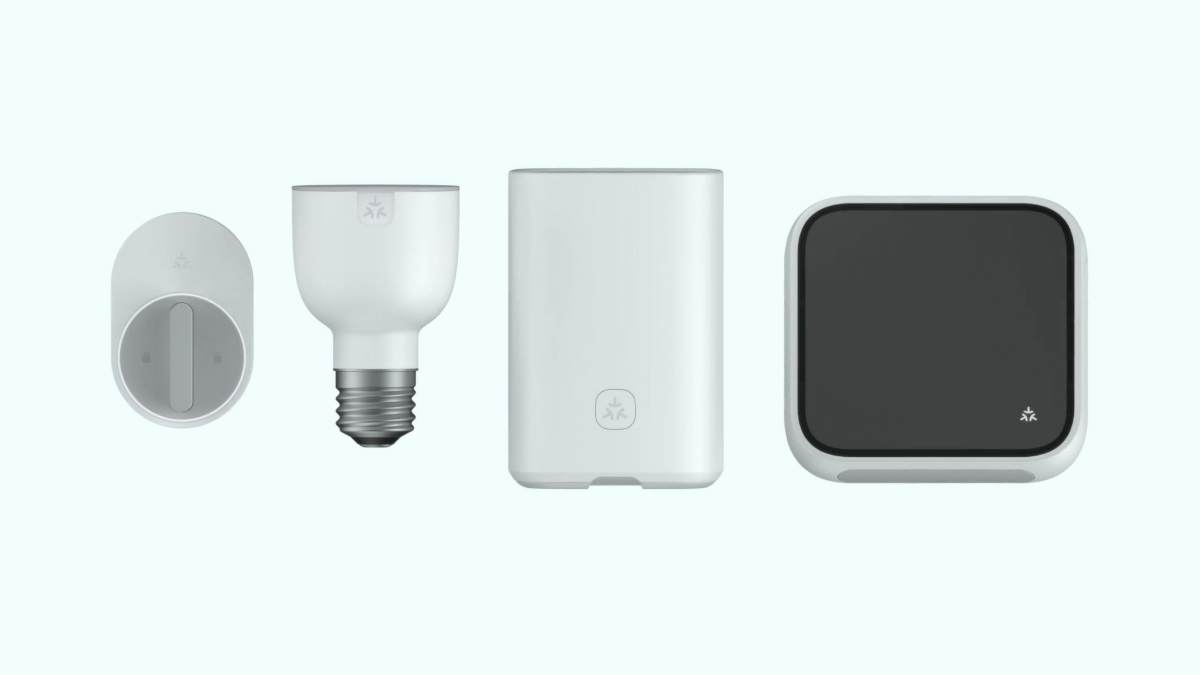

Smart homes were supposed to make life easier. Instead, for years, they often felt like a group project where nobody read the instructions. One bulb worked with Alexa but not Apple Home. One lock loved Google Home but gave Samsung SmartThings the silent treatment. A sensor required its own hub, its own app, its own password, and possibly a small emotional support snack.
That is exactly the problem Matter was created to solve. Matter is the new open smart home standard designed to help devices from different brands work together more smoothly across major platforms, including Apple Home, Amazon Alexa, Google Home, Samsung SmartThings, and other ecosystems. In plain English: Matter is trying to make your smart home less like a tangled drawer of mystery cables and more like, well, a home.
If you are buying smart home devices today, Matter should be near the top of your checklist. It can make setup easier, reduce platform lock-in, improve reliability, support local control, and help your devices survive future ecosystem changes. It is not magic. It will not make your robot vacuum stop eating phone chargers. But it does give the smart home industry something it desperately needed: a common language.
What Is Matter?
Matter is a smart home connectivity standard developed by the Connectivity Standards Alliance, the organization behind several connected-device standards. It is backed by many of the biggest names in technology and smart home hardware, including Apple, Google, Amazon, Samsung, and numerous device manufacturers.
The simplest way to understand Matter is this: it lets smart home devices speak the same basic language. Instead of every brand building its own private island, Matter creates a shared foundation so a Matter-certified smart plug, light bulb, thermostat, lock, sensor, shade, or camera can be added to more than one smart home ecosystem.
Matter is IP-based, meaning it uses internet-style networking principles. It can run over Wi-Fi, Ethernet, and Thread. Bluetooth Low Energy is often used during setup, but Matter devices do not rely on Bluetooth for everyday control. That distinction matters because Bluetooth-only smart gadgets can be slow, fussy, and range-limited. Matter aims for something sturdier.
Why Matter Matters for Your Smart Home
1. It Reduces the “Will This Work With My Stuff?” Problem
Before Matter, shopping for smart home devices required detective work. You had to check whether a product worked with Alexa, Apple HomeKit, Google Home, SmartThings, or some proprietary app with a name that sounded like a forgotten spaceship. Buy the wrong device, and you might discover it could not join your preferred platform without a workaround.
With Matter, the logo is supposed to make that decision easier. A Matter-certified device is designed for cross-platform compatibility. That means you can buy one product and potentially use it with multiple supported ecosystems. For households that mix iPhones, Android phones, Echo speakers, Nest displays, and Samsung TVs, that is a big deal.
2. It Helps Break Vendor Lock-In
Vendor lock-in is when your smart home slowly becomes loyal to one company, even if you are not. You start with one smart speaker. Then you buy compatible bulbs. Then a compatible lock. Then a thermostat. Suddenly, switching platforms feels like moving house, except the boxes are full of firmware updates.
Matter does not eliminate every lock-in issue, but it makes the walls lower. A Matter device can often be shared across platforms through a feature called multi-admin. For example, you may be able to add the same Matter light to Apple Home and Google Home, letting one family member control it with Siri while another uses Google Assistant. Harmony in the household, at least until someone changes the thermostat again.
3. Setup Is Becoming Less Painful
Early smart home setup could feel like a ritual: install app, create account, scan code, fail, reset device, hold tiny button with paperclip, whisper encouraging words, repeat. Matter improves that process by standardizing onboarding. Many devices can be added by scanning a QR code or entering a setup code.
Recent Matter updates have pushed setup even further. Matter 1.4.1 introduced features such as enhanced setup flow, multi-device setup QR codes, and NFC onboarding information. In practical terms, that means manufacturers can make pairing easier, including situations where a single QR code can help set up multiple devices or an NFC tap can simplify onboarding.
This is especially useful for products like light switches, outlets, and installed fixtures. Nobody enjoys removing a wall plate just to find a code that was hidden after installation. Matter’s newer setup tools are designed to reduce that kind of comedy, which is only funny when it happens to someone else.
4. Local Control Can Improve Reliability
Many older smart home devices depend heavily on the cloud. Tap a button in your app, the command goes to a remote server, then comes back to your house. That can work fine, until your internet drops or a company retires a service. Then your “smart” plug becomes a very small brick with ambition.
Matter is built with local control as a core idea. Devices can communicate over your home network, which can make responses faster and more reliable. If your internet connection goes down, basic local functions may still work, depending on your setup and ecosystem. That is valuable because lights, locks, sensors, and thermostats should not feel like they need permission from a distant data center to do their jobs.
5. Thread Makes Low-Power Devices Smarter
Matter can run over Wi-Fi, Ethernet, and Thread. Wi-Fi is familiar and great for devices with more power, such as cameras, speakers, and appliances. Ethernet is excellent for stable wired products. Thread is different: it is a low-power wireless mesh networking technology built for smart home devices like sensors, locks, buttons, shades, and bulbs.
A Thread network can become stronger as you add more powered Thread devices, because many of them can help relay signals. This mesh design can improve range and reliability. Battery-powered devices can also benefit because Thread is designed for low power use.
There is one catch: Thread devices need a Thread border router. That is not always a separate box. Many newer smart speakers, smart displays, streaming devices, Wi-Fi routers, and smart home hubs can act as border routers. Examples include certain Apple HomePod and Apple TV models, Google Nest devices, Amazon Echo and eero devices, and some Samsung SmartThings hubs. Before buying Thread-based Matter devices, check that your home has a compatible Thread border router.
What Devices Work With Matter?
Matter started with common smart home categories such as lights, plugs, switches, locks, thermostats, sensors, blinds, bridges, TVs, and some controllers. Since then, the standard has expanded. Matter 1.5 added support for high-demand categories and features, including cameras, closures, soil sensors, and enhanced energy management capabilities.
That expansion matters because cameras and video doorbells are central to many smart homes. For a long time, video products were one of the biggest gaps in Matter’s promise. Matter 1.5 does not instantly mean every camera works everywhere overnight, but it gives manufacturers and platforms a common path forward.
Energy management is another important area. Smart homes are no longer just about turning lamps blue because it is movie night. They are also about managing power use, coordinating EV chargers, understanding energy demand, and helping homes become more efficient. Matter’s growing energy features point toward a smarter, more practical future.
How Matter Helps Real People, Not Just Spec Sheets
Imagine you buy a Matter-certified smart lock. You use Apple Home because you have an iPhone, but your partner uses Android and prefers Google Home. In the old world, someone might lose. In the Matter world, the lock has a better chance of working across both platforms.
Or say you install Matter smart plugs in your living room. You can control them with Alexa voice commands, add them to Google Home routines, and possibly manage them in SmartThings. You are not forced to rebuild your whole home around one brand’s app. That flexibility is the point.
For renters, Matter can make small upgrades easier. A Matter smart bulb, plug, or sensor can move with you from apartment to apartment. For homeowners, Matter can make long-term planning safer because your devices are less likely to be trapped in a single ecosystem. For families, Matter reduces the “only Dad’s phone can control the lights” problem, which is funny exactly once.
Security and Privacy Benefits
Smart home security is not just about door locks and cameras. It is also about whether devices are properly authenticated, whether they can be trusted, and whether they expose your home network to unnecessary risk. Matter uses a certification process and device attestation to help verify that devices are legitimate Matter products.
Matter also emphasizes secure communication between devices and controllers. Newer updates, including Matter 1.4.2, have focused on improving security, access control, infrastructure behavior, and scalability. For users, that means the standard is not standing still. It is being refined as real-world products reveal what needs to be smoother, safer, and more dependable.
Of course, Matter is not a substitute for basic digital hygiene. You should still update firmware, secure your Wi-Fi, use strong passwords, and avoid buying suspicious bargain-bin devices from brands that appear to have been named by a cat walking across a keyboard.
What Matter Does Not Fix
Matter is important, but it is not a magic wand. First, not every smart home device supports Matter. Older products may never receive Matter updates. Some can join Matter through a bridge, but that depends on the manufacturer.
Second, Matter certification does not mean every platform will expose every feature in exactly the same way. A device may support advanced functions in its manufacturer’s app while offering basic controls through Matter. For example, a smart light may expose brightness and color controls broadly, but special effects or custom scenes may still live in the brand app.
Third, Matter and Thread are not the same thing. Matter is the application standard, the language devices speak. Thread is one of the network technologies Matter can use. A Matter device may use Wi-Fi, Ethernet, or Thread. If you buy a Thread-based device without a Thread border router, you may have a setup problem, not a defective product.
Finally, the smart home still needs patience. Matter is developing quickly, but platform support and manufacturer adoption do not move at identical speeds. One ecosystem may support a new Matter version earlier than another. That is normal for a standard that is still expanding.
How to Buy Matter Devices the Smart Way
Look for the Matter Logo
When shopping, check the packaging or product listing for the Matter logo. Do not rely only on vague phrases like “smart home compatible.” Compatibility with one assistant is not the same as Matter certification.
Check the Connection Type
Look for whether the device uses Wi-Fi, Thread, or Ethernet. Wi-Fi devices are usually easy to understand. Thread devices can be excellent, but you need a Thread border router. Ethernet devices are often reliable for fixed products like hubs or controllers.
Choose a Strong Controller
You still need a Matter controller, such as a compatible smart speaker, smart display, hub, phone, or platform app. If you plan to use Thread, choose a controller or hub that also includes Thread border router support.
Keep Existing Devices When Possible
You do not need to throw away your entire smart home. Some older Zigbee or Z-Wave devices can be exposed to Matter through bridges. Philips Hue, Aqara, SmartThings, Home Assistant, and other platforms may offer bridge-based paths depending on the device and setup.
Update Firmware Before Judging
Smart home devices often improve after updates. Before declaring a new Matter device “possessed,” check for firmware updates in the manufacturer app and your smart home platform. Sometimes the difference between chaos and calm is one update button.
Real-World Experiences: What Living With Matter Feels Like
The biggest real-world benefit of Matter is not dramatic. It is quiet. It is the absence of nonsense. A Matter smart plug that joins Apple Home in a minute, then can be shared to another ecosystem without a weekend of forum archaeology, feels almost suspiciously normal. That is the point. Smart homes should be boring in the best possible way.
In everyday use, Matter is most noticeable when multiple people in a home use different devices. One person may ask Siri to turn off the bedroom lamp. Another may use Google Home from an Android phone. A third may tap a SmartThings routine from a Samsung TV or phone. When Matter works well, nobody has to care which brand originally made the plug or bulb. The device simply appears where it needs to appear.
Another experience that stands out is speed. Local control can make basic commands feel snappier. Turning on a Matter-over-Thread lamp or triggering a sensor-based automation can feel more immediate than older cloud-first setups. It is not always instant, and network design still matters, but the improvement is real enough that you may start noticing which older devices still take the scenic route through the internet.
Setup is better, too, though not perfect. Scanning a Matter QR code is much less painful than juggling four apps and three passwords. However, the first few minutes can still be confusing if you do not understand the difference between a Matter controller, a Thread border router, and a manufacturer app. The best approach is to choose your main ecosystem first, make sure your hub supports what you are buying, and then add devices one at a time. Do not install twelve new devices at midnight unless you enjoy turning your living room into a tech support escape room.
Matter also changes how you think about buying. Instead of asking, “Does this only work with my current platform?” you can ask, “Is this Matter-certified, and does it use the right network for my home?” That is a healthier question. It encourages you to build a smart home that can evolve. If you switch from Alexa to Google Home, add Apple Home later, or decide to run Home Assistant, your Matter devices have a better chance of coming along for the ride.
The most practical lesson is to start small. Buy one Matter smart plug or bulb from a reputable brand. Add it to your main platform. Share it with another ecosystem if your household uses one. Test routines, voice control, remote access, and local behavior. Once you understand how Matter behaves in your own home, expanding becomes much easier.
The second lesson is to respect the network. A smart home is only as good as the invisible plumbing behind it. Weak Wi-Fi, poor hub placement, or missing Thread border routers can make even good devices act flaky. Put your router and hubs in sensible locations, update them regularly, and avoid building your entire smart home on the far edge of a weak signal.
The third lesson is to keep expectations realistic. Matter is a foundation, not a finished mansion. It makes compatibility better, but it does not guarantee that every advanced feature appears in every app. You may still need a manufacturer app for firmware updates or special settings. That is not a failure; it is part of the transition from a fragmented smart home world to a more unified one.
Overall, Matter makes the smart home feel less risky. It gives buyers more confidence, families more flexibility, and manufacturers a clearer target. The best smart home technology disappears into the background. Matter helps make that possible. When your lights turn on, your lock responds, your thermostat adjusts, and nobody has to ask which app controls the hallway, that is not just convenience. That is progress wearing slippers.
Conclusion
You need Matter because the smart home should not require a compatibility spreadsheet. Matter gives smart home devices a shared language, supports major ecosystems, improves setup, enables local control, strengthens security foundations, and helps reduce vendor lock-in. It is especially useful for homes where people use different phones, assistants, and platforms.
Matter is still evolving, and you should buy carefully. Check for the Matter logo, understand whether the device uses Wi-Fi or Thread, make sure you have the right controller, and keep firmware updated. But if you are building or upgrading a smart home in 2026 and beyond, Matter is one of the best ways to make your devices more flexible, future-ready, and less likely to cause a tiny argument in the kitchen.
The smart home is finally learning to speak one language. Thankfully, that language is not “please reset your hub again.”