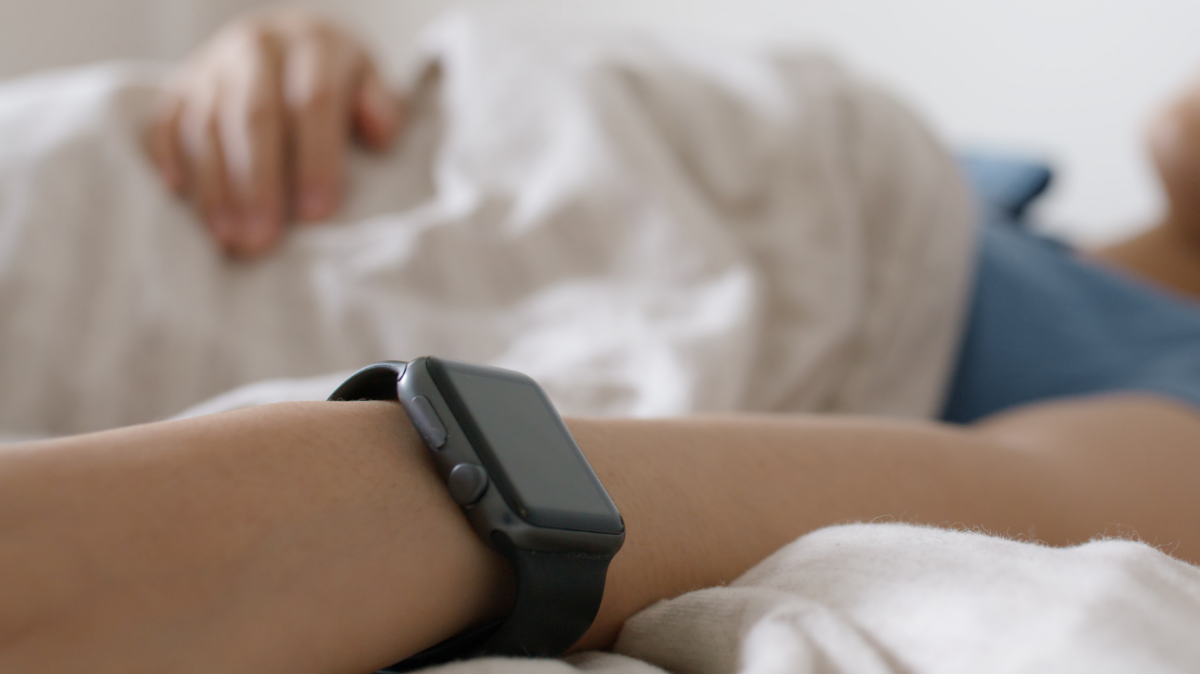

I started tracking my sleep with an Apple Watch for the same reason many people do: I wanted proof that I was not secretly becoming a raccoon. My bedtime was drifting later, my mornings felt foggy, and my “I’ll just watch one more episode” habit had become less of a habit and more of a lifestyle brand. So I strapped a tiny computer to my wrist, turned on sleep tracking, and waited for the truth.
The truth arrived in charts, sleep stages, heart rate trends, respiratory rate estimates, and a few humbling little bars that made it clear my body was not impressed with my late-night decisions. Apple Watch sleep tracking did not magically turn me into a morning person. It did something more useful: it showed me patterns I had been ignoring.
After several weeks of wearing the Apple Watch to bed, I learned that sleep is not just about the number of hours in bed. It is about consistency, routines, recovery, stress, temperature, late caffeine, and whether I treat bedtime like a soft landing or a chaotic airport security line. Here is what I learned from tracking my sleep with an Apple Watchand what I think is actually worth paying attention to.
How Apple Watch Sleep Tracking Works
The Apple Watch uses motion sensors, heart rate data, and other overnight signals to estimate when you are asleep, when you wake up, and how much time you spend in different sleep stages. In the Sleep app and Health app, you can view sleep duration, time awake, REM sleep, Core sleep, and Deep sleep. On newer supported models, you may also see wrist temperature trends, respiratory rate, overnight vitals, and sleep apnea notifications where available.
That sounds impressively futuristic, and honestly, it is. A watch that can quietly collect sleep data while you are unconscious is still a little sci-fi. But it is important to understand what it is not. It is not a full clinical sleep study. It does not measure brain waves the way polysomnography does in a sleep lab. It estimates. Sometimes those estimates are helpful. Sometimes they are suspiciously confident for a device that also thinks I stood up when I merely reached for chips.
The best way to use Apple Watch sleep tracking is to treat it as a trend tool, not a courtroom witness. One weird night does not mean your sleep life is doomed. A pattern over several weeks, however, can tell you something useful.
The First Lesson: My Bedtime Was the Real Problem
Before using the Apple Watch for sleep tracking, I thought my issue was waking up. I blamed my alarm, my pillow, the weather, my neighbor’s mysterious 6 a.m. furniture-moving hobbyeverything except my bedtime. The data made the obvious impossible to ignore: I was going to sleep too late and expecting my body to perform miracles.
Apple Watch sleep trends showed that my best mornings followed nights when I went to bed and woke up around the same time. Not perfect, not military-grade, just consistent. When my bedtime bounced around by two or three hours, my sleep duration dropped, my awake time increased, and I felt like a browser with 47 tabs open.
This lines up with basic sleep science. Adults generally need at least seven hours of sleep, and regular sleep schedules help support the body’s internal clock. My watch did not teach me a brand-new secret. It simply made the old advice harder to dodge.
Sleep Stages Are Interesting, But Easy to Overthink
One of the most addictive parts of Apple Watch sleep tracking is the sleep stages chart. REM, Core, Deep, Awakeit looks official, colorful, and slightly judgmental. At first, I checked it every morning like it was a stock portfolio. Did I get enough Deep sleep? Was my REM sleep good? Why did I wake up at 3:17 a.m.? Did my body file a complaint?
Eventually, I learned to calm down. Sleep stages matter, but consumer wearables are better at showing broad patterns than perfectly identifying every stage. Deep sleep is associated with physical restoration, REM sleep plays a role in memory and emotional processing, and lighter sleep is a normal, necessary part of the cycle. A lower Deep sleep number on one night does not mean disaster. Sometimes it just means the watch made an estimate, your body had a normal variation, or you ate a heroic amount of pasta too late.
The bigger lesson was not “maximize Deep sleep like a video game score.” It was to notice what habits seemed to support better sleep overall. Consistent bedtime helped. A cooler room helped. Less late-night scrolling helped. Pretending blue light was “just vibes” did not help.
My Sleep Was More Sensitive to Caffeine Than I Wanted to Admit
I used to believe that afternoon coffee did not affect me. This was based on highly scientific evidence: I could drink coffee at 4 p.m. and still fall asleep eventually. The Apple Watch gave me a more annoying, more useful picture. On days with late caffeine, I often had more awake time, a higher sleeping heart rate, or a shorter total sleep duration.
Falling asleep is not the same as sleeping well. That was one of my biggest takeaways. I could technically fall asleep after caffeine, heavy food, or a stressful evening, but the night often looked more restless. The next morning, I might have “slept” seven hours while feeling like I had been lightly folded and stored in a drawer.
After tracking my sleep for a while, I moved caffeine earlier in the day. I did not become a monk. I simply stopped treating coffee like a bedtime accessory. The improvement was not dramatic every single night, but over time my sleep became steadier.
Resting Heart Rate Became My Quiet Recovery Signal
One feature I did not expect to care about was overnight heart rate. The Apple Watch can show heart rate during sleep, and I started noticing that it often reflected how my day went. Hard workout? Higher sleeping heart rate. Stressful day? Higher again. Late dinner? Sometimes higher. A relaxing evening with an early bedtime? Usually lower and smoother.
This did not turn me into a medical detective, and it should not be used to self-diagnose. But as a personal trend, it was useful. When my sleeping heart rate stayed higher than usual for a few nights, I took it as a sign to slow down, hydrate, avoid late meals, and stop pretending stress was simply “productivity with better branding.”
The Apple Watch did not tell me exactly why my body was working harder at night. It gave me a nudge to ask better questions. Did I train too hard? Was I getting sick? Did I sleep in a warm room? Did I answer emails in bed like a person making poor choices? The answer was often yes.
Wrist Temperature Trends Are Useful, But Not Magic
On supported Apple Watch models, wrist temperature tracking can show nightly changes from your baseline. This is not the same as taking your core body temperature with a thermometer. It is a skin temperature trend measured at the wrist while you sleep. Still, it can be surprisingly informative.
I learned that temperature matters more than I thought. A warm room made sleep feel heavier and more broken. Cooler nights were often better. When my wrist temperature trend moved differently from my normal baseline, it sometimes matched nights when I felt run-down, overheated, stressed, or simply slept under too many blankets because optimism is apparently not a climate-control strategy.
The practical takeaway was simple: make the bedroom cool, dark, and quiet. That advice sounds boring until you see how much your sleep can change when the room stops acting like a toaster oven.
The Watch Helped Me Respect Wind-Down Time
Sleep tracking made one thing painfully clear: bedtime does not begin when your head hits the pillow. Bedtime begins with the hour before it. If that hour is full of bright screens, work messages, snacks, arguments in comment sections, and “quick” videos that somehow become 38 minutes, sleep usually pays the bill.
I started using a wind-down routine because the data embarrassed me into maturity. Nothing fancy: dim lights, charge the phone away from the bed, lower the room temperature, read something that was not designed by an algorithm, and stop treating midnight as a creative brainstorming session. My Apple Watch did not force this. It simply showed me that my sleep improved when I gave my brain a runway instead of throwing it directly into bed at full speed.
Sleep Scores Can Motivate Youor Mess With Your Head
Sleep scores are helpful when they encourage better habits. They are less helpful when they become a daily emotional report card. I had mornings when I felt fine, checked the data, saw a mediocre sleep result, and suddenly decided I was exhausted. That is not health tracking. That is letting a wrist gadget bully your mood before breakfast.
This is where sleep tracking can become tricky. Some people become anxious about getting “perfect” sleep, a pattern sometimes called orthosomnia. The more they chase ideal numbers, the harder sleep becomes. I understand how that happens. Sleep data can be fascinating, but it can also tempt you into micromanaging something your body is supposed to do naturally.
My rule became this: trust trends more than single nights, and trust how I feel more than a score. If I feel good and the watch says my sleep was average, I do not hold a congressional hearing. If I feel terrible and the watch says I slept well, I do not pretend I am fine. The data is a tool, not a personality.
Apple Watch Sleep Apnea Notifications Are Helpful, But Not a Diagnosis
On supported Apple Watch models and in available regions, sleep apnea notifications can look for patterns of breathing disturbances during sleep and notify eligible users if the data shows consistent signs associated with moderate to severe sleep apnea. This is an important feature because sleep apnea is common and often undiagnosed.
But the wording matters. A notification is not a diagnosis. It does not replace a doctor, a clinical sleep study, or proper medical evaluation. If someone receives an alert, has loud snoring, gasping during sleep, morning headaches, daytime sleepiness, or ongoing sleep problems, the smart move is to talk with a healthcare professional.
For me, this feature reinforced a broader lesson: wearables are best at raising awareness. They can point you toward a pattern, but they should not become your doctor, therapist, coach, and tiny wrist-based life manager all at once.
What Actually Improved My Sleep
After weeks of tracking, the most useful improvements were surprisingly basic. I got better results when I kept a consistent sleep schedule, stopped caffeine earlier, made the bedroom cooler, reduced screen time before bed, avoided heavy late meals, and paid attention to stress instead of dragging it under the blanket with me.
The Apple Watch did not discover a secret sleep hack hidden by Big Pillow. It made simple habits visible. That visibility changed my behavior. When I saw that five nights of consistency gave me better mornings, I wanted to protect that routine. When I saw that late scrolling matched restless sleep, the phone became less tempting. Not completely untemptingI am still humanbut less.
What Apple Watch Sleep Tracking Gets Right
The biggest strength of Apple Watch sleep tracking is convenience. You wear it, sleep, wake up, and the data is there. It integrates with the Health app, shows trends over time, and connects sleep with other signals like heart rate, respiratory rate, and overnight vitals. For someone who wants a practical overview of sleep habits, that is genuinely useful.
It also helps turn vague feelings into patterns. “I sleep badly” becomes “I sleep worse when I go to bed after midnight three nights in a row.” “I wake up tired” becomes “My sleep duration is okay, but my schedule is chaotic.” Specific problems are easier to fix than foggy complaints.
What Apple Watch Sleep Tracking Does Not Do
It does not make sleep effortless. It does not guarantee accuracy in every sleep stage. It does not explain every bad night. It does not replace medical care. And it definitely does not help if you check your sleep data obsessively, panic about it, and then spend the next night trying to sleep with the relaxed energy of someone defusing a bomb.
The Apple Watch is a mirror, not a magician. If your habits are messy, it will show you the mess. That is useful, but only if you respond with curiosity instead of guilt.
Who Should Try Tracking Sleep With an Apple Watch?
Apple Watch sleep tracking is a good fit for people who like data, want to improve their routines, and can look at trends without spiraling over every imperfect night. It is especially useful if you already wear an Apple Watch during the day and want sleep tracking without buying a separate device.
It may not be ideal if wearing a watch to bed bothers you, if battery charging becomes annoying, or if sleep numbers make you anxious. In that case, a simple sleep diary may be better. Write down bedtime, wake time, caffeine, exercise, stress, and how you feel in the morning. Low-tech, yes. Effective, also yes. Sometimes a notebook is the most underrated wearable.
My Final Verdict
Tracking my sleep with an Apple Watch taught me that better sleep is less about chasing perfect sleep stages and more about building repeatable habits. The most valuable insight was not a single number. It was the relationship between my daily choices and my nights.
I learned that consistency beats ambition. A realistic bedtime beats a heroic promise to “catch up later.” A cool, dark room beats expensive excuses. Less late caffeine beats pretending biology respects my schedule. And a sleep tracker is most helpful when it makes me kinder and smarter about my bodynot more obsessive.
So yes, I still track my sleep. But I no longer treat the Apple Watch like a tiny judge strapped to my wrist. I treat it like a helpful, slightly nerdy friend who says, “Hey, remember how you felt awful after sleeping five hours? Perhaps do not repeat that masterpiece.” Fair point, little watch. Fair point.
Extra Experience: More Lessons From Living With Apple Watch Sleep Tracking
The longer I used Apple Watch sleep tracking, the more I realized that the best insights were not always in the most glamorous charts. Sleep stages looked exciting, but the boring details changed my life more. The time I went to bed, the time I woke up, and how often I interrupted my own routine mattered more than whether one night had a little more REM sleep than another. My Apple Watch became less of a sleep scoreboard and more of a routine detector.
One unexpected lesson was how strongly weekends affected my sleep. I used to stay up late on Friday and Saturday, then wonder why Monday felt like a software update installed directly into my brain. The Apple Watch showed that my weekend schedule was basically jet lag without the vacation photos. When I shifted my weekend bedtime closer to my weekday routine, Monday mornings became less dramatic. Not delightful, exactlylet’s not get carried awaybut less like waking up inside a fog machine.
I also learned that exercise helped, but timing mattered. On days when I moved more, especially earlier in the day, my sleep often felt deeper and more satisfying. But intense workouts too close to bedtime sometimes made it harder to wind down. The lesson was not to avoid evening exercise completely. It was to notice my personal response. Gentle stretching at night helped. A late, intense workout made my body act like it had received a motivational speech from a caffeinated coach.
Another surprise was how much alcohol-like habits and heavy evening meals affected sleep quality. Even without focusing on one specific food or drink, I noticed that big late meals often matched more restless nights. My body apparently did not appreciate being asked to digest dinner and perform overnight recovery at the same time. The Apple Watch did not tell me, “That second plate was a bold choice,” but the data had a tone.
Battery life also became part of the routine. To track sleep consistently, I had to charge the watch at smarter times: during a shower, while working at my desk, or during breakfast. At first this was annoying. Eventually it became automatic. The good news is that building a charging habit also made me more intentional about wearing the watch to bed. Sleep tracking works best when it is consistent, and consistency requires removing little frictions before they become excuses.
The biggest emotional change was learning not to panic over a bad night. Before tracking, a bad night felt mysterious and personal, like my body had betrayed me. With data, I could usually see context. Maybe I went to bed late, had a stressful day, skipped exercise, used screens too long, or slept in a warm room. A bad night became information instead of failure. That shift made sleep feel less like a performance and more like a practice.
My favorite use of the Apple Watch now is weekly review, not morning judgment. Looking at seven-day or monthly trends gives me a calmer, more accurate picture. One rough night does not matter much. A repeated pattern matters a lot. If my sleep duration drops for several nights, I adjust. If my wake time gets chaotic, I tighten the routine. If my overnight metrics look unusual and I also feel off, I pay attention.
In the end, the Apple Watch did not teach me to sleep perfectly. It taught me to sleep more honestly. It showed me where my habits helped, where they hurt, and where I was blaming mornings for problems I created at night. That may not sound revolutionary, but it changed the way I treat bedtime. I no longer see sleep as the thing I do after everything else is finished. I see it as the foundation that makes everything else less ridiculous.
Note: This article is for general informational purposes only. Apple Watch sleep tracking can help reveal patterns, but it should not replace professional medical advice, diagnosis, or treatment for persistent sleep problems.