
Few modern mysteries are as oddly stressful as sending a text, waiting for a reply, and hearing absolutely nothing back. No bubble. No “delivered.” No call. No explanation. Just digital tumbleweeds rolling across your Android screen. Naturally, your brain starts hosting a full courtroom drama: Did they block me? Is their phone dead? Are they mad? Did they move to a cabin with no signal and a suspicious number of houseplants?
The tricky truth is this: Android does not give you a big red notification that says, “You have been blocked.” That would be helpful, yes, but also socially explosive. Instead, you have to look for patterns across calls, texts, voicemail behavior, RCS messaging, and other clues. None of these signs are 100% proof by themselves, but together they can help you make an educated guess.
This guide breaks down six practical ways to tell if someone blocked your number on Android, plus the common false alarms that can make blocking look more likely than it really is. The goal is not to help you obsess over one unanswered message. The goal is to give you a calm, realistic way to understand what might be happening without turning your phone into a detective board covered in red string.
Can You Know for Sure if Someone Blocked Your Number on Android?
Not usually. Android phones, carriers, and messaging apps are designed to protect user privacy. When someone blocks a number, the blocked person typically does not receive a clear alert. Your calls may behave differently, your texts may stop showing delivery signs, and your messages may seem to disappear into the void, but Android will not officially confirm the block.
That means the smartest approach is to look for repeated behavior. One failed call means very little. One undelivered text could be a network hiccup. But if calls consistently go straight to voicemail, texts never show delivery indicators, and the person remains reachable through other channels, then blocking becomes more likely.
1. Your Calls Go Straight to Voicemail or Ring Only Once
One of the most common signs that someone may have blocked your number on Android is unusual call behavior. When you call, the phone might ring once and then go directly to voicemail. In other cases, it may not appear to ring at all before sending you to voicemail.
This happens because many Android call-blocking features prevent the blocked caller from ringing through normally. Depending on the phone model, carrier, and settings, your call may be silently rejected, routed to voicemail, or filtered before the recipient ever sees it.
What this might look like
For example, you call a friend three times over two days. Each time, you hear one ring, then voicemail. You leave a message, but they never respond. Meanwhile, when another person calls them, their phone rings normally. That pattern could suggest your number has been blocked.
However, do not jump to conclusions after one call. A phone that is turned off, out of service, in airplane mode, on Do Not Disturb, or low on battery can produce similar behavior. Some people also manually decline calls when they are busy, which can send you to voicemail quickly. In other words, one ring does not automatically mean “blocked.” Sometimes it just means “bad timing with dramatic sound effects.”
2. Your Text Messages Do Not Show Normal Delivery Signs
Another clue involves text message delivery. On Android, the details depend heavily on whether you are using SMS, MMS, or RCS through Google Messages or another messaging app.
Traditional SMS messages usually do not provide strong delivery feedback. You might send a regular text and see no useful status at all. RCS messages, however, may show indicators such as “Sent,” “Delivered,” or “Read,” depending on both users’ settings. If your RCS messages used to show “Delivered” or “Read” and suddenly only show “Sent,” that may be a clue something changed.
RCS clues are helpful, but not perfect
RCS depends on data connection, carrier support, device settings, and whether both people are using compatible messaging apps. If the other person disables RCS, loses internet access, switches phones, changes default messaging apps, or has a temporary carrier issue, your message status can change even if you are not blocked.
Still, a pattern matters. If your messages to one specific person never show as delivered anymore, while your messages to everyone else behave normally, that deserves attention. It does not prove you are blocked, but it moves the needle from “probably a random glitch” to “something may be different with this contact.”
3. Your Messages Stay One-Sided for a Long Time
Sometimes the biggest clue is not a technical notification. It is the overall pattern. If your calls go unanswered, your texts receive no replies, and the person has not responded for an unusual amount of time, you may wonder whether your number has been blocked.
Blocking often creates a one-sided conversation. You can keep sending messages from your Android phone, but the other person may not see them in their normal inbox. Depending on their device and messaging app, blocked texts may be hidden, filtered, or sent to a blocked/spam section. From your side, everything can appear strangely normal, which is exactly what makes the situation confusing.
Look for a change from normal behavior
The key is comparing the current pattern with the person’s usual habits. Someone who always takes three days to respond is not suddenly suspicious for taking three days to respond. That is just their communication personality, possibly powered by chaos and unread notifications.
But if someone normally replies within minutes and now every message gets silence for a week, that change may be meaningful. Combine it with other signs, such as calls going straight to voicemail or no RCS delivery updates, and blocking becomes more possible.
4. You Can Reach Them from Another Number
A practical way to test whether your number is the issue is to compare what happens from another phone. If your calls from your Android phone always go straight to voicemail, but a call from a different number rings normally, that suggests your number may be blocked or filtered.
This method should be handled respectfully. Do not repeatedly call from other numbers, hide your identity, or try to force contact with someone who may not want to communicate. The point is not to bypass someone’s boundary. It is simply to understand whether the issue is technical or specific to your number.
A respectful example
Suppose you need to reach a family member about something practical, such as a shared appointment or important update. Your Android calls go straight to voicemail for two days. You ask another family member to call once, and the call rings normally. That could indicate your number is blocked, muted, or filtered on the recipient’s device.
Still, there are other explanations. The recipient may have a contact-specific setting, call screening, spam protection, or carrier-level blocking enabled. Some Android users also block unknown numbers, silence numbers not in contacts, or rely on carrier spam filters that occasionally make awkward decisions. Technology is helpful, but it has the social grace of a toaster.
5. Check Whether Social Apps Still Work Normally
Phone number blocking on Android usually affects calls and SMS or RCS messages. It does not automatically block you on every other platform. That means apps like WhatsApp, Messenger, Instagram, Telegram, Signal, or email may behave differently.
If your phone calls and texts fail, but the person still responds through another app, your number may be blocked while the relationship itself is not completely cut off. Maybe they blocked calls because of spam confusion. Maybe they changed phone settings. Maybe they prefer messaging apps and ignore regular texts like they are ancient scrolls.
What if they are unreachable everywhere?
If you cannot reach them by phone, text, or any social app, the situation may not be about Android blocking alone. They may be offline, traveling, dealing with personal issues, taking a digital break, or choosing not to respond. It could also mean they have blocked you across multiple platforms, but again, the evidence is circumstantial.
Use this clue gently. Seeing someone active online while your texts go unanswered can feel personal, but it still does not prove they blocked your number. People can be online without being ready to reply. Anyone who has opened a social app “for two minutes” and disappeared for an hour understands this perfectly.
6. Notice Repeated Patterns Over Several Days
The strongest clue is consistency. A single failed call means very little. A single missing delivery receipt means very little. But several signs happening together over several days may suggest that your number has been blocked on Android.
Look for a cluster of clues: calls ring once or go straight to voicemail, texts no longer show normal delivery behavior, messages are never answered, voicemail gets no response, and another number can reach the person normally. The more of these patterns you see, the more reasonable it becomes to suspect blocking.
Why patience matters
Waiting is not fun, especially when your brain is writing dramatic background music. But patience prevents false conclusions. Phones break. SIM cards fail. Carriers have outages. People travel. Batteries die. Android settings change after updates. Messaging apps sometimes need to reconnect to RCS. Life is full of boring technical reasons that look suspicious at first glance.
A good rule is to give it some time unless the matter is urgent. If it is not urgent, wait a day or two before making assumptions. If it is urgent, use an appropriate alternate method, such as email or contacting a mutual person, without flooding the recipient.
Common Reasons It Looks Like You Were Blocked When You Were Not
Before declaring yourself blocked, consider the innocent explanations. They are not as dramatic, but they are often more accurate.
Their phone is off or out of service
If the person’s Android phone is powered off, has no signal, or is in airplane mode, your call may go straight to voicemail. Texts may also fail to deliver until the device reconnects.
They enabled Do Not Disturb
Do Not Disturb can silence calls and notifications. Some users allow only favorite contacts or repeat callers to break through. If you are not on the allowed list, it may feel like you are blocked even though you are not.
Their carrier or phone is filtering your call
Major U.S. carriers and Android devices include spam protection and call filtering tools. These systems can block, label, silence, or route certain calls. Occasionally, legitimate numbers get caught in the filter, especially if your number was recently reassigned or flagged by mistake.
They changed phones or messaging apps
Switching devices, changing SIM cards, moving from one messaging app to another, or turning RCS off can affect delivery indicators. A missing “Delivered” status may be a setup issue rather than a social verdict.
They are simply not replying
This is the least technical answer and sometimes the most accurate. Not every silence is a block. Some people avoid messages when they are busy, stressed, annoyed, distracted, or just bad at communication. Their unread inbox may look like a tiny museum of neglected responsibilities.
What Not to Do If You Think Someone Blocked You
If you suspect someone blocked your number, the best response is calm and respectful. Do not call repeatedly, create new numbers, pressure mutual friends, or send messages through every app you can find. That can quickly cross a line from “confused” to “overwhelming.”
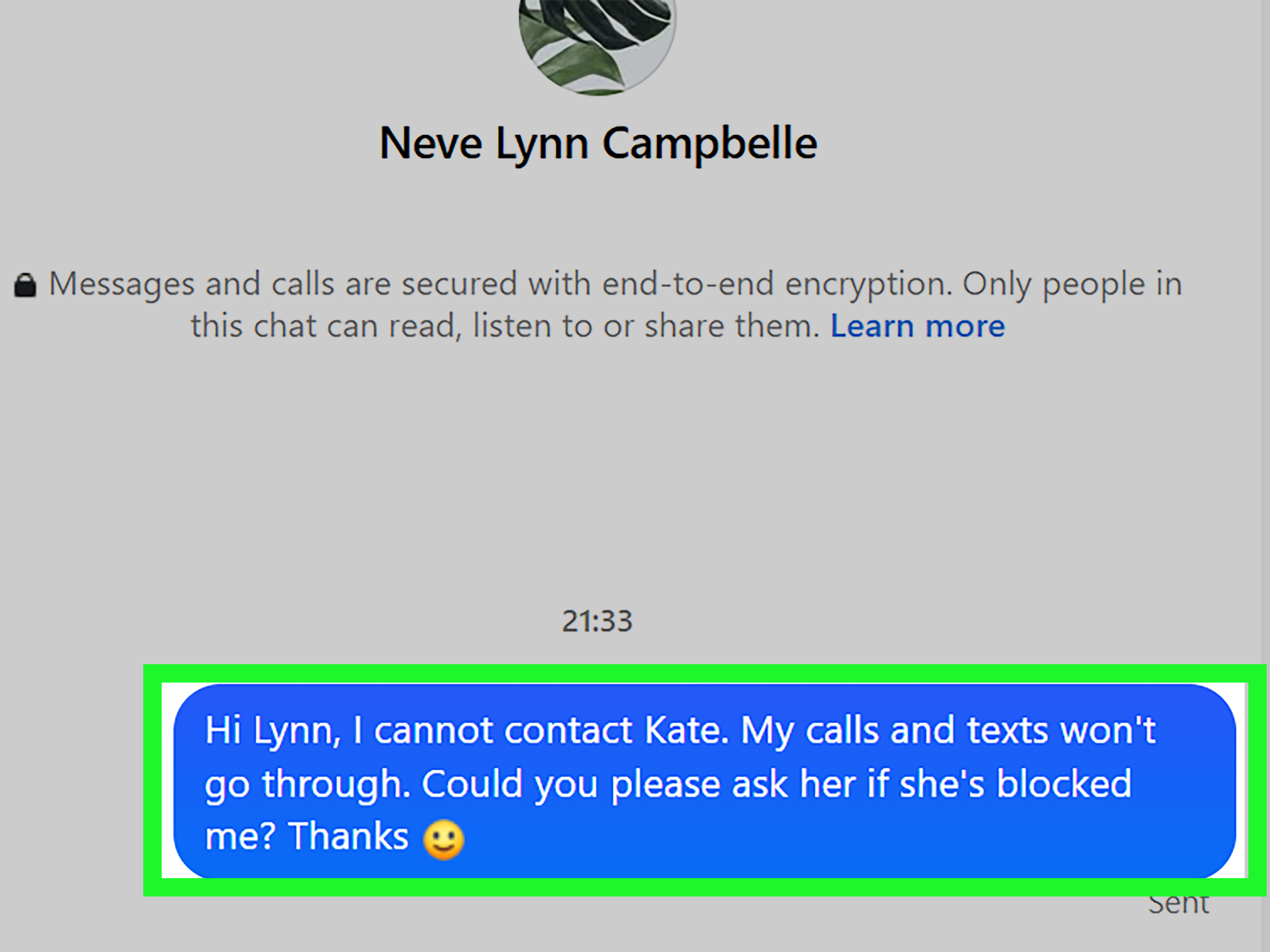
Instead, send one clear, respectful message if you have a legitimate reason to communicate. For example: “Hey, I’m not sure if my messages are going through. No pressure, but please let me know when you can.” Then stop. That message gives the other person space and gives you dignity, which is a surprisingly underrated phone feature.
What to Do If You Need to Reach Them for an Important Reason
If the matter is truly important, choose a responsible alternate method. Email may be appropriate for work, school, documents, or scheduling. A mutual contact may help if there is a family emergency or shared responsibility. If the situation involves safety or urgent logistics, use the proper official channel instead of relying on repeated personal calls.
For non-urgent personal matters, respect the silence. Being blocked, if that is what happened, usually means the person wants distance. You do not have to like it, but respecting boundaries is better than trying to outsmart the block. Android settings are not a puzzle box you are supposed to defeat.
Extra Experience Section: Real-Life Lessons from Android Blocking Confusion
In real life, figuring out whether someone blocked your number on Android is rarely as clean as online guides make it sound. The signs can overlap, contradict each other, and create just enough uncertainty to keep you staring at your phone like it owes you rent.
One common experience is the “one-ring panic.” You call someone, hear one ring, and land in voicemail. Instantly, it feels suspicious. But then you remember they work in a building with terrible reception, or they often keep their phone on Do Not Disturb during meetings. Later, they text back and say, “Sorry, my phone was in my bag.” The entire mystery collapses into ordinary life, which is both a relief and slightly embarrassing.
Another common situation involves RCS messaging. Maybe your Android messages used to show “Delivered” or “Read,” and now they only show “Sent.” That can feel like a clue, especially if you are used to seeing delivery confirmations. But RCS can be moody. It depends on internet access, app settings, carrier support, and whether the other person still has chat features enabled. Someone can switch phones, reset an app, lose data service, or move to a different default messaging app, and suddenly your message indicators look different. It is not always a block; sometimes it is just software wearing a fake mustache.
People also often discover that carrier spam filters create confusion. If your number has been marked as potential spam by mistake, your call may be screened, silenced, or handled differently. This can happen with new numbers, business numbers, VoIP numbers, or numbers that were previously used by someone else. From your side, it may look personal. From the recipient’s side, their phone may simply say “Potential Spam,” and they may avoid answering because nobody wants to discuss their car’s extended warranty for the 900th time.
There is also the emotional side. When someone stops responding, your mind naturally wants certainty. “Blocked” feels like a clear answer, even if it hurts. But uncertainty is part of modern communication. A person can be busy, upset, overwhelmed, disorganized, traveling, dealing with family issues, or intentionally taking space without using the block button at all. Silence can mean many things, and assuming the worst too quickly can make you feel worse than necessary.
The healthiest experience-based advice is to look for patterns, not isolated moments. One call going to voicemail is nothing. Three days of calls going straight to voicemail, no text delivery changes, no replies, and successful calls from another number may suggest blocking. Even then, the best response is not to chase. It is to step back, send one respectful message if needed, and let the other person choose whether to respond.
It also helps to separate practical needs from emotional needs. If you need to confirm an appointment, return an item, handle a shared bill, or communicate something time-sensitive, use a simple alternate channel. Keep it brief and focused. If what you really want is reassurance, closure, or an explanation, repeated calls will probably not get you the answer you want. In fact, they may make the situation worse.
At the end of the day, Android can give you clues, but it cannot give you emotional certainty. The phone can show call behavior, message status, and voicemail patterns. It cannot explain someone’s intentions. That part requires patience, boundaries, and sometimes accepting that no reply is also a kind of reply. Not the fun kind, obviously. But still information.
Conclusion
So, how can you tell if someone blocked your number on Android? Watch for consistent patterns: calls that go straight to voicemail, text messages that stop showing normal delivery signs, long one-sided silence, different results from another number, and changes across communication apps. None of these signs is absolute proof on its own, but together they can point toward a likely answer.
The most important thing is to stay calm and respectful. Android blocking features are designed to protect privacy, and there is no guaranteed way to force confirmation. If the person wants to communicate, they will. If they do not, your best move is to respect the boundary, protect your peace, and resist the urge to turn into a full-time notification detective.
Note: This article is based on current Android calling, Google Messages, Samsung Galaxy, and major U.S. carrier blocking behavior. Features may vary by phone model, carrier, region, app version, and user settings.