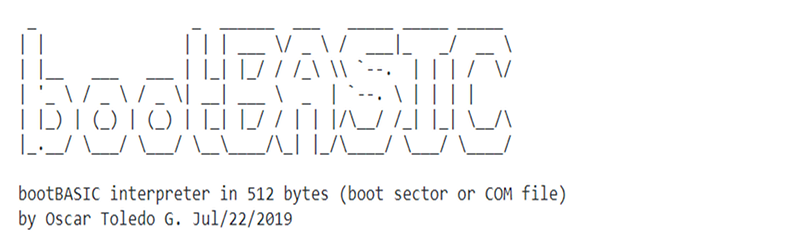

Some programming projects are practical. Others are delightful little acts of engineering mischief. BootBasic belongs firmly in the second category, and that is exactly why it is so fascinating. It takes BASIC, one of the most approachable programming languages ever created, and squeezes an integer BASIC interpreter into a 512-byte x86 boot sector. Not 512 kilobytes. Not a tiny Linux image. Not “small” in the way modern apps call a 40 MB download small. We mean 512 bytes, the classic size of the first sector a BIOS-era PC reads when it begins booting.
BootBasic, often stylized as bootBASIC, was created by Oscar Toledo Gutierrez, also known online as nanochess. It is compatible with the Intel 8088, the processor used in the original IBM PC, and can run as a boot sector image or as a DOS COM file. In plain English, it lets a computer wake up and land directly in a tiny BASIC environment before any operating system has had a chance to put on its shoes.
That idea sounds like a magic trick because, technically, it almost is. A boot sector is a brutally small space. You need code that starts correctly, talks to the machine at a low level, accepts keyboard input, prints output, stores program lines, parses expressions, handles variables, and still leaves room for the boot signature at the end. BootBasic does all of that while accepting the fact that comfort features must travel economy class.
What Is BootBasic?
BootBasic is a minimalist integer BASIC interpreter written in x86 assembly language. Its headline achievement is that it fits inside a single 512-byte boot sector. That size matters because, on traditional BIOS-based IBM PC-compatible systems, the firmware reads one sector from a bootable disk and transfers execution to it. Most real bootloaders use that first sector only as a launcher for something larger. BootBasic decides to live entirely inside the tiny room.
The result is not a full vintage BASIC environment like Microsoft BASIC, Applesoft BASIC, Commodore BASIC, or QuickBASIC. Instead, it is a compact subset designed around severe constraints. You get line-numbered programs, variables, arithmetic, printing, input, branching, listing, clearing, and running. You do not get luxury upholstery.
The Core Features
BootBasic supports 26 variables named from a through z. These variables hold 16-bit integer values. It accepts line numbers from 1 to 999, and each program line can be no more than 19 characters long. Statements must be lowercase. Numbers are handled as integers, and arithmetic supports the familiar operators +, -, *, and /, with normal precedence rules. Parentheses are supported too, which is a small miracle when you remember the whole interpreter must fit where a modern favicon would stretch its legs.
BootBasic also includes a rnd function that returns a number between 0 and 255, making small games and experiments possible. Programs can use print, input, goto, and conditional jumps using if expr goto line. It is tiny, but it still feels like BASIC: type a numbered line, run the program, make a mistake, fix it, and try again.
Why Fitting BASIC Into the Boot Sector Is So Impressive
The phrase “512-byte boot sector” is easy to read past, but it is the whole drama. A standard BIOS boot sector includes only 512 bytes total, and the final two bytes must contain the boot signature. That means the usable space is even tighter than it first sounds. In an ordinary bootloader, this code might initialize the screen, read more sectors from disk, and jump to a larger second stage. BootBasic takes a different path: it becomes the destination.
This is difficult for three big reasons. First, x86 real-mode programming is unforgiving. You are working close to the machine, often with BIOS interrupts, registers, memory offsets, and very little abstraction. Second, interpreters are usually not tiny. Even a simple interpreter needs to read text, recognize commands, parse expressions, manage variables, and execute logic. Third, interactive editing is not free. Every friendly behavior costs bytes, and in BootBasic, every byte is a political negotiation.
That is why BootBasic makes smart compromises. Backspace works in the input buffer but does not visually clean up the screen. Lines are short. Variables are limited. There are no floating-point numbers, no long strings as first-class values, no file system, no graphics library, and no cozy error messages that gently pat you on the head. The interpreter is more like a pocketknife than a workshop.
The BASIC Spirit: Immediate, Friendly, and Slightly Dangerous
BASIC was born at Dartmouth College in 1964, created by John Kemeny and Thomas Kurtz to make computing accessible beyond specialists. Its great cultural power was immediacy. You could type a line, run it, and see what happened. That simple feedback loop helped generations of students, hobbyists, and future developers discover programming without first climbing a mountain of theory.
BootBasic channels that same spirit in a wonderfully extreme form. It strips BASIC down to a form that feels closer to a computing fossil: line numbers, simple variables, direct commands, and little programs that can be held in your head. Yet it also turns the boot process itself into an interactive toy. Instead of booting into an operating system and then launching a language, the language is the boot experience.
There is something poetic about that. BASIC was designed to lower the barrier to programming. BootBasic lowers the barrier so aggressively that the operating system is no longer invited to the meeting.
How BootBasic Works at a High Level
BootBasic is assembled with NASM, the Netwide Assembler, using a flat binary output format. That is important because a boot sector image is not an executable file with a friendly header and metadata. It is raw machine code placed where the machine expects to find it. When used as a boot sector image, BootBasic can be run in an emulator such as QEMU. It can also be built as a DOS COM file, making it easier to test without rebooting a machine.
At startup, the program provides an interactive BASIC prompt. Users can type immediate statements such as:
They can also enter numbered program lines:
This tiny program counts from 1 to 10. It demonstrates the style perfectly: compact, numeric, and old-school enough to make a TRS-80 smile from a dusty shelf somewhere.
What You Can Actually Build With It
BootBasic is not the tool you reach for to build a web app, a database, or the next productivity platform that promises to “revolutionize collaboration” and then sends 14 notification emails per hour. Its value is educational, experimental, and historical. It is perfect for learning how much can be done with very little.
Small Math Experiments
Because BootBasic supports integer arithmetic, variables, and expressions, it can handle small calculations and number patterns. You can write counters, multiplication tables, simple sequences, or compact demonstrations of formulas. The line length limit forces you to think in small pieces, which is surprisingly useful. It removes the temptation to hide bad logic inside long, messy statements.
Simple Games
The built-in random function makes guessing games possible. A small number guessing program can ask for input, compare the player’s guess, and print a result. It will not deliver cinematic boss battles, but it can create the kind of tiny interactive experience that made early personal computers feel magical.
Boot-Sector Education
For low-level programming learners, BootBasic is especially valuable because it shows that a boot sector does not have to be a mysterious black box. It can contain a real, interactive program. Studying a project like this helps explain why bootloaders are usually staged, why every byte matters, and why old computers rewarded programmers who could think with surgical precision.
BootBasic Compared With Tiny BASIC
BootBasic sits in the same broad tradition as Tiny BASIC, a small BASIC subset associated with the early microcomputer era. Tiny BASIC was designed for minimal hardware and became part of the hobbyist programming culture of the 1970s. BootBasic pushes that minimalist idea even further by targeting the boot sector itself.
The difference is not simply size. Tiny BASIC implementations varied and often assumed some operating environment, monitor, ROM, or larger memory space. BootBasic is more like a self-contained stunt: it enters at boot time and provides just enough language to be useful. It is less a general-purpose language environment and more a proof that “impossible” is often just “annoying, but doable with assembly.”
Why Developers Love Projects Like This
BootBasic is not famous because it solves a business problem. It is famous because it makes programmers grin. Projects like this appeal to developers because they reveal the hidden costs of convenience. In modern software, we often think in frameworks, packages, dependencies, and runtime environments. BootBasic reminds us that a computer can be persuaded to do meaningful work with almost nothing.
It also celebrates constraint as a creative force. When you cannot add another library, another abstraction layer, or another helper function, you must decide what truly matters. Every feature becomes a trade-off. Should backspace repaint the screen, or should those bytes be spent on expression parsing? Should variables have long names, or should single-letter variables keep the interpreter alive? BootBasic answers these questions with ruthless honesty.
The Charm of Severe Limitations
At first, BootBasic’s limitations seem comical. Nineteen characters per line? Lowercase statements only? Variables named like alphabet soup? But those restrictions become part of the charm. They turn programming into a puzzle. Instead of asking, “How do I write this elegantly?” you start asking, “How do I make this fit?”
That shift is valuable. Modern programming often rewards readability, maintainability, and collaboration, and rightly so. But tiny systems teach a different skill: compression of thought. You learn to remove waste. You learn the difference between a feature and a luxury. You learn that even a humble print statement has implementation weight.
BootBasic is also a reminder that elegance is not always about looking spacious. Sometimes elegance is a crowded room where every guest is standing exactly where they need to be.
Is BootBasic Useful Today?
In a production sense, not really. You should not replace your operating system with a 512-byte BASIC interpreter unless your job description includes “time traveler from 1982.” But usefulness is not always measured in deployment charts. BootBasic is useful as a teaching tool, a code-golf-style achievement, a retrocomputing artifact, and a conversation starter about how computers boot.
It gives beginners a concrete way to understand the boot sector. It gives assembly fans a compact example of dense programming. It gives retrocomputing enthusiasts a fresh reason to revisit BASIC. And it gives everyone else a charming reminder that software can still be weird, playful, and beautifully unnecessary.
Safe Ways to Explore BootBasic
The safest way to explore BootBasic is inside an emulator. Tools such as QEMU make it possible to boot disk images without touching a real drive. That matters because writing boot sector experiments directly to physical media can overwrite important data if you are careless. A virtual machine or emulator gives you the fun without turning your laptop into a sad paperweight.
For learners, the best path is to read the project documentation, assemble the image, run it in an emulator, and type small BASIC programs. Try a counter. Try a guessing game. Try a number pattern. Then look at the assembly and ask how the interpreter stores lines, parses expressions, and handles input. The goal is not to become a boot-sector wizard overnight. The goal is to understand how much deliberate engineering hides inside a tiny binary.
What BootBasic Teaches About Software Design
The biggest lesson from BootBasic is that constraints clarify design. When memory is abundant, it is easy to add features because they are convenient. When memory is measured in bytes, convenience must make its case in court. BootBasic’s design says: keep the syntax small, keep the data model simple, use integer math, rely on line numbers, and avoid everything that does not directly support the core interactive experience.
That lesson applies far beyond retrocomputing. Web developers, app builders, embedded programmers, and game designers all face versions of the same question: what is essential? BootBasic answers by example. It does not include everything BASIC can do. It includes just enough to feel alive.
Experiences Related to BootBasic Fits Your Favorite Language In The Boot Sector
Spending time with a project like BootBasic feels different from using a normal programming language. With most modern tools, the environment arrives first. You open an editor, launch a terminal, install dependencies, choose a package manager, and perhaps argue with a configuration file that has developed strong personal opinions. BootBasic removes nearly all of that. The machine boots, the interpreter appears, and you are immediately close to the metal.
The first experience is usually surprise. You type a small print command and it works. Then you try to type something longer and run directly into the line limit. That is when the project stops being a novelty and becomes a puzzle. You begin shortening words, splitting logic across lines, and rethinking the program structure. It feels less like writing software in a modern IDE and more like packing for a weekend trip using only a sandwich bag.
The second experience is respect. It is easy to underestimate old systems until you try to work under their restrictions. A 512-byte interpreter forces you to notice everything modern environments hide. Keyboard input is not automatic magic. Screen output is not free. Parsing expressions takes code. Storing program lines requires memory decisions. Even a tiny random-number feature represents space that could have been spent somewhere else.
The third experience is nostalgia, even if you did not personally grow up with early microcomputers. BootBasic captures the feeling of discovery associated with classic BASIC machines: the blinking cursor, the numbered lines, the immediate feedback, the joy of making a computer obey a tiny homemade spell. A simple loop that prints numbers can feel oddly satisfying because the whole system is so small and direct. There is no giant runtime behind the curtain, no ocean of libraries, and no stack trace long enough to qualify as a novella.
The fourth experience is caution. Boot-sector programming is powerful, and power deserves respect. Experiments should stay in emulators or disposable images unless you truly know what you are doing. That caution does not make BootBasic less fun. In fact, it makes the learning experience better because an emulator lets you test, break, reset, and repeat quickly.
Finally, BootBasic is a reminder that programming can be playful. Not every project has to become a startup, a SaaS dashboard, or an “AI-powered workflow solution.” Some projects exist because they make us curious. BootBasic asks a wonderfully unreasonable question: can a favorite beginner-friendly language fit in the first breath of a PC’s boot process? The answer is yes, as long as that language travels light, behaves politely, and does not ask for overhead luggage.
Conclusion
BootBasic fits a recognizable BASIC interpreter into the tiny world of the boot sector, and that achievement is both technically impressive and culturally charming. It connects the educational spirit of BASIC with the byte-level discipline of bootloader programming. It is not trying to replace modern languages, modern operating systems, or modern tools. Instead, it shows how much personality and function can exist inside one 512-byte slice of a disk.
For programmers, BootBasic is a reminder that constraints can sharpen creativity. For retrocomputing fans, it is a love letter to the era when typing run felt like opening a door. For curious learners, it is a compact gateway into assembly language, BIOS booting, interpreters, and the strange joy of doing a lot with almost nothing. In a world where software keeps getting bigger, BootBasic proves that small can still be spectacular.