
Note: This article is written as an original SEO-ready feature based on real cybersecurity concepts, public consumer-safety guidance, cybercrime reporting, and Surfshark’s horror-poster awareness idea. No source links are embedded in the article body.
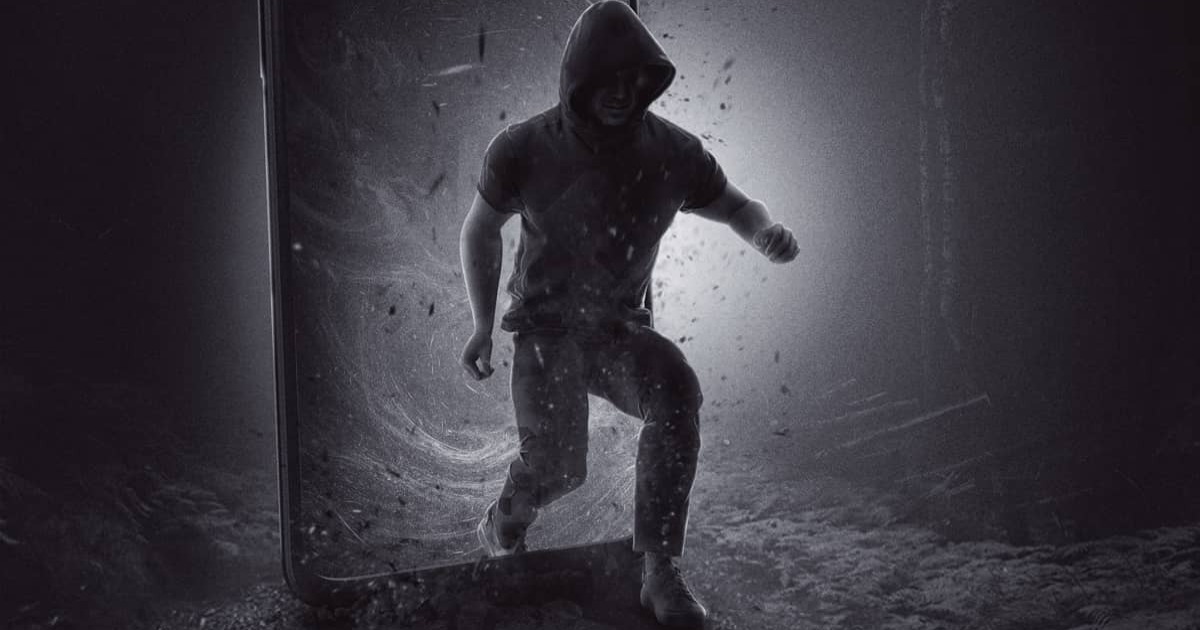
The internet is not technically haunted, but some days it certainly behaves like a basement door in a horror movie: it creaks open, the Wi-Fi flickers, and suddenly someone named “Bank Security Team” wants your password, your Social Security number, and possibly your firstborn houseplant. That is the darkly funny brilliance behind “5 Cybersecurity Threats Reimagined As Horror Movie Posters By Surfshark”a creative campaign that turned everyday digital dangers into cinematic nightmares.
Surfshark’s concept works because cybersecurity threats often feel abstract until they happen to you. “Phishing” sounds like a relaxing weekend hobby until a fake login page steals your email account. “DDoS attack” sounds like keyboard soup until your favorite gaming server collapses under a flood of fake traffic. “Spyware” sounds like a villain’s gadget until an app quietly watches what you type, where you go, and what your camera sees. Horror posters make these invisible threats visible, emotional, and memorable.
In this article, we will unpack the five chilling cyber threats highlighted by Surfshark’s poster-style campaign: identity theft, phishing, facial recognition risks, spyware, and DDoS attacks. We will also explain why these threats matter today, how they affect regular people and businesses, and what practical habits can keep your digital life from turning into a midnight screening of “Oops, My Data Is Gone.”
Why Cybersecurity Makes Perfect Horror-Movie Material
Horror movies and cybersecurity have more in common than they should. Both depend on suspense, deception, hidden danger, and that one person who opens the suspicious door even though everyone in the audience is yelling, “Do not click that link!” Cybercriminals use timing, fear, curiosity, and trust the same way horror directors use silence, shadows, and violins that have clearly been through something.
The best cybersecurity awareness campaigns do not merely list warnings. They make people feel the risk. Surfshark’s horror-poster idea succeeds because it translates technical threats into familiar pop-culture language. Instead of saying, “Threat actors may exploit credential leakage,” the posters say, in effect, “There is a monster wearing your face, and it just bought a couch with your credit card.” That gets attention.
Cybersecurity education has to compete with notifications, memes, shopping carts, streaming queues, and the universal human desire to ignore updates until the laptop screams. A strong visual metaphor helps people remember what to watch for: the fake friend, the copycat identity, the watching eye, the hidden spy, and the traffic swarm that knocks systems offline.
1. Copycat: Identity Theft as a Hitchcock-Style Nightmare
Surfshark’s “Copycat” poster frames identity theft through the mood of classic psychological suspense. The idea is simple and deeply unsettling: what if someone else could become “you” just convincingly enough to fool banks, websites, employers, or even government systems?
Identity theft happens when criminals use personal informationsuch as names, birth dates, passwords, Social Security numbers, addresses, credit card details, or account credentialsto impersonate someone. The goal may be financial fraud, account takeover, tax fraud, medical fraud, or opening new accounts in the victim’s name. In horror terms, it is less like a masked killer at the window and more like a duplicate quietly living your life while you receive the bills.
The scariest part is that identity theft often begins with tiny leaks. One reused password from an old forum. One data breach from a retailer. One fake delivery text. One “verify your account” email. Cybercriminals combine scraps of information into a convincing profile. Like a villain assembling a disguise, they do not always need everything; they just need enough.
How Identity Theft Usually Starts
Identity theft can begin through phishing emails, malicious websites, stolen wallets, breached databases, infected devices, or oversharing on social media. A public birthday post may seem harmless. So may a photo of a new driver’s license, a boarding pass, or a school ID. But criminals love details. They are the world’s worst scrapbookers.
Once criminals have enough information, they may try to reset passwords, bypass security questions, apply for loans, drain accounts, reroute mail, or create fake profiles. Victims may not discover the problem until they see unfamiliar charges, receive debt collection notices, fail a background check, or find accounts they never opened.
How to Avoid Becoming the Copycat’s Co-Star
Use unique passwords for important accounts, especially email, banking, shopping, and cloud storage. Turn on multi-factor authentication wherever possible, preferably through an authenticator app or passkey rather than SMS alone. Freeze your credit if you do not need new credit soon. Review account statements. Be careful with personal details online. And if something looks wrong, act quickly: change passwords, report suspicious activity, and document what happened.
Identity theft is not just a technical issue; it is a life-admin monster. The best defense is making your identity harder to imitate than a celebrity impression at a family dinner.
2. Bait: Phishing as the Friendly Stranger You Should Not Trust
Surfshark’s “Bait” poster connects phishing scams with the horror of false friendliness. The message is deliciously creepy: the danger is not always a monster kicking down the door. Sometimes it is a polite email that says, “Hi, please confirm your login.”
Phishing is a social engineering tactic where attackers pretend to be a trusted organization or person. They may pose as a bank, streaming service, delivery company, school, employer, payment platform, government agency, or even a friend. The message usually creates urgency: your account will close, your package is delayed, your invoice is attached, your refund is waiting, your password expired, your boss needs gift cards immediately, and apparently common sense has five minutes to live.
Modern phishing is not limited to email. It appears in text messages, messaging apps, QR codes, fake ads, phone calls, social media DMs, and collaboration tools. Some phishing attempts lead to fake login pages. Others install malware. Some trick people into approving real authentication prompts that give attackers access without needing the password.
Why Phishing Still Works
Phishing works because humans are busy, helpful, tired, curious, and occasionally eating cereal while checking email. Attackers exploit emotion more than technology. They use fear, urgency, authority, reward, romance, and confusion. The message does not need to be perfect; it only needs to arrive at the wrong moment.
Phishing has also become more polished. Attackers can copy brand designs, spoof sender names, use AI-assisted writing, and personalize messages with information scraped from social platforms or previous breaches. The old advice “look for bad grammar” is no longer enough. Plenty of scam emails now have better punctuation than half the internet.
How to Spot the Hook
Pause before clicking. Check the sender carefully. Hover over links on desktop when possible. Do not open unexpected attachments. Go directly to the official website or app instead of using a link in the message. Be suspicious of urgent payment requests, password resets, prize claims, and emotional pressure. When a message claims to be from someone you know but feels strange, verify through another channel.
The golden rule is simple: if a message tries to rush you, slow down. Cybercriminals hate patience. It ruins the plot.
3. The Eye: Facial Recognition and the Privacy Horror of Being Watched
Surfshark’s “The Eye” poster turns facial recognition risks into a dystopian horror concept. Unlike phishing or spyware, facial recognition is not always criminal by design. It can unlock phones, speed up airport checks, support security systems, and help verify identity. But the same technology raises serious questions about privacy, consent, bias, surveillance, and data protection.
Biometric data is different from a password. If your password leaks, you can change it. If your faceprint leaks, good luck installing a new face by Monday. Facial recognition systems analyze facial features and compare them to stored images or templates. The risks appear when biometric data is collected without clear consent, stored insecurely, shared too widely, or used in ways people do not understand.
There are also spoofing and presentation attacks, where someone may attempt to trick a system with a photo, video, mask, or altered image. Researchers have studied face morphing, where multiple faces are blended to create fraudulent identity documents. That sounds like science fiction until you remember that half of modern life already feels like a software update written by a haunted committee.
Where the Risk Gets Personal
Facial recognition can affect people in daily life: phone unlocks, building access, social media photo tagging, school systems, workplace tools, stores, airports, and law enforcement databases. The danger is not only that criminals may abuse biometric data. It is also that organizations may collect more data than necessary, keep it too long, or fail to explain how it is protected.
Another concern is accuracy. Facial recognition systems can perform differently across demographic groups, lighting conditions, camera quality, and image angles. A false match can create real consequences, especially in high-stakes settings. In horror language, “The Eye” is scary because it might watch too much, misunderstand what it sees, and never blink.
How to Reduce Biometric Exposure
Use biometric features thoughtfully. Check privacy settings on phones, apps, and social platforms. Disable automatic face tagging where you do not need it. Avoid uploading sensitive identity images unless necessary. Ask how organizations store and protect biometric information. When possible, choose services that explain retention, encryption, access controls, and deletion options clearly.
Facial recognition is not automatically evil. But like any powerful tool, it needs guardrails. Otherwise, the camera stops feeling convenient and starts feeling like the villain has a sequel planned.
4. Pegasus Project: Spyware as the Monster Already Inside the House
Surfshark’s “Pegasus Project” poster uses the found-footage feeling of being watched to represent spyware. This is one of the most unsettling cybersecurity threats because spyware is designed to hide. It does not want applause. It wants silence, access, and your data.
Spyware is malicious software that secretly collects information from a device. Depending on the type, it may capture keystrokes, passwords, browsing activity, location, messages, microphone audio, camera access, screenshots, contacts, or files. Some spyware is used by ordinary criminals. More advanced spyware has been associated with surveillance of journalists, activists, political figures, and high-value targets.
For everyday users, spyware often arrives bundled with suspicious downloads, pirated software, fake updates, malicious browser extensions, infected ads, phishing attachments, or apps requesting unnecessary permissions. The horror is not always dramatic. Sometimes the monster looks like a free PDF converter with 47 permissions and a logo designed during a power outage.
Warning Signs of Spyware
Spyware can be difficult to detect, but possible clues include sudden battery drain, overheating, strange pop-ups, unexpected data usage, unknown apps, changed browser settings, microphone or camera indicators turning on unexpectedly, or accounts showing suspicious logins. None of these signs proves spyware by itself, but they are worth investigating.
Businesses face even larger risks. Spyware can steal credentials, expose trade secrets, monitor executives, and help attackers move deeper into a network. On personal devices, it can lead to stalking, blackmail, financial theft, and privacy invasion.
How to Keep Spyware Out
Install apps only from trusted sources. Keep operating systems and browsers updated. Remove apps and extensions you no longer use. Review permissions regularly. Use reputable security software. Avoid pirated downloads and suspicious “free” tools. Cover your webcam if it makes you feel better; just remember that software permissions matter more than tiny plastic sliders with heroic self-esteem.
If you suspect spyware, disconnect from sensitive accounts, run security scans, update the device, change passwords from a clean device, and consider professional help for serious cases. Spyware thrives in darkness. Good security hygiene turns on the lights.
5. Game Over: DDoS Attacks and the Digital Zombie Horde
Surfshark’s “Game Over” poster transforms DDoS attacks into a swarm-style horror scene. A distributed denial-of-service attack happens when attackers flood a server, website, network, or online service with overwhelming traffic. The goal is not always to steal data. Sometimes the goal is to knock systems offline, cause disruption, distract defenders, damage reputation, or ruin someone’s Saturday night gaming session with the elegance of a falling refrigerator.
DDoS attacks often rely on botnetsnetworks of compromised devices such as computers, routers, cameras, or internet-connected gadgets. The owners of these devices may have no idea their hardware has joined a digital zombie army. One poorly secured smart device is annoying. Thousands of them pointed at one target become a traffic avalanche.
Who Gets Targeted by DDoS Attacks?
DDoS attacks can target gaming platforms, streamers, schools, financial services, government websites, media outlets, online stores, SaaS platforms, and small businesses. Even individuals can be targeted if their IP address is exposed. For companies, downtime means lost sales, frustrated customers, support overload, and brand damage. For gamers, it means lag so bad your character appears to be walking through pudding.
DDoS attacks come in different forms. Volumetric attacks consume bandwidth. Protocol attacks overwhelm network infrastructure. Application-layer attacks target specific services, such as login pages or search functions. The technical flavors vary, but the result is similar: legitimate users cannot get through because the digital lobby is full of fake guests.
How to Reduce DDoS Risk
For individuals, avoid sharing IP addresses publicly, use secure network equipment, update router firmware, change default passwords, and be careful in competitive gaming communities where harassment sometimes turns technical. For businesses, DDoS protection requires planning: traffic filtering, rate limiting, content delivery networks, cloud-based mitigation, monitoring, incident response playbooks, and coordination with hosting providers.
DDoS defense is not glamorous, but neither is boarding up windows before the zombies arrive. It is much better to prepare before the swarm starts moaning at your server logs.
What Surfshark’s Horror Posters Get Right About Cybersecurity
The strongest lesson from 5 Cybersecurity Threats Reimagined As Horror Movie Posters By Surfshark is that cyber threats are not just technical events. They are stories. A phishing scam has a villain, bait, suspense, and a victim who must make a decision. Identity theft has a doppelgänger. Spyware has an unseen observer. Facial recognition has the uneasy feeling of being watched by a system that may not understand you. DDoS has the chaos of a crowd breaking down the door.
That storytelling matters because people remember stories better than checklists. A checklist says, “Do not reuse passwords.” A horror metaphor says, “Do not give the copycat a spare key to every room in your house.” Both are useful, but one is harder to forget.
Cybersecurity awareness often fails when it sounds like a lecture from a printer manual. Surfshark’s campaign adds emotion and humor, which makes the message more approachable. It also helps people understand that cybersecurity is not only for IT teams, banks, or mysterious people in hoodies typing green code. It is for anyone with an email address, a phone, a social media account, a gaming profile, a smart TV, or a refrigerator that has no business connecting to the internet but does anyway.
Practical Cybersecurity Habits That Actually Help
The good news is that most people do not need to become cybersecurity experts to become much harder targets. Basic habits can prevent many common attacks. Think of them as the digital equivalent of locking doors, checking windows, and refusing to investigate spooky noises while wearing slippers.
Use Strong, Unique Passwords
Every important account should have its own password. A password manager can create and store complex passwords so you do not have to remember a 32-character keyboard sneeze. Reused passwords are dangerous because one breach can unlock multiple accounts.
Turn On Multi-Factor Authentication
Multi-factor authentication adds another layer of protection. Even if attackers steal a password, they still need another factor. Authenticator apps, hardware security keys, and passkeys are generally stronger options than relying only on text messages.
Update Devices and Apps
Updates patch security holes. Yes, they often arrive when you are busy, and yes, your device may restart with the emotional timing of a soap opera. Still, updates matter. Attackers frequently exploit known vulnerabilities after fixes already exist.
Back Up Important Data
Backups protect against ransomware, device failure, accidental deletion, and chaos gremlins. Use cloud backups, external drives, or both. Make sure backups are not constantly connected in a way that malware can encrypt them too.
Be Skeptical of Links and Attachments
Unexpected links and attachments deserve suspicion. Instead of clicking from a message, visit the official site directly. If a message creates panic, pause. Panic is a scammer’s favorite seasoning.
Experiences and Lessons Inspired by Surfshark’s Cyber-Horror Theme
The most useful thing about the Surfshark horror-poster idea is that it mirrors real digital experiences people have every day. Almost everyone has seen a phishing email that looked just convincing enough to cause a half-second of doubt. Maybe it was a fake bank alert. Maybe it was a package delivery message. Maybe it was an email claiming your streaming account would be suspended unless you clicked immediately. That tiny moment of uncertainty is where the horror lives.
One common experience is the “almost clicked” moment. You are checking messages between tasks, your attention is split, and a message says there is a problem with your account. The logo looks right. The wording sounds official. The button is bright and helpful. Then something feels off: the sender address is strange, the greeting is generic, or the link does not match the company. You stop. You open the app directly instead. Nothing is wrong. Congratulationsyou survived the first act of the movie.
Another familiar experience is password fatigue. People know they should use unique passwords, but the average person has dozens of accounts. Without a password manager, it becomes tempting to reuse the same password with tiny variations. That is exactly what attackers expect. A breached password from an old account can become the skeleton key for email, shopping, gaming, and cloud storage. The lesson is practical, not dramatic: convenience should not be allowed to become the villain’s assistant.
There is also the creepy feeling of being tracked online. You search for one item, and suddenly ads follow you across websites like a ghost with a marketing budget. Not all tracking is spyware, but the feeling helps explain why privacy matters. People want to know who collects their data, why it is collected, how long it is kept, and whether it can be misused. Surfshark’s “The Eye” theme captures that discomfort perfectly. Technology can be useful and invasive at the same time, which is why privacy settings deserve more attention than they usually get.
For gamers and online communities, the “Game Over” DDoS concept also feels real. Competitive spaces sometimes bring out bad behavior, including harassment, doxxing, swatting threats, account theft, and attempts to knock people offline. A DDoS attack may sound like an enterprise problem, but smaller attacks can affect streamers, students, hobby servers, and gaming groups. The practical lesson is to protect personal information, use platform privacy settings, avoid exposing IP addresses, and take online conflicts seriously before they escalate.
Businesses have their own version of this horror story. A single employee clicks a convincing invoice attachment. A shared password leaks. A forgotten server remains unpatched. A contractor account stays active after a project ends. None of these mistakes feels cinematic in the moment. Yet many major incidents begin with ordinary oversights. Cybersecurity is often less about one dramatic failure and more about small gaps lining up like candles in a haunted hallway.
The biggest personal takeaway is that cybersecurity should feel like routine self-care, not punishment. Updating software, checking privacy settings, using a password manager, backing up files, and questioning suspicious messages are not glamorous habits. But neither is flossing, and dentists still seem pretty committed to the concept. Small habits reduce big risks.
Surfshark’s posters work because they make cybersecurity memorable without making it hopeless. The internet may have monsters, but users are not helpless characters wandering into the fog. With a little caution, better tools, and a healthy suspicion of urgent messages, you can make your digital life far less attractive to criminals. In horror terms, you do not have to defeat every monster in the forest. You just have to stop inviting them into the cabin.
Conclusion: The Internet Is Scary, But You Are Not Powerless
5 Cybersecurity Threats Reimagined As Horror Movie Posters By Surfshark is more than a clever visual campaign. It is a reminder that online threats are easier to understand when they are presented as stories we already recognize. Identity theft is the copycat. Phishing is the bait. Facial recognition is the watching eye. Spyware is the hidden camera. DDoS is the swarm at the gate.
The internet will never be perfectly safe, just as horror movies will never stop sending people into basements with flashlights that barely work. But the average person can dramatically reduce risk with smart habits: stronger passwords, multi-factor authentication, updates, backups, privacy awareness, and a slower reaction to urgent messages. Cybersecurity does not require paranoia. It requires attention.
So the next time an email screams that your account will vanish in three minutes, imagine the poster: dramatic shadows, red lettering, a suspicious button glowing in the dark. Then close the message, open the official app, and let the villain be disappointed. That is how you survive the sequel.