Dad’s “In Stitches” After Finding Out These Texts From His Wife Were Actually From Kids Who Hacked Her Computer

Every family has a moment when the house goes suspiciously quiet. Parents know that silence. It is not peace. It is not maturity. It is almost always a child standing near a forbidden device, holding the confidence of a tiny criminal mastermind and the spelling ability of a rushed raccoon.
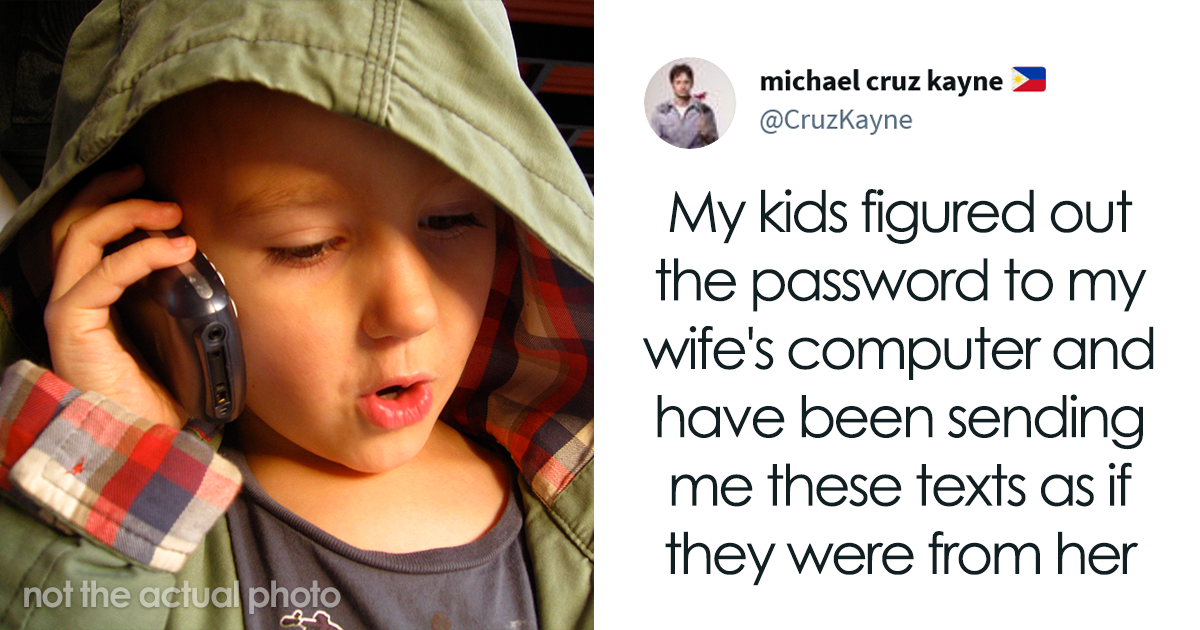
That is the deliciously chaotic energy behind the viral story of a dad who ended up “in stitches” after receiving strange texts that appeared to come from his wife. The messages seemed to be about giving the kids more device time. At first, it looked like a normal parent-to-parent exchange. Then the truth emerged: the children had figured out how to access Mom’s computer and were texting Dad as if they were her.
Was it technically “hacking”? In the Hollywood sense, no one was wearing a hoodie in a dark room while green code rained down the screen. In the family comedy sense, absolutely. The kids had breached the most heavily guarded system in the household: parental screen-time authority.
The story is funny because it is innocent, clever, and painfully familiar. It also opens a bigger conversation about kids, technology, passwords, screen time, digital trust, and why “1234” is not a family security strategy. Kids today do not simply use technology; they explore it. Sometimes they learn by clicking. Sometimes they learn by asking. And sometimes they learn by impersonating Mom to negotiate for more tablet time like tiny lawyers with snack crumbs on their shirts.
The Viral Family Text That Turned Into a Parenting Comedy Classic
The basic setup is simple enough to power an entire sitcom episode. Dad receives messages that appear to come from his wife. The tone is unusual, the request is suspiciously convenient, and the subject is exactly what many kids dream about: more device time. Eventually, Dad realizes the author is not his wife at all. It is the kids, operating from her computer with the boldness of people who still need help opening juice boxes.
That is why the story traveled so well online. Parents recognized the scene immediately. Children wanting extra screen time is not new. Kids trying to bargain, plead, perform, or creatively reinterpret the rules is practically an ancient tradition. What is new is the toolset. Yesterday’s child forged a note for school. Today’s child logs into a messaging app and impersonates a parent with surprising confidence.
The humor does not come from the kids doing something deeply harmful. It comes from the gap between their ambition and their execution. Children often understand just enough technology to be dangerous to the living room Wi-Fi, but not enough to hide their tracks. Their plans tend to have the subtlety of a marching band in a library.
And yet, the story is also oddly impressive. The kids saw a problem: limited device time. They identified a decision-maker: Dad. They found a communication channel: Mom’s computer. Then they executed a plan. That is project management. Questionable project management, yes, but project management all the same.
Why Kids Are So Good at Finding Digital Loopholes
Children are natural testers. Give them a rule, and they will inspect the edges of it like quality-control engineers. “No cookies before dinner” becomes “What if the cookie is broken?” “No screens after bedtime” becomes “What if I am only checking the weather in Minecraft?”
Technology gives kids more edges to test. Devices have passwords, apps, accounts, notifications, family-sharing settings, browser histories, voice assistants, game chats, and cloud-synced messages. To adults, this is a digital ecosystem. To a determined child, it is a jungle gym.
Many kids are also less afraid of technology than adults. They tap things. They experiment. They learn by messing around. If a parent treats a laptop like a glass museum artifact, a child treats it like a puzzle box. That curiosity can be wonderful when guided well. It can lead to coding skills, creativity, research ability, and problem-solving. But without boundaries, it can also lead to accidental privacy issues, unwanted purchases, account lockouts, and awkward texts sent in Mom’s name.
The lesson is not that children are villains. The lesson is that curiosity plus weak account security equals family chaos with a side of comedy.
The Screen-Time Negotiation No Parent Escapes
At the heart of the story is a universal household debate: how much screen time is too much? Parents want balance. Kids want one more episode, one more game, one more round, one more “I promise I’m almost done,” delivered with the emotional intensity of a courtroom closing argument.
Modern guidance from pediatric and child-development experts generally encourages families to move beyond panic and focus on balance, context, and consistency. Not all screen time is equal. A video call with Grandma, a school project, a coding game, a family movie, and four hours of autoplay videos are not the same experience. The real question is what screens are replacing. Are they pushing out sleep, homework, outdoor play, reading, chores, family conversation, or face-to-face friendships?
That is where a family media plan helps. Instead of inventing rules during an argument, parents can set expectations ahead of time: where devices can be used, when screens are off, what content is allowed, what happens before entertainment time, and how exceptions work. When the rules are visible and predictable, kids have less incentive to launch a covert “Operation Mom Text.”
Funny Story, Real Digital Citizenship Lesson
This incident is adorable because the stakes were low. Dad laughed. The internet laughed. The kids probably learned that adults can detect suspicious typing faster than expected. Still, the story is a perfect doorway into digital citizenship.
Digital citizenship means using technology safely, responsibly, respectfully, and honestly. For kids, that includes understanding that someone else’s account is not theirs to use, even when the device is open. It means knowing that pretending to be another person online can create confusion or harm. It also means learning that privacy is not just a rule adults invented to ruin fun; it protects real people and real relationships.
Parents can use moments like this without turning the house into a courtroom. A good response might sound like: “That was clever, and I understand you wanted more screen time. But using someone else’s account is not okay. Let’s talk about a better way to ask.”
That response does three things at once. It acknowledges the child’s creativity, sets a clear boundary, and redirects the behavior toward honest communication. Nobody needs a dramatic speech under a spotlight. The goal is not to crush curiosity. The goal is to aim it somewhere better.
Why Passwords Still Matter at Home
Many families think of cybersecurity as something that happens to banks, companies, and people in spy movies. But home accounts matter too. A parent’s computer may contain email, banking access, school portals, work documents, private photos, saved payment cards, medical messages, and family calendars. Even if kids only want extra game time, shared or weak passwords can expose more than anyone intended.
Strong passwords are long, unique, and hard to guess. A family pet’s name, a birthday, a favorite sports team, or the classic “password123” is not exactly Fort Knox. A password manager can help adults store unique passwords without needing to memorize a small novel. Multifactor authentication adds another layer of protection by requiring more than just a password to sign in.
For younger kids, parents may need to manage accounts directly. For older children and teens, password conversations should become part of growing up online. They should learn not to share passwords with friends, siblings, classmates, or random game-chat acquaintances who claim they can unlock free items. Spoiler: they cannot. They can, however, unlock a world-class headache.
Parental Controls Are Helpful, But They Are Not Magic
Parental controls can block certain content, limit app use, schedule downtime, restrict purchases, and help parents supervise digital activity. They are useful tools, especially for younger children. But they are not a substitute for conversation.
Kids are often more willing to follow rules when they understand the reason behind them. A secret monitoring setup can damage trust if a child discovers it later. In most everyday situations, it is healthier to explain what controls are in place and why: “We use downtime because sleep matters,” “We approve downloads because apps can collect data,” or “We keep devices out of bedrooms at night because everyone needs a brain that is not powered by blue light and stubbornness.”
The best system combines tools with relationships. Controls provide structure. Conversations provide meaning. Humor keeps everyone from losing their minds.
What Parents Can Learn From the “Hacked Computer” Moment
1. Kids Notice More Than Adults Think
Children watch patterns. They see where devices are left, which passwords are easy, when parents are distracted, and how rules are enforced. If Mom always leaves the laptop open, the kids may interpret that as an invitation from the universe.
2. Screen-Time Rules Need Clarity
“Not too much screen time” is vague. “Homework, chores, dinner, then 45 minutes of approved games in the living room” is clearer. Specific rules reduce loopholes.
3. Humor Can Be a Parenting Superpower
When the situation is safe and low-stakes, laughter helps. A parent can laugh at the creativity while still addressing the behavior. The message becomes: “You are clever, but the rule still stands.”
4. Digital Skills Need Moral Skills
Knowing how to use a device is not the same as knowing how to use it responsibly. Kids need both. Teach the “can I?” and the “should I?” together.
5. Parents Need Good Tech Habits Too
Children learn from what adults do. If parents scroll through dinner, ignore their own screen rules, or use weak passwords, kids notice. The family tech culture starts at the top.
How to Turn Mischief Into a Teachable Moment
The best parenting response depends on the child’s age, intent, and the seriousness of the action. In a lighthearted case like this, the first step is to secure the account. Log out of shared devices, update passwords, turn on multifactor authentication where appropriate, and check account settings. The second step is to talk.
Ask what happened. Ask what the child was trying to accomplish. Many kids are more honest when they do not feel instantly attacked. Then explain the issue clearly: accessing someone else’s account is a privacy violation, even inside a family. Pretending to be another person can confuse people and break trust. Wanting more screen time is a normal desire; impersonation is not the right tool.
Finally, offer a better path. Maybe kids can earn extra device time through chores, reading, outdoor play, or finishing homework without a battle worthy of a historical documentary. Maybe the family creates a weekly tech schedule together. Maybe kids get a “request card” for special exceptions. The point is to give them a legitimate process so they do not invent a ridiculous one.
Why This Story Feels So Relatable
The story resonates because it captures the exact texture of modern family life. Parents are trying to manage devices they did not grow up with. Kids are growing up with technology as naturally as crayons. Everyone is learning. Everyone is improvising. Sometimes the result is a beautiful family moment. Sometimes it is a dad receiving fake texts from his wife because the children have staged a tiny digital coup.
It is also relatable because children have always tried to bend rules. The format changes, but the spirit remains the same. A kid who once would have slipped a handwritten note under a door may now send a message through a family computer. The motivation is timeless: “I would like more fun, fewer limits, and possibly snacks.”
Parents should not overreact to every act of tech mischief, but they should not ignore the pattern either. Small incidents are practice rounds for bigger digital decisions later. A child who learns early that honesty matters online is better prepared for group chats, gaming communities, school platforms, social media, and future workplace communication.
Practical Tips for Families After a Funny Tech Incident
First, create separate user profiles on shared computers. Adults should have password-protected accounts, and children should have accounts with age-appropriate settings. This simple structure prevents accidental access and teaches boundaries.
Second, make device rules visible. A short list on the fridge can work better than a long lecture. Include when screens are allowed, where devices stay overnight, what must be finished first, and how kids can ask for exceptions.
Third, hold a short family tech check-in once a week. It does not need to be formal. Ask what apps the kids like, what games they are playing, what felt frustrating, and whether the rules still make sense. Children are more likely to cooperate when they feel heard.
Fourth, praise good digital behavior. Parents often notice rule-breaking faster than responsibility. If a child asks before downloading an app, logs off on time, reports a weird message, or respects someone’s privacy, call it out. Positive reinforcement is cheaper than replacing a laptop after a mysterious “experiment.”
Fifth, keep tech in perspective. Screens are part of modern life. The goal is not to raise children in a cave with a candle and a wooden spoon. The goal is to help them become thoughtful, safe, creative, and balanced users of technology.
Experiences Related to Kids, Texts, and Family Tech Mischief
Almost every parent, teacher, babysitter, or older sibling has a story that belongs in the same comedy universe as the “hacked computer” texts. One family might discover that their child changed the streaming profile name to “Give Me More Cartoons.” Another might find a search history full of urgent legal research like “can parents ban Roblox forever” or “how to make bedtime illegal.” These stories are funny because they reveal a child’s mind at work: practical, dramatic, and completely convinced that adults have not considered the obvious solution.
One common experience is the accidental message. A child gets hold of a phone and sends a string of emojis to a grandparent, a coworker, or the family group chat. Suddenly Aunt Linda receives twelve dinosaurs, a slice of pizza, and a skull. Nobody knows what it means, but everyone agrees it has emotional weight. These moments are usually harmless, but they remind parents that unlocked devices can create unintended communication.
Another familiar situation is the “voice assistant loophole.” Children quickly learn that smart speakers and virtual assistants respond to commands. They may request songs, ask strange questions, or try to add candy to a shopping list. Some parents have discovered digital grocery lists featuring ice cream, chocolate cereal, and “a puppy.” The puppy, tragically, is usually out of stock.
Families also experience the classic screen-time negotiation spiral. A child asks for ten more minutes. The parent says five. The child proposes eight. The parent says zero if the bargaining continues. The child accepts five with the sorrow of a defeated monarch. This daily drama is why clear routines matter. When children know exactly when screen time starts and ends, there is less room for emotional auctions.
There is also the password lesson. Many parents have learned, sometimes the hard way, that kids can guess simple passwords based on pets, birthdays, favorite foods, or repeated patterns. This does not mean children are cybercriminals. It means they live in the same house and pay attention. A password that can be guessed by a child who still thinks socks are optional is not a strong password.
The healthiest families use these incidents as teaching moments rather than shame festivals. They laugh, fix the setting, explain the boundary, and move on. A child who sends a silly message from the wrong account can learn about privacy. A child who tries to stretch screen-time rules can learn negotiation and responsibility. A child who discovers a loophole can learn that cleverness is wonderful when used honestly.
Parents also learn something from these moments: tech rules work best when they are realistic. A rule that is too strict may invite rebellion. A rule that is too vague may invite interpretation. A rule that changes every day may invite confusion. The sweet spot is firm, fair, and flexible enough to handle real life.
In the end, the dad laughing at the fake texts is not just reacting to a prank. He is seeing the strange beauty of raising kids in a digital world. They are curious. They are bold. They are occasionally ridiculous. And sometimes, they are so determined to get more device time that they accidentally create a family story everyone will retell for years.
Conclusion
The story of the dad who found out his wife’s texts were actually from kids who accessed her computer is more than a viral laugh. It is a tiny snapshot of modern parenting: funny, chaotic, clever, and full of teachable moments. The kids’ plan was not exactly flawless, but it was creative. Dad’s reaction was memorable because laughter made space for learning.
For families, the takeaway is simple. Secure your devices, use strong passwords, create clear screen-time rules, and keep talking to kids about honesty and privacy online. Children will test limits. That is part of growing up. Parents can respond with humor, structure, and guidance. After all, today’s sneaky text message might become tomorrow’s lesson in digital responsibility.