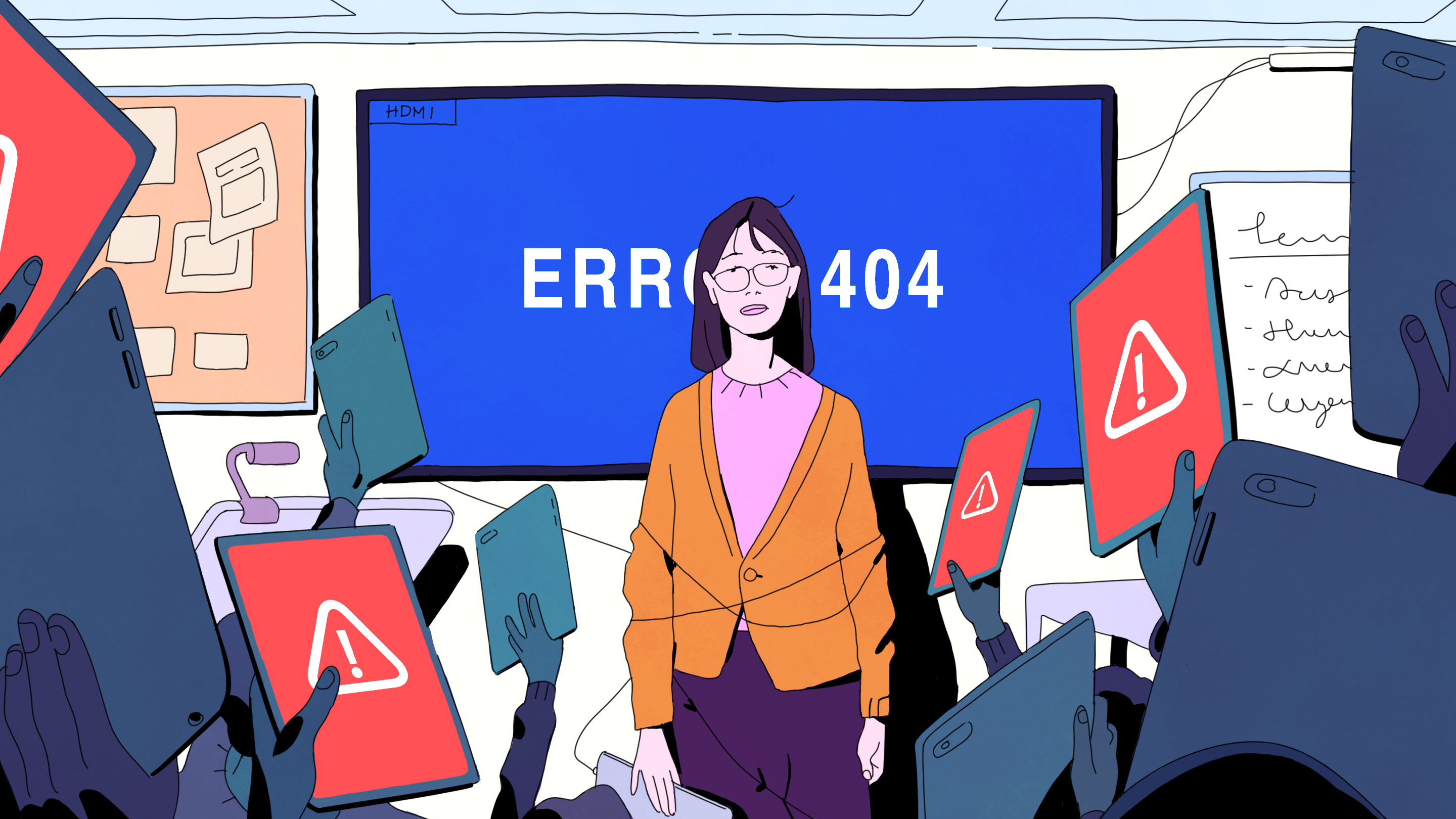

School technology can be a miracle worker. It can help a shy student record a podcast instead of trembling through a presentation, let a teacher check understanding in thirty seconds, and give a student with dyslexia access to text-to-speech tools that feel less like “special help” and more like regular school. But when tech integration fails in school, it fails loudly. The Wi-Fi collapses. The login does not work. The digital lesson becomes a ten-minute password excavation. A shiny app promised “personalized learning” and delivered personalized confusion.
The truth is simple: educational technology is not automatically good or bad. It is a tool. A hammer can build a library shelf or destroy a laptop, depending on who is holding it and why. Successful classroom technology integration depends on planning, teacher training, student privacy, reliable infrastructure, equitable access, and a clear instructional purpose. Without those pieces, schools can spend big money and still end up with frustrated teachers, distracted students, and devices that mostly serve as very expensive paperweights.
This guide breaks down the most common school technology integration mistakes and, more importantly, how to avoid them. Because nobody wants to explain to the school board that the new learning platform improved achievement mainly in the area of “creative excuses for not logging in.”
What Does Tech Integration in School Really Mean?
Tech integration in school means using digital tools to improve teaching and learningnot simply adding screens to old routines. A worksheet on paper and the same worksheet on a tablet are not dramatically different, except one version has a battery and can mysteriously update during class.
Effective educational technology supports clear learning goals. It may help students collaborate, research, create, practice, receive feedback, demonstrate understanding, or access content in a way that fits their needs. The best edtech does not steal the spotlight from instruction. It works more like stage lighting: useful, intentional, and mostly invisible when everything is going well.
Fail #1: Buying Devices Before Defining the Learning Goal
One of the biggest technology integration fails is starting with the product instead of the problem. A district hears about a new platform, buys licenses, schedules a launch day, and then asks teachers to “find ways to use it.” That is backwards. It is like buying 900 waffle irons and then asking the cafeteria to develop a breakfast philosophy.
The first question should never be, “What tool should we buy?” It should be, “What learning problem are we trying to solve?” Maybe students need more timely writing feedback. Maybe multilingual learners need better access to academic vocabulary. Maybe teachers need faster formative assessment data. Once the need is clear, technology can be evaluated as one possible solution.
How to avoid it
Start every tech decision with an instructional goal. Use a simple decision filter: What student need does this tool address? How will teachers use it during instruction? What evidence will show that it is working? If nobody can answer those questions without using phrases like “future-ready ecosystem,” pause the purchase.
Fail #2: Treating Teacher Training as a One-Time Event
Many schools introduce new technology with a single professional development day. Teachers sit in the cafeteria, watch a slideshow, receive a login, and are then expected to transform learning by Tuesday. This is not professional learning. This is a software-themed survival challenge.
Teachers need time to practice, ask questions, plan lessons, troubleshoot, and see examples from their grade level or subject area. They also need coaching after the tool enters the classroom, because real implementation problems rarely appear during a clean demo. They appear when thirty students open the wrong tab at once and one Chromebook starts making helicopter noises.
How to avoid it
Build professional development into the entire implementation cycle. Offer short training sessions, peer coaching, model lessons, planning templates, and follow-up support. Give teachers permission to start small. A single strong lesson using technology well is better than ten chaotic lessons using technology because someone said the subscription renews in June.
Fail #3: Confusing Student Engagement With Screen Excitement
Students may look engaged when they are clicking, dragging, scrolling, and tapping. But motion is not the same as learning. A student can appear very focused while customizing an avatar for seventeen minutes. That does not mean the Revolutionary War has been mastered.
True engagement involves thinking, questioning, creating, explaining, and applying knowledge. Technology should deepen these behaviors, not replace them with digital busywork. A flashy app can produce short-term excitement, but if students are not developing skills or understanding content, the glitter is doing more work than the curriculum.
How to avoid it
Ask what students are thinking about while using the tool. Are they analyzing, solving, composing, designing, debating, or reflecting? Or are they simply clicking through screens like tiny office interns? Choose tools that require meaningful student action and give teachers useful insight into student understanding.
Fail #4: Ignoring the Digital Divide
A school may have devices in every classroom and still have an equity problem. Some students have high-speed internet at home, quiet workspaces, updated devices, and adults who can help troubleshoot. Others share one phone with siblings, rely on unstable connections, or complete assignments in noisy environments. If homework requires constant online access, the “digital classroom” can quietly punish students for circumstances they did not create.
The digital divide is not only about devices. It includes connectivity, accessibility, language support, assistive technology, digital skills, and the quality of learning experiences students receive. Two students may both have laptops, but only one may be asked to create, code, research, and collaborate while the other is stuck doing drill-and-kill practice. That is not equity. That is inequality with a charging cable.
How to avoid it
Audit access before launching digital programs. Find out who has reliable internet, who needs offline options, who needs assistive features, and which families need multilingual support. Design assignments that do not assume every student has the same home setup. In school, ensure that all students use technology for higher-order learning, not just remediation.
Fail #5: Letting Too Many Tools Flood the Classroom
Tool overload is a quiet killer of effective technology integration. One teacher uses three learning apps, another uses four different assessment platforms, the district adds a required dashboard, and suddenly students need more passwords than a junior cybersecurity analyst.
Too many tools create confusion for students, families, teachers, and IT teams. They also make it harder to protect student data, measure effectiveness, and provide meaningful training. When every problem gets a new app, the school’s digital ecosystem becomes less like a toolbox and more like a kitchen drawer full of mystery chargers.
How to avoid it
Create a clear edtech approval process. Review tools for instructional value, accessibility, privacy, security, cost, interoperability, and evidence of impact. Retire tools that duplicate other tools or show low usage without strong results. A smaller set of well-supported platforms usually beats a giant menu of digital chaos.
Fail #6: Forgetting Student Privacy and Cybersecurity
Student data privacy is not a technical detail to handle after the fun part. It is part of responsible education. Digital tools may collect names, grades, attendance patterns, behavioral data, writing samples, assessment results, accommodations, and usage records. In the age of AI-powered platforms, schools must be even more careful about what data is collected, how it is stored, who can access it, and whether it may be used to train models.
Cybersecurity is also a growing concern for K-12 schools. Districts are attractive targets because they hold sensitive data, often operate with limited IT budgets, and depend on many third-party vendors. One weak tool can create a strong headache.
How to avoid it
Require privacy and security reviews before approving any edtech tool. Check vendor contracts, data deletion policies, advertising restrictions, breach notification terms, accessibility compliance, and whether the tool aligns with FERPA, COPPA, and relevant state privacy laws. Teachers should also receive practical guidance on what not to enter into free AI tools or unapproved apps. “Do not paste student IEP notes into random chatbots” should not have to be said, but here we are.
Fail #7: Using Technology to Replace Good Teaching
Technology can support instruction, but it cannot replace teacher judgment, relationships, classroom culture, or the magical teacher eyebrow that stops side conversations from across the room. When schools use software as a substitute for teaching, students often get isolated screen time instead of rich learning experiences.
Adaptive programs can be useful for practice and feedback, but they should not become the main event every day. Students still need discussion, hands-on activities, writing, collaboration, creativity, and direct instruction. A balanced classroom uses technology where it adds value and puts it away when a conversation, lab, book, debate, or pencil makes more sense.
How to avoid it
Make pedagogy the driver. Teachers should decide when technology improves the lesson and when it does not. Use digital tools to amplify strong teaching practices: formative assessment, feedback, differentiation, student creation, accessibility, and collaboration. If the tool reduces the teacher to a login manager, reconsider the tool.
Fail #8: Measuring Success by Logins Instead of Learning
Many edtech dashboards celebrate usage. Students logged in. Minutes increased. Badges were earned. A pie chart appeared, which always makes a meeting feel official. But usage data alone does not prove learning. Students can spend a lot of time in a platform without making meaningful progress.
Schools need better evidence. Are students improving in the target skill? Are teachers saving time or gaining useful insights? Are students more able to explain, create, solve, or transfer knowledge? Are the benefits reaching all student groups? Without these questions, schools risk mistaking activity for achievement.
How to avoid it
Define success before implementation. Combine usage data with student work, assessment results, teacher feedback, student surveys, and classroom observations. Review results by grade level, subject, student group, and school. If a tool is popular but not effective, it may be digital cotton candy: fun, colorful, and not exactly a meal.
Fail #9: Rolling Out Technology Too Fast
Fast rollouts feel efficient until they become expensive confusion. A district-wide launch without a pilot can expose every weakness at once: unclear expectations, broken integrations, weak training, missing accessibility features, overloaded Wi-Fi, and families who never received instructions.
Pilots help schools learn before scaling. They reveal whether the tool fits real classrooms, not just vendor demos. They also give teachers and students a voice in implementation, which is useful because they are the people actually using the thing while everyone else is in a meeting about using the thing.
How to avoid it
Run a structured pilot with clear goals, training, support, timelines, and evaluation criteria. Include teachers from different grade levels, subjects, and student populations. Gather feedback early and honestly. If the pilot fails, celebrate the money saved by not failing at full district scale.
Fail #10: Leaving Families Out of the Plan
Families are often expected to support school technology without being shown how it works. They may need to monitor assignments, help with logins, understand screen-time expectations, review digital citizenship rules, or support students using learning platforms at home. When communication is weak, frustration grows quickly.
Parents and caregivers do not need a 47-page technology handbook written in district-office poetry. They need simple explanations: what tools are used, why they matter, how student data is protected, how to get help, and when students should put the device away and go outside like a vintage child from 1998.
How to avoid it
Create family-friendly guides, short videos, multilingual resources, and help channels. Explain the purpose of major platforms and how families can support healthy technology habits. Be transparent about privacy, screen time, AI use, and expectations for digital behavior.
Fail #11: Ignoring Accessibility and Universal Design
Technology should open doors, not create new barriers. Yet schools sometimes adopt tools that are difficult for students with disabilities, English learners, younger students, or students with limited fine motor skills. A platform may look sleek in a demo but fail when a student needs captions, keyboard navigation, screen-reader compatibility, translation support, or adjustable reading levels.
Accessibility is not a bonus feature. It is a basic requirement for equitable learning. When schools consider accessibility from the beginning, more students benefitnot only those with formal accommodations.
How to avoid it
Include accessibility in procurement, lesson planning, and teacher training. Test tools with real student needs in mind. Look for captions, text-to-speech, speech-to-text, readable design, language support, adjustable settings, and compatibility with assistive technology. Universal design helps everyone, including the student who forgot headphones and the teacher who forgot coffee.
Fail #12: Having No Clear AI Policy
AI has entered schools faster than most policy committees can schedule a meeting. Students are using AI for brainstorming, writing help, translation, coding, studying, and sometimes, yes, academic shortcuts. Teachers are using it to draft rubrics, adapt texts, generate examples, and save time. The problem is not that AI exists. The problem is unclear expectations.
When schools simply ban AI, students may hide their use. When schools allow everything, academic integrity and privacy can suffer. The smartest approach is clear, age-appropriate guidance that explains acceptable use, prohibited use, citation expectations, teacher approval, privacy limits, and the difference between support and substitution.
How to avoid it
Create an AI policy that is practical enough for daily classroom use. Use examples: “You may use AI to brainstorm topic ideas,” “You may not submit AI-generated writing as your own,” “Do not enter personal student information,” and “Your teacher may require process notes or drafts.” Teach AI literacy, including bias, hallucinations, source checking, privacy, and responsible authorship.
A Practical Framework for Better School Technology Integration
Schools can avoid most tech integration fails by following a simple framework: purpose, people, protection, pilot, proof, and polish.
1. Purpose
Define the instructional goal first. Technology should solve a real learning problem or improve an existing process. If the purpose is vague, the implementation will be vague too.
2. People
Involve teachers, students, families, IT staff, curriculum leaders, special education staff, and multilingual learner specialists. Edtech decisions improve when the people closest to the classroom help shape them.
3. Protection
Review privacy, cybersecurity, accessibility, and legal compliance before launch. Protecting students is not separate from innovation; it is what makes innovation trustworthy.
4. Pilot
Start small. Test the tool in real classrooms with real students, real schedules, and real Wi-Fi. Vendor demos are useful, but they do not include the student who forgets his password every Monday with the confidence of a man starting fresh.
5. Proof
Measure outcomes that matter. Look beyond logins and minutes. Study student work, learning growth, teacher workload, engagement quality, equity, and classroom fit.
6. Polish
Improve continuously. Adjust training, simplify workflows, remove unused tools, update policies, and share examples of effective practice. Tech integration is not a one-time launch; it is an ongoing improvement cycle.
Real-World Examples of Tech Integration Done Right
Imagine a middle school English team that wants students to improve revision skills. Instead of buying a random writing app, the team identifies a goal: students need more specific feedback before final drafts. They pilot one tool with two teachers, train students on feedback routines, compare writing samples, and ask students whether the tool helps them revise more independently. The result is not “we used technology.” The result is better writing.
Or consider a high school science department using digital simulations. The simulation is not a replacement for lab work; it prepares students to test variables safely before a hands-on experiment. Students make predictions, run models, discuss results, and then conduct the physical lab. Technology extends learning rather than replacing it.
Another example: an elementary school adopts a reading platform only after checking accessibility, family language needs, teacher training capacity, and offline options. Teachers use the platform for short targeted practice, not all-day screen time. Students still read physical books, talk about stories, draw responses, and work with teachers in small groups. The tool supports instruction instead of swallowing it whole.
Experiences Related to Tech Integration Fails in Schooland How to Avoid Them
Anyone who has worked in or around schools has seen technology fail in ways that are both deeply inconvenient and slightly theatrical. One common experience is the “perfect lesson, imperfect login” disaster. The teacher has planned a beautiful activity: students will analyze primary sources, annotate them digitally, and collaborate in groups. Then half the class cannot log in. One student forgot the password. Another student’s account is locked. A third student insists the computer “hates him personally.” By the time everyone is online, the lesson has lost momentum and the teacher has aged approximately four years.
The lesson from this experience is not “avoid technology.” It is “prepare the routine before the learning moment.” Schools can prevent this problem by teaching login procedures, using single sign-on where possible, keeping backup access plans, and practicing digital routines before high-stakes lessons. Teachers should also have a low-tech backup that still meets the learning objective. Not because teachers are pessimists, but because printers, projectors, and Wi-Fi routers enjoy dramatic timing.
Another familiar experience is the “new platform nobody asked for” rollout. Teachers arrive at a staff meeting and learn that a new tool will now be required for assignments, assessments, communication, intervention, enrichment, and possibly emotional support for the copy machine. The tool may be powerful, but teachers feel overwhelmed because they were not part of the decision. Some use it reluctantly. Some use it incorrectly. Some use it just enough to avoid uncomfortable emails from administrators.
The fix is shared ownership. Before adopting a major tool, leaders should ask teachers what problems they need solved, what tools already work, and what support would make implementation realistic. Teacher voice does not slow innovation; it saves it from becoming another abandoned icon on the district portal.
A third experience is the “students know more than adults” myth. Students may be fast with devices, but that does not mean they know how to evaluate sources, protect privacy, manage distractions, cite AI assistance, create strong multimedia projects, or communicate respectfully online. Being able to make a video transition sparkle does not automatically equal digital literacy.
Schools avoid this fail by teaching digital citizenship and digital literacy directly. Students need guidance on privacy, security, source evaluation, copyright, online communication, AI ethics, and healthy screen habits. These skills should not be saved for one assembly where a guest speaker tells everyone the internet is forever and then leaves.
There is also the “data dashboard illusion.” A school may celebrate high usage numbers because students completed thousands of digital practice items. But when teachers review student work, they realize many students are guessing, rushing, or repeating mistakes. The dashboard looked impressive; the learning was thin.
To avoid this, educators should pair platform data with human evidence. Teachers need to look at student explanations, written responses, discussions, projects, and assessment performance. Data can point to a pattern, but teachers interpret the pattern. Numbers can say a student spent twenty minutes on fractions. They cannot always say whether the student understands fractions or spent nineteen minutes negotiating with a pencil.
Finally, many schools experience the “too much screen, not enough purpose” problem. Devices become the default because they are available. Students read on screens, test on screens, practice on screens, and relax after school on more screens. Over time, teachers, families, and students begin to ask whether every task needs a device.
The healthiest schools treat technology as one option among many. They use screens when screens improve access, feedback, creation, collaboration, or efficiency. They put screens away when discussion, handwriting, physical books, art materials, outdoor observation, or face-to-face collaboration would work better. Good tech integration is not maximum technology. It is appropriate technology.
Conclusion
Tech integration fails in school usually do not happen because educators dislike innovation. They happen because schools move too fast, buy before planning, train too little, measure the wrong things, ignore privacy, or expect technology to do work that belongs to strong teaching and thoughtful leadership.
The good news is that these failures are avoidable. Schools can build better systems by starting with learning goals, supporting teachers, protecting student data, piloting before scaling, designing for equity, and evaluating impact honestly. Technology should make learning more accessible, active, creative, and meaningful. If it only makes school more complicated, the tool is not integratedit is just visiting.
The best classroom technology does not replace teachers, relationships, curiosity, books, pencils, experiments, discussion, or the occasional glorious poster board project. It supports them. When schools remember that, edtech stops being a shiny distraction and becomes what it was supposed to be all along: a practical tool for better learning.