
A wide area network, usually shortened to WAN, is the networking reason your company’s New York office can talk to its Los Angeles office, your cloud app can serve users from another continent, and your remote employee can securely access a file server without mailing a USB drive like it’s 2003.
In plain American English, a wide area network is a network that connects smaller networks across large distances. Those smaller networks are often local area networks, or LANs, inside offices, schools, warehouses, data centers, hospitals, banks, or government buildings. A LAN is the neighborhood. A WAN is the highway system connecting all the neighborhoods together.
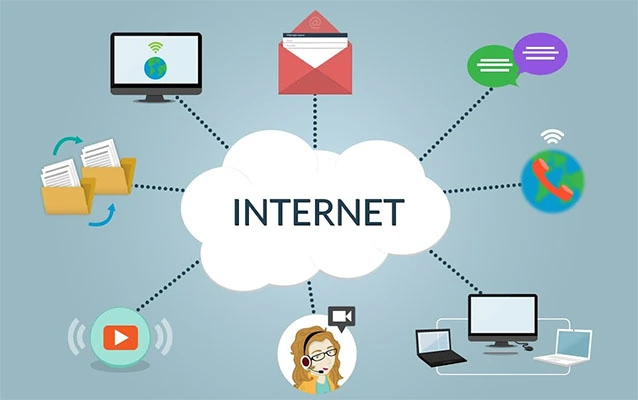
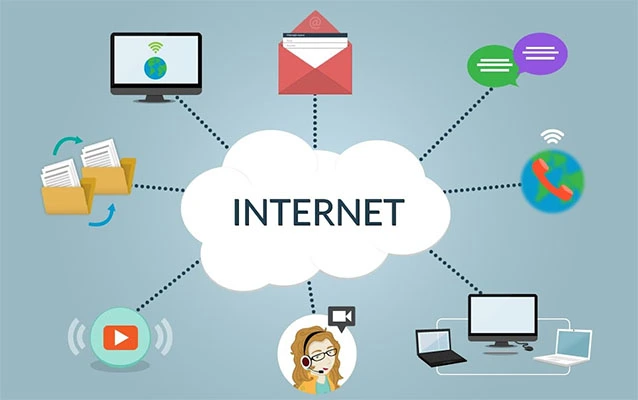
The internet is the world’s biggest public WAN, but businesses also build private or hybrid WANs to connect branches, cloud platforms, remote workers, data centers, and critical applications. When a company has multiple locations and those locations need to share data reliably, a WAN is usually somewhere behind the curtain, doing the unglamorous but essential work. It is the stage crew of modern networking: rarely applauded, absolutely necessary, and in serious trouble if someone trips over the wrong cable.
WAN Meaning: What Does WAN Stand For?
WAN stands for Wide Area Network. The name is wonderfully literal. “Wide area” means the network covers a broad geographic region. That region could be a city, state, country, or the entire globe. Unlike a LAN, which typically serves one building or campus, a WAN links networks that are physically separated.
A simple example: imagine a retail company with a headquarters in Chicago, stores in Texas, a distribution center in Nevada, and cloud-based inventory software hosted in Virginia. Each store may have its own LAN for cash registers, barcode scanners, employee laptops, printers, and Wi-Fi. The WAN connects all of those LANs so inventory updates, payment approvals, employee records, security cameras, and business applications can move between locations.
How Does a WAN Work?
A WAN works by using telecommunications links, routing equipment, security tools, and network protocols to move data between geographically separated networks. When a user in one office opens a file stored in another location or logs into a cloud application, their data is broken into packets. Those packets travel across routers, switches, service provider networks, leased circuits, VPN tunnels, broadband connections, wireless links, or cloud networking services before reaching the destination.
Think of WAN traffic like shipping packages. The data packet has an origin, destination, route, and delivery rules. A router acts like a traffic manager, deciding where packets should go next. Firewalls and security gateways inspect traffic. WAN optimization tools may compress data or reduce repeated transmissions. SD-WAN controllers can choose the best path based on application type, cost, latency, packet loss, or link availability.
The Basic WAN Flow
In a typical business WAN, the process looks something like this:
- A user connects to a local network in a branch office.
- The user requests an application, file, website, or cloud service.
- The branch router or SD-WAN edge device sends the traffic onto a WAN link.
- The data travels across a provider network, private circuit, VPN, broadband internet path, or cloud backbone.
- The destination network receives the traffic and sends a response back.
When everything works well, nobody notices. When it fails, everyone suddenly becomes a networking expert and says helpful things like, “Did you try turning the internet off and on?”
WAN vs. LAN: What Is the Difference?
The easiest way to understand a WAN is to compare it with a LAN.
LAN: Local Area Network
A local area network connects devices within a limited area, such as a home, office floor, school lab, or corporate campus. Your home Wi-Fi network is a LAN. So is the wired office network that connects employee computers to printers and internal servers.
WAN: Wide Area Network
A wide area network connects multiple LANs or other networks across much larger distances. It is built to move data between separate locations. A WAN may connect one office to another, a branch to a data center, a company to cloud applications, or thousands of users to global services.
Here is the quick comparison: a LAN is usually fast, privately managed, and physically close. A WAN is broader, more complex, often dependent on service providers, and designed for long-distance connectivity. LAN is “everyone in the same building.” WAN is “everyone in the same company, even if half of them are in airports drinking suspicious coffee.”
Common Types of WAN Connections
WANs can be built using different technologies. The right choice depends on budget, performance needs, security requirements, geography, and whether the organization values reliability more than saving a few dollars on monthly connectivity.
1. Leased Lines
A leased line is a dedicated connection between two locations. It is private, predictable, and often used when performance and reliability are critical. The downside is cost. Dedicated circuits can be expensive, especially across long distances.
2. MPLS
Multiprotocol Label Switching, or MPLS, is a carrier-managed WAN technology that routes traffic using labels rather than ordinary IP routing decisions alone. MPLS became popular because it can support quality of service for voice, video, and business-critical traffic. Many enterprises still use MPLS, although some are replacing or supplementing it with SD-WAN and broadband links.
3. Broadband Internet
Broadband connections are widely available and usually cheaper than private circuits. Businesses often use broadband as a primary or backup WAN link. However, public internet connections may not provide the same performance guarantees as private WAN services.
4. VPN
A virtual private network, or VPN, creates an encrypted tunnel over another network, often the internet. VPNs are commonly used for remote access and site-to-site connectivity. They are useful, flexible, and cost-effective, but performance depends on the underlying internet connection.
5. Cellular and 5G WAN
Cellular WAN connections use 4G LTE or 5G networks to connect locations, vehicles, kiosks, temporary sites, and backup systems. They are especially helpful when wired service is unavailable or when a business needs fast deployment. A pop-up retail booth, food truck, construction trailer, or emergency response site can use cellular WAN connectivity without waiting weeks for a cable installation.
6. Satellite WAN
Satellite WAN is used in remote regions where terrestrial connections are limited. It can support ships, rural facilities, mining sites, disaster response teams, and isolated offices. Latency and weather sensitivity can be concerns, but satellite connectivity is often better than no connectivity at all.
7. SD-WAN
Software-defined WAN, or SD-WAN, uses software-based control to manage multiple WAN connections intelligently. Instead of treating every link the same, SD-WAN can route traffic based on application type, link quality, business priority, security policy, or cost. For example, video meetings might use the cleanest low-latency path, while routine software updates can travel over a cheaper internet link.
What Is SD-WAN and Why Is It Popular?
SD-WAN is one of the biggest shifts in enterprise WAN design. Traditional WANs often relied heavily on private circuits and centralized routing. That worked well when most applications lived inside company data centers. But modern businesses use cloud services, SaaS platforms, remote workers, mobile devices, and global teams. The old “send everything back to headquarters first” model can become slow, costly, and about as elegant as making every airline passenger fly through one city to buy a sandwich.
SD-WAN helps by creating a more flexible WAN architecture. It can use MPLS, broadband, LTE, 5G, VPNs, and other transport options together. It also provides centralized management, better visibility, automated traffic steering, and policy-based control. Many SD-WAN products include integrated security features or connect with secure access service edge, also known as SASE.
The main appeal is simple: businesses want faster access to applications, lower network costs, easier management, and better resilience. SD-WAN does not magically solve every problem, but it gives network teams more control than a pile of circuits and a prayer.
Why Do Businesses Use WANs?
Businesses use WANs because work does not politely stay inside one building anymore. Employees collaborate across cities. Customers buy online from everywhere. Applications live in public clouds. Data must move between offices, warehouses, call centers, factories, hospitals, banks, schools, and remote devices.
WANs Support Multi-Location Operations
A company with multiple locations needs a way to share systems. A WAN lets branches access customer databases, accounting software, inventory platforms, collaboration tools, internal portals, and cloud services.
WANs Enable Cloud Access
Cloud computing changed WAN design. Instead of connecting only office-to-office, modern WANs often connect office-to-cloud, user-to-cloud, and cloud-to-cloud. A well-designed WAN helps users reach applications such as Microsoft 365, Salesforce, Google Workspace, AWS workloads, Azure resources, and private cloud systems with acceptable performance.
WANs Help Centralize Data and Security
Organizations may centralize sensitive data in a data center or cloud environment while allowing users in many locations to access it securely. WANs make this possible, but they must be designed with encryption, authentication, monitoring, segmentation, and access control.
WANs Improve Business Continuity
A resilient WAN can provide backup paths if a primary connection fails. For example, a store might use fiber as its main connection and 5G as a backup. If a construction crew accidentally cuts the fiber line, the business can stay online. The cash registers keep working, the employees keep breathing, and the IT team gets only mildly panicked instead of fully volcanic.
Real-World Examples of WANs
WANs sound abstract until you look at everyday examples. Banks use WANs to connect branches, ATMs, fraud systems, and data centers. Hospitals use WANs to share electronic health records, imaging files, telehealth systems, and pharmacy platforms. Universities use WANs to connect campuses, research labs, student systems, and cloud learning tools.
Retailers use WANs to manage point-of-sale systems, digital signage, inventory, loyalty programs, and security cameras. Manufacturers use WANs to connect factories, logistics platforms, quality control systems, and industrial monitoring tools. Government agencies use WANs to connect offices, emergency services, records systems, and public-facing applications.
Even a small business may use a WAN without calling it one. If it has two offices connected by a VPN, uses cloud file storage, and supports remote workers, it is participating in WAN-style networking. The name sounds large, but the concept applies to organizations of many sizes.
Key WAN Components
A WAN includes more than a long cable and hopeful thinking. Several components work together to keep data moving.
Routers
Routers direct traffic between networks. In a WAN, routers decide how packets leave one location and reach another.
Switches
Switches connect devices within local networks. They usually support the LAN side of the WAN connection.
Firewalls
Firewalls inspect and control traffic. They help block unauthorized access, enforce security policies, and protect internal systems.
WAN Edge Devices
WAN edge devices sit at branch locations or data centers and connect the local network to the WAN. In SD-WAN environments, these devices may handle encryption, traffic steering, application recognition, and link monitoring.
Service Provider Links
Most WANs rely on telecom carriers, internet service providers, cloud providers, or managed network providers. These links may include fiber, broadband, MPLS, cellular, satellite, or Ethernet services.
Cloud Gateways
Cloud gateways connect enterprise networks to cloud platforms. They are increasingly important because many business applications no longer live in a company-owned server room guarded by a humming air conditioner and one very tired systems administrator.
WAN Security: Why Distance Is Not the Only Challenge
WAN security matters because wide connectivity also creates wide exposure. A WAN may connect trusted employees, contractors, cloud services, third-party vendors, remote devices, and branch offices. Each connection can become a pathway for attackers if it is poorly secured.
Older security models often assumed that users inside the network were safer than users outside it. Modern security thinking is more cautious. Zero trust principles focus on verifying users, devices, applications, and access requests rather than trusting traffic simply because it came from a familiar network location.
Important WAN Security Practices
- Encrypt sensitive traffic with VPNs, IPsec, TLS, or secure SD-WAN tunnels.
- Use strong authentication, especially for remote access and administrator accounts.
- Segment the network so one compromised branch does not expose everything.
- Monitor traffic for unusual patterns, failed logins, malware activity, and data exfiltration.
- Keep devices updated, including routers, firewalls, SD-WAN appliances, and endpoint software.
- Apply least privilege so users and applications access only what they genuinely need.
A WAN should not be treated like a private castle with one drawbridge. It is more like a modern airport: lots of entrances, lots of travelers, and a very good reason to check credentials.
WAN Performance: Speed, Latency, and Reliability
WAN performance is not just about raw speed. A connection can have high bandwidth and still feel terrible if latency, jitter, packet loss, or congestion are bad. Video calls freeze. Cloud apps lag. File transfers crawl. Someone says, “The network is slow,” and somewhere a network engineer sighs deeply into a coffee mug.
Bandwidth
Bandwidth is the amount of data a connection can carry over time. More bandwidth helps when many users or applications share the same link.
Latency
Latency is delay. Long-distance traffic naturally takes more time to travel, especially across continents or satellite links. Low latency is important for video conferencing, voice calls, financial systems, gaming, and interactive applications.
Jitter
Jitter is variation in delay. Voice and video traffic suffer when packets arrive unevenly.
Packet Loss
Packet loss happens when data packets do not reach their destination. Even small amounts can harm real-time applications.
Availability
Availability measures whether the WAN is up and usable. Redundant links, failover, diverse providers, and backup wireless connections can improve uptime.
WAN Advantages
A well-designed WAN can give an organization several important benefits.
- Connectivity across distance: Teams can work together from different cities, states, or countries.
- Centralized resources: Applications and data can be managed from central locations or cloud platforms.
- Business scalability: New branches, users, and cloud services can be added more efficiently.
- Improved collaboration: Employees can share files, use communication tools, and access the same systems.
- Operational resilience: Backup links and failover can reduce downtime.
- Cloud readiness: Modern WANs support SaaS, hybrid cloud, and multi-cloud environments.
WAN Disadvantages
WANs are powerful, but they are not free from headaches. Compared with LANs, WANs are usually more expensive, more complex, and more dependent on outside providers. Troubleshooting can also be harder because a problem may involve local equipment, carrier circuits, internet routing, cloud services, DNS, firewalls, or that one branch office closet where cables have been breeding since 2014.
- Higher cost: Private circuits, managed services, and redundancy can be expensive.
- More complexity: Multiple locations, providers, policies, and technologies require skilled management.
- Security risk: More connections mean more potential attack paths.
- Performance variability: Internet-based WAN links can suffer from congestion and inconsistent latency.
- Provider dependence: Outages may be outside the organization’s direct control.
How to Plan a WAN for a Business
Planning a WAN starts with business needs, not hardware shopping. Buying routers before understanding applications is like buying shoes before checking whether you need to run a marathon, attend a wedding, or escape a goose.
Start With Application Requirements
Identify which applications matter most. Voice, video, payment systems, medical records, manufacturing controls, and customer-facing platforms may need higher priority than general web browsing.
Map Locations and Users
List offices, branches, remote workers, cloud environments, data centers, vendors, and mobile sites. Understand who needs access to what.
Choose the Right Connection Mix
A modern WAN may combine fiber, broadband, MPLS, 5G, VPN, and cloud connectivity. Critical locations may need redundant providers or backup wireless links.
Design for Security
Security should be built into the WAN design from the beginning. Include encryption, identity controls, segmentation, logging, monitoring, and incident response planning.
Plan for Growth
The WAN should support future branches, cloud migrations, remote work, new applications, and higher traffic volumes. A network that barely works on launch day will not become happier after the company doubles in size.
WAN Trends: Where Wide Area Networking Is Going
WAN technology continues to evolve because business technology keeps moving. Cloud adoption, remote work, cybersecurity threats, artificial intelligence workloads, edge computing, and 5G are changing how networks are built.
Cloud-Centric WAN Design
More traffic now goes directly to cloud services instead of back to a central data center. This encourages direct internet access, cloud security gateways, and SD-WAN policies that optimize SaaS performance.
SASE and Security Convergence
Secure access service edge combines networking and security functions such as SD-WAN, secure web gateways, cloud access security brokers, zero trust network access, and firewall-as-a-service. The goal is to protect users and applications wherever they are.
5G and Wireless WAN
5G is becoming a serious option for primary and backup WAN connectivity. It can help businesses deploy sites quickly, support mobile operations, and add resilience.
AI-Assisted Network Operations
Network vendors are adding analytics and automation to help detect outages, recommend fixes, predict congestion, and simplify management. The dream is a WAN that tells you what is wrong before users start sending angry messages in all caps.
Experience-Based Insights: What Working With WANs Teaches You
Anyone who has spent time around business networks learns that a WAN is not just a diagram with clean lines and tidy labels. In real life, WANs have history. They inherit old circuits, emergency fixes, forgotten firewall rules, mystery cables, vendor contracts, and branch offices where the “network room” is also a storage closet for holiday decorations.
One of the biggest lessons is that documentation matters. A WAN without documentation is a treasure hunt, except the treasure is downtime and the map was last updated by someone who left the company five years ago. Good documentation should include circuit IDs, provider contacts, IP ranges, router configurations, firewall rules, failover behavior, application dependencies, and diagrams that reflect reality rather than optimism.
Another practical lesson is that redundancy must be tested. Many organizations pay for backup links but never confirm that failover works smoothly. Then the primary circuit fails, and the backup link behaves like a spare tire made of cheese. Testing failover during planned maintenance is far better than discovering problems during a real outage while executives are refreshing dashboards and asking for “just a quick update” every four minutes.
WAN performance also teaches humility. Users often describe every problem as “the network,” but the root cause might be DNS, authentication, overloaded cloud services, a bad Wi-Fi access point, a misconfigured firewall rule, an underpowered branch router, or a SaaS platform having a rough morning. Good troubleshooting starts by measuring facts: latency, packet loss, bandwidth usage, application response time, device health, and path changes.
From an operational point of view, SD-WAN can be a game changer, but it is not a substitute for planning. It gives teams better control, visibility, and traffic steering, but poor policies can still create poor outcomes. If every application is marked as critical, then nothing is truly critical. Prioritization requires honest conversations with business teams. Payment processing, emergency communications, and production systems probably deserve better treatment than someone streaming a product launch video in 4K during peak hours.
Security experience adds another lesson: never assume a branch office is harmless just because it is small. Small sites often have weaker physical security, fewer technical staff, and older equipment. A compromised branch can become a stepping stone into larger systems. Segmenting traffic, enforcing identity-based access, updating devices, and monitoring logs are not glamorous tasks, but they are the networking equivalent of locking the doors before leaving town.
Finally, WAN projects remind teams that communication is as important as configuration. Users need to know when changes are happening. Help desks need scripts for common issues. Business leaders need realistic expectations about cost, performance, and risk. Providers need clear escalation paths. A WAN connects networks, but successful WAN management connects people, processes, and technology. Ignore any one of those, and the network may still function, but everyone involved will develop a suspicious twitch.
Conclusion: WANs Make Modern Connectivity Possible
A wide area network is the technology framework that connects people, offices, data centers, cloud platforms, and applications across distance. It can be built with private circuits, broadband, VPNs, MPLS, cellular, satellite, SD-WAN, or a combination of several options. Its purpose is simple but powerful: keep separate networks communicating securely and reliably.
For businesses, a WAN is not just an IT expense. It is the foundation for collaboration, cloud access, remote work, customer service, data sharing, and business continuity. A strong WAN helps employees work from anywhere, supports digital operations, and keeps critical applications reachable. A weak WAN creates lag, outages, security gaps, and the kind of office frustration usually reserved for jammed printers.
The best WAN strategy balances performance, cost, security, and flexibility. It starts with understanding business needs, choosing the right connection types, securing traffic, monitoring performance, and planning for growth. As cloud services, SD-WAN, SASE, 5G, and zero trust continue to shape networking, WANs will remain central to how organizations operate. The WAN may not get much attention when it works, but without it, modern business would feel a lot less modern and a lot more “please fax that to our other office.”
Note: This article synthesizes current WAN, SD-WAN, cloud networking, and network security concepts from reputable U.S.-focused technology, cloud, telecom, and standards references. It is written as original educational content for web publication.