
Instagram makes it wonderfully easy to lose 45 minutes watching a raccoon open a refrigerator, but it does not make it especially easy to see who does not follow you back. There is no big shiny button labeled “Reveal the Betrayers,” which is probably for the best. Still, if you are trying to clean up your following list, manage a creator account, or simply understand your audience better, you can find out who you follow on Instagram who does not follow you back.
The safest way is not to hand your Instagram login to a random follower-tracker app with a suspiciously dramatic logo. The safest method is to use Instagram’s own account data export, compare your “following” list with your “followers” list, and identify the accounts that appear only on the list of people you follow. It sounds more technical than it is. If you can copy, paste, and survive a spreadsheet without calling it “the devil’s grid,” you can do it.
This guide explains the manual method, the Instagram data download method, spreadsheet comparison tricks, what to avoid, and what to do once you find the non-followers. No drama required. A little side-eye is optional.
What “Doesn’t Follow You Back” Actually Means
Before you start investigating, it helps to define the term. Someone who does not follow you back is an account that you follow, but that account does not follow your account in return. This is different from someone who unfollowed you recently. Instagram does not provide a built-in historical unfollower log for regular users, so unless you saved an older follower list or used a tracking tool before the unfollow happened, you cannot always know exactly when someone stopped following you.
In other words, “doesn’t follow me back” is a current-status question. “Who unfollowed me last Tuesday at 9:14 p.m. while I was eating cereal?” is a detective novel Instagram does not currently publish.
Can Instagram Show You Who Doesn’t Follow You Back?
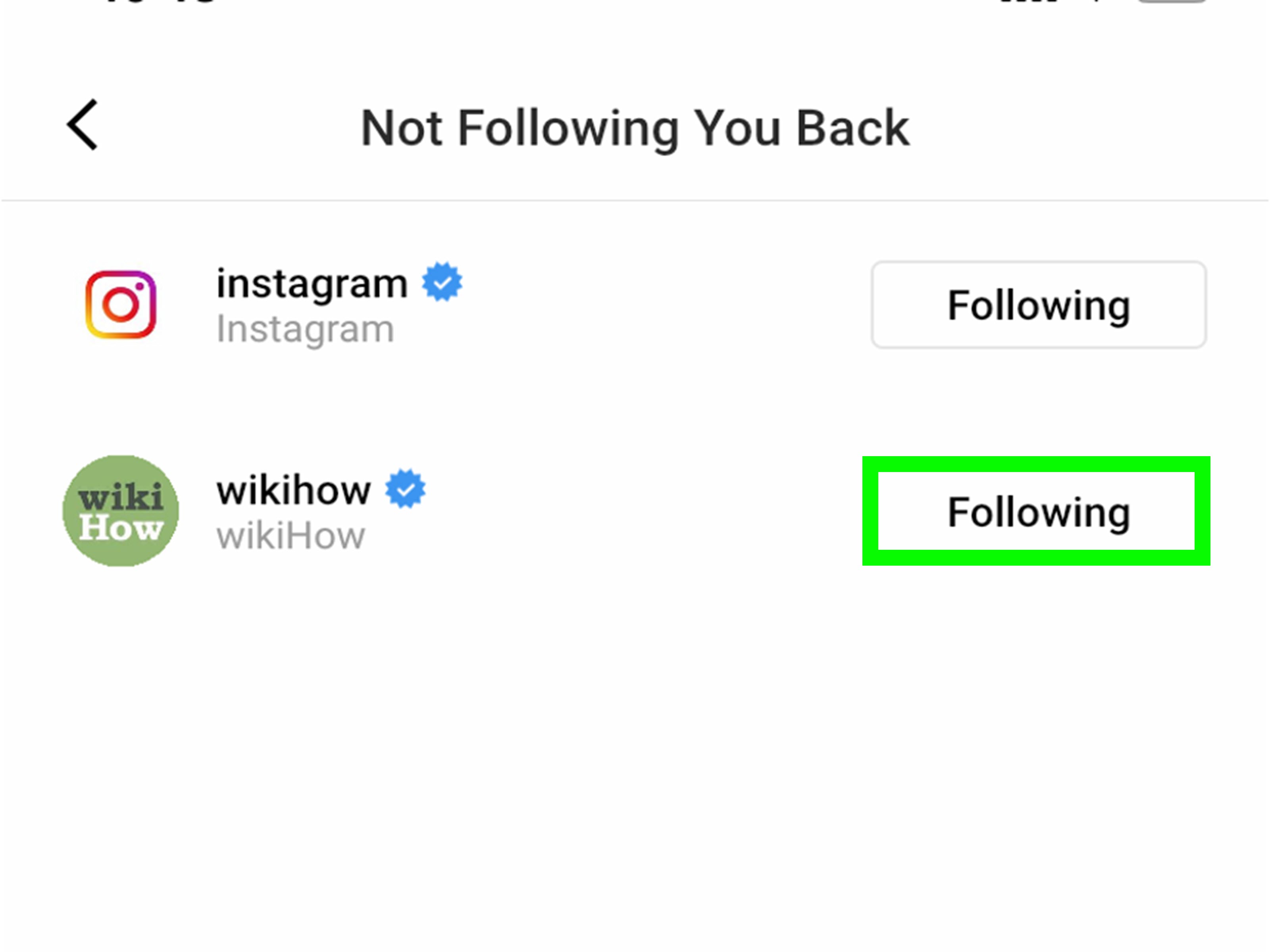
Instagram does show your followers and following lists, but it does not automatically compare them for you. You can open your profile, tap “Following,” search for a specific account, and check whether that person follows you. If they do, Instagram often displays a “Follows you” label on their profile or within account lists. If they do not, you will not see that reciprocal signal.
This works well when you want to check one person. It is not fun if you follow hundreds or thousands of accounts. Nobody wants to spend a Saturday manually tapping profiles like they are counting grains of rice for a very boring wizard.
Method 1: Check Manually Inside the Instagram App
The manual method is best when you only want to check a few specific people. It does not require downloads, apps, passwords, spreadsheets, or pretending you enjoy data cleanup.
Step-by-step manual check
- Open the Instagram app.
- Go to your profile by tapping your profile picture.
- Tap Following.
- Search for the username you want to check.
- Open that person’s profile.
- Look for a Follows you label or check whether your account appears in their following list if that list is visible to you.
If the account is private, blocked, restricted, deactivated, or otherwise unavailable, you may not be able to confirm everything from their visible lists. In that case, your own exported Instagram data is usually more reliable for checking your current follower relationship.
Best for
- Checking one specific person
- Confirming whether a friend, client, or collaborator follows you
- Quick personal cleanup
Not ideal for
- Large accounts
- Creators with frequent follower changes
- Anyone who values their free time
Method 2: Download Your Instagram Data and Compare Lists
This is the best no-password-sharing method for finding who does not follow you back on Instagram. You request a copy of your Instagram information, download your followers and following data, then compare the two lists.
The exact menu names may shift as Instagram updates the app, but the general path usually goes through Accounts Center, then Your information and permissions, then an option to download or export your information.
How to request your Instagram data
- Open Instagram and go to your profile.
- Tap the menu icon.
- Go to Settings and activity.
- Open Accounts Center.
- Select Your information and permissions.
- Choose Download your information or Export your information.
- Select your Instagram profile.
- Choose the option for Followers and following if Instagram allows you to select specific data categories.
- Pick a file format. HTML is easier for casual users; JSON is better if you are comfortable with structured data.
- Choose the date range, usually All time.
- Submit the request and wait for Instagram to prepare the file.
Instagram will usually provide a downloadable ZIP file. Once you download it, extract the folder and look for files related to followers and following. Depending on the format, the file names may look like followers, followers_1, following, or similar variations inside a connections folder.
How to Compare Your Followers and Following Lists
Once you have both lists, the goal is simple:
Find accounts that appear in your “following” list but do not appear in your “followers” list.
Those accounts are the people you follow who do not follow you back.
Option A: Compare with a spreadsheet
A spreadsheet is one of the most practical ways to compare the lists. You can use Google Sheets, Excel, or another spreadsheet tool.
- Copy your following usernames into Column A.
- Copy your followers usernames into Column B.
- In Column C, use a formula to check whether each username in Column A appears in Column B.
In Google Sheets or Excel, a common formula is:
After entering the formula in C2, drag it down the column. Any row marked “Does not follow back” is an account you follow that does not follow you back.
For example, imagine your following list includes:
- @coffeequeen
- @localgym
- @travelmax
- @yourbestfriend
And your followers list includes:
- @coffeequeen
- @yourbestfriend
The comparison would show that @localgym and @travelmax do not follow you back. This does not automatically mean anything negative. A gym, brand, celebrity, meme page, or travel blogger may not follow back because they follow very few accounts. Do not take it personally. The algorithm already does enough emotional damage.
Option B: Use a list comparison tool
You can also paste both lists into a list comparison tool and ask it to show items that appear only in one list. The important part is privacy. Do not use a tool that asks for your Instagram password. You only need to compare usernames, not grant account access.
Put your following list in List A and your followers list in List B. Then choose the setting that shows items only in List A. Those are the accounts you follow that are not following you back.
Option C: Use JSON if you are comfortable with data
If you download your Instagram information in JSON format, the usernames may be nested inside structured data. This is useful for people who know how to parse files, but it can be annoying for casual users because the file may include extra fields, timestamps, or repeated labels.
If you are not technical, choose HTML when requesting your data. It is usually easier to open in a browser, copy usernames, and paste them into a spreadsheet.
Should You Use Third-Party Apps to Track Non-Followers?
Third-party Instagram follower tracker apps are popular because they promise quick answers: unfollowers, ghost followers, secret admirers, engagement rankings, and other features that sound like astrology for your social life. Some apps may provide useful analytics, especially for creators and small businesses. However, they come with real risks.
The biggest warning sign is an app that asks you to log in with your Instagram username and password outside Instagram’s official login flow. Giving your login to an unknown app can expose your account, messages, profile data, and connected information. Some tools also become unreliable when Instagram changes its platform rules or limits what outside services can access.
Red flags to watch for
- The app asks you to disable two-factor authentication.
- The app asks for your Instagram password directly.
- The privacy policy is vague, missing, or written like it escaped from a legal fog machine.
- The app promises impossible features, such as showing exactly who viewed your profile.
- Reviews mention account lockouts, suspicious logins, or sudden spam activity.
- The app requires permissions that do not match the feature it offers.
If you already connected a third-party app and regret it, go into Instagram’s settings and review connected apps and websites. Remove anything you do not recognize or no longer use. Then change your password and make sure two-factor authentication is turned on.
What About Professional Instagram Accounts?
If you use Instagram for business, content creation, or personal branding, you may care less about the social sting of a non-follow-back and more about audience quality. A professional account gives you analytics such as reach, engagement, audience demographics, and content performance. These insights are usually more valuable than obsessing over individual non-followers.
For example, if 200 people do not follow you back but your posts are reaching the right audience, your account may still be healthy. On the other hand, if you follow thousands of inactive accounts and your feed is cluttered, cleaning up your following list can improve your daily Instagram experience.
What to Do After You Find Who Doesn’t Follow You Back
Once you have the list, resist the urge to unfollow everyone in one dramatic sweep. Instagram has spam-prevention systems, and mass following or unfollowing behavior can trigger temporary limits. Also, not every non-follower deserves exile.
Use categories before unfollowing
Sort your non-followers into practical groups:
- Friends and family: Maybe keep them. Real life is not a spreadsheet.
- Brands and celebrities: They probably will not follow back, and that is normal.
- Old acquaintances: Unfollow if their content no longer interests you.
- Inactive accounts: Good candidates for cleanup.
- Spammy or suspicious accounts: Unfollow, remove, or block if needed.
- Potential clients or collaborators: Consider engagement before unfollowing.
The smartest question is not always “Do they follow me back?” It is “Does following this account still serve a purpose?” If the answer is no, unfollowing is just digital housekeeping. You are not starting a feud. You are folding laundry.
How Often Should You Check?
For personal accounts, checking once every few months is plenty. For creators, influencers, and small businesses, a monthly review can be useful. Daily checking is usually unnecessary unless your job involves social media reporting. Even then, focus on trends rather than individual accounts.
A healthy Instagram account is not built by chasing every lost follow. It is built by posting useful, entertaining, or meaningful content consistently enough that the right people want to stay.
Common Mistakes to Avoid
Mistake 1: Confusing non-followers with unfollowers
A non-follower may have never followed you in the first place. An unfollower is someone who followed you before and later stopped. You need historical data to prove the second one.
Mistake 2: Sharing your password with tracker apps
No list of non-followers is worth losing your account. If an app feels risky, skip it and use your Instagram data export instead.
Mistake 3: Mass unfollowing too quickly
Unfollowing too many accounts in a short period can look like automation or spam behavior. Move slowly, especially if your account is important for work.
Mistake 4: Taking every non-follow-back personally
Some people follow only close friends. Some brands follow almost nobody. Some users rarely check Instagram. A missing follow-back is not always a social verdict.
Experience Notes: What It Is Really Like to Check Who Doesn’t Follow Back
The first time you compare your Instagram followers and following lists, it feels oddly satisfying, like cleaning out a closet and finding three chargers, five receipts, and one emotional support hoodie. You may expect a dramatic reveal, but most of the results are usually boring in the best way. A lot of accounts that do not follow back are brands, meme pages, photographers, restaurants, celebrities, creators, old school accounts, giveaway pages, and people you followed during a phase you no longer recognize. Remember when everyone followed smoothie bowls, minimalist desk setups, and one motivational quote page that posted “rise and grind” at 5 a.m.? Exactly.
The most useful part is not catching people. It is noticing your own habits. Maybe you follow too many accounts that never interact with you. Maybe your feed is full of content you do not even enjoy anymore. Maybe you followed someone because they posted one great reel in 2021 and now they only upload blurry concert videos with the flash on. Checking non-followers can become less about ego and more about making your Instagram feed feel like a place you actually want to visit.
For creators, this process can be even more practical. Suppose you run a small fitness account and follow 1,500 users. After comparing your lists, you may find that many non-followers are large fitness brands, inactive accounts, or people outside your target audience. That tells you something. You might decide to focus less on follow-for-follow behavior and more on posting better tutorials, replying to comments, improving captions, and building a real community. A smaller audience that cares is better than a huge list of accounts that treat your profile like wallpaper.
For personal accounts, the emotional side is real. Seeing that someone does not follow you back can sting for about four seconds, especially if you thought you were mutuals. But context matters. They may have cleaned up their list. They may use Instagram differently. They may have missed your follow request. Or they may simply not be that invested, which is allowed. Social media makes tiny signals look enormous. A follow is not a friendship contract signed in glitter ink.
The healthiest approach is to use the list as information, not ammunition. If someone’s content still brings you joy, keep following them. If their posts make you roll your eyes so hard your screen protector trembles, unfollow. If the relationship matters offline, do not let an Instagram list become the judge, jury, and group chat prosecutor. Real relationships deserve more nuance than a spreadsheet cell that says “Does not follow back.”
One practical habit is to save your exported data every month or quarter if you truly want to monitor changes. That way, you can compare older follower lists with newer ones and identify actual unfollowers over time. For most people, though, a simple occasional cleanup is enough. Instagram should be useful, inspiring, funny, or at least mildly entertaining. If checking non-followers turns into a stress ritual, close the app, drink water, and remember that no one has ever carved “perfect follower ratio” on a trophy worth keeping.
Final Thoughts
The best way to see who doesn’t follow you back on Instagram is to use your own Instagram data export and compare your following list against your followers list. Manual checking works for a few accounts, while spreadsheets or list comparison tools work better for large lists. Third-party apps may be convenient, but they can also create privacy and security risks, especially when they ask for your login information.
Use the results wisely. Unfollow accounts that no longer matter, keep accounts you genuinely enjoy, and do not let a non-follow-back ruin your day. Instagram is a platform, not a courtroom. Sometimes the cleanest feed is the real victory.
Note: Instagram menu names and account settings may change over time. If the exact labels in this guide look slightly different, search inside Instagram settings for “Accounts Center,” “Download your information,” “Export your information,” or “Followers and following.”