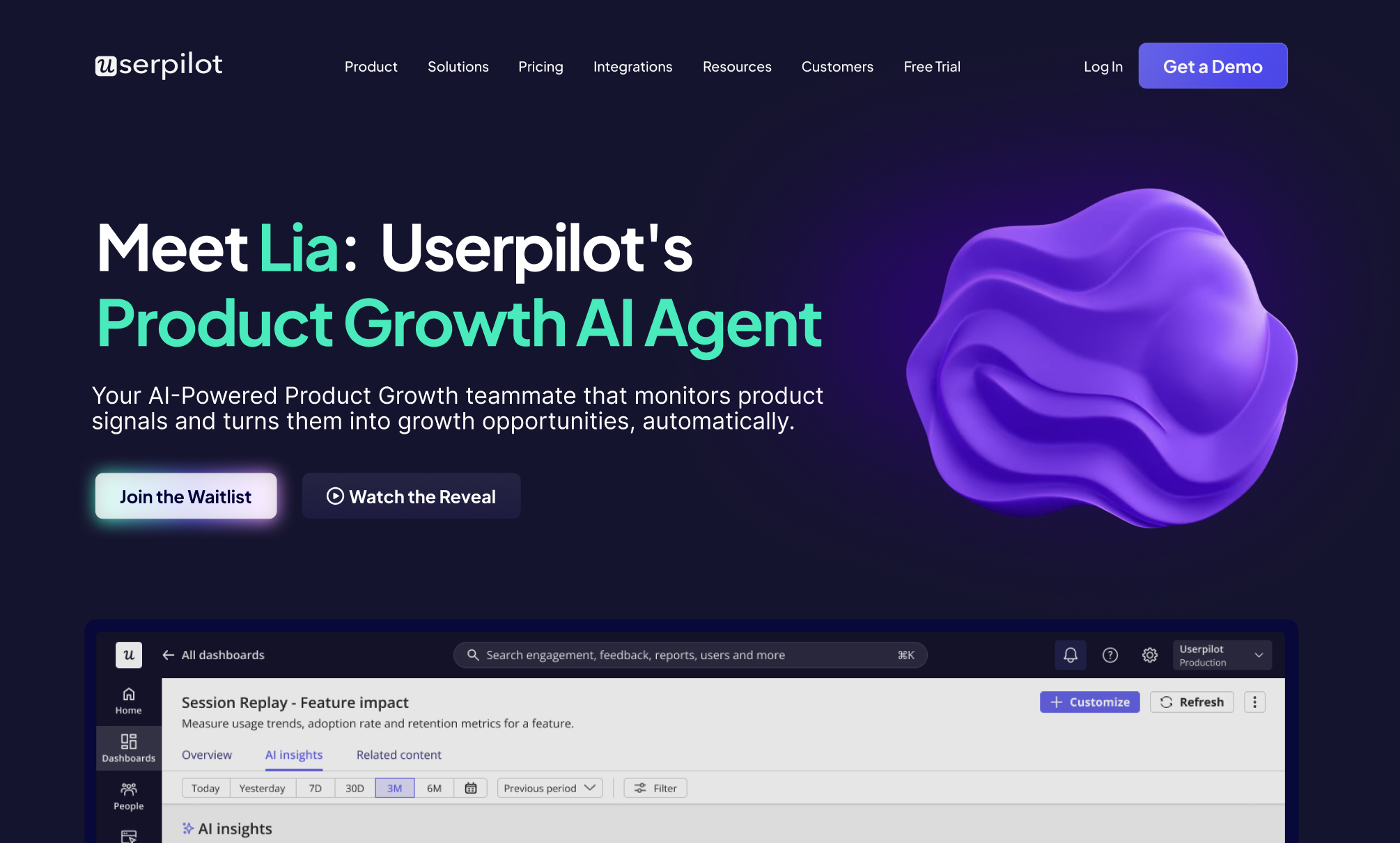

Userpilot AI is shaping up to be more than another “AI button” sprinkled onto a SaaS dashboard like parsley on a very expensive entrée. Branded publicly as Lia, Userpilot’s Product Growth AI Agent is designed to help SaaS teams analyze product signals, detect friction, suggest solutions, and turn user behavior into measurable growth actions.
What Is Userpilot AI?
Userpilot AI refers to the AI-powered layer inside the Userpilot product growth platform. Its most visible public announcement is Lia, a Product Growth AI Agent positioned as an always-on teammate for product, growth, marketing, customer success, and sales teams. Instead of asking teams to stare at dashboards until their coffee files a resignation letter, Userpilot AI aims to surface what matters: where users drop off, which feedback themes keep repeating, what adoption opportunities are hiding in product usage, and what action should happen next.
In practical terms, Userpilot AI sits on top of the platform’s existing strengths: product analytics, in-app engagement, surveys, session replay, lifecycle email, and workflow orchestration. That combination matters because AI without data is basically a confident intern with a megaphone. Userpilot’s advantage is that it already collects behavioral and qualitative signals inside SaaS products, then gives teams tools to respond directly with guides, messages, surveys, and emails.
The Big Idea: From Product Signals to Product Growth
The core promise of Userpilot AI is simple: help teams move from “something looks wrong” to “here is what to do about it.” For example, if activation drops after a new onboarding step, Userpilot AI could analyze usage data, review survey feedback, look at session replay patterns, and suggest a targeted in-app guide or survey. The team still keeps control, but the boring investigation work gets dramatically lighter.
How Userpilot AI Fits Into the Userpilot Platform
Userpilot is not only an onboarding tool. It has evolved into a broader product growth platform for SaaS companies that want to improve activation, adoption, retention, expansion, and customer feedback without depending on engineering for every small experiment.
The platform combines several important product growth functions: product analytics to understand behavior, user engagement tools to guide people inside the app, feedback surveys to collect qualitative insight, session replay to watch what users actually do, lifecycle email to reach users outside the product, and workflows to connect multiple touchpoints. Userpilot AI makes the most sense when viewed as the intelligence layer sitting across all of those modules.
1. Product Analytics
Userpilot’s analytics help teams monitor funnels, trends, paths, retention, dashboards, and event data. For SaaS teams, these reports answer questions like: Where do users drop off? Which features drive activation? What do power users do differently from new users? Which accounts look healthy, and which ones are quietly packing their digital bags?
AI becomes useful here because raw analytics can be overwhelming. A dashboard may show a dip in conversion, but teams still need to interpret the cause. Userpilot AI is designed to help detect anomalies, explain possible reasons behind friction, and transform analytics into next steps.
2. In-App Engagement
Userpilot’s in-app engagement tools include product tours, onboarding checklists, tooltips, banners, modals, and resource centers. These are the little nudges that help users discover value without being forced into a 47-minute “mandatory welcome tour” that nobody asked for.
With AI in the mix, the goal is not simply to create more messages. The goal is to create better-timed, better-targeted experiences. A user who has ignored a feature three times does not need a parade. They may need a shorter tooltip, a contextual checklist item, or a quick explanation tied to the job they are trying to complete.
3. User Feedback
Userpilot supports in-app surveys such as NPS, CSAT, CES, product-market fit surveys, feature feedback forms, and custom questionnaires. This is where Userpilot AI can become especially valuable because qualitative feedback is messy. Users rarely write, “Dear Product Manager, the conversion issue is caused by unclear empty-state copy on step three.” More often, they say things like “confusing,” “not useful,” or “where is the thing?”
AI can help cluster feedback themes, summarize repeated complaints, and connect open-text responses with behavioral data. That means product teams can stop treating feedback as a mysterious soup and start treating it as prioritized evidence.
4. Session Replay
Session replay gives teams visual context. Analytics may tell you that users dropped off, but replays show whether they hesitated, rage-clicked, scrolled past the key button, or got lost somewhere between “Save” and “Why is this not saving?”
Userpilot AI is positioned to work with these behavioral signals by identifying friction patterns and helping teams understand the “why” behind the “what.” For SaaS companies, that is extremely important because growth problems are often hidden in small experience details: unclear copy, poorly placed buttons, confusing flows, or onboarding steps that assume users already know the product’s secret handshake.
What Can Userpilot AI Help SaaS Teams Do?
Userpilot AI is most relevant for teams that already care about product-led growth, customer activation, and data-driven decision-making. It is not meant to replace product managers, customer success managers, or marketers. Instead, it acts like a tireless assistant that does not complain about dashboards, does not forget to check survey responses, and does not schedule meetings titled “quick sync” that last 63 minutes.
Detect Drop-Offs and Friction
One of the strongest use cases is identifying where users get stuck. For example, a SaaS company may notice that many trial users create an account but fail to complete the first important setup task. Userpilot AI can help analyze that behavior, surface possible friction points, and suggest an intervention such as a checklist, tooltip, onboarding flow, or targeted email.
Turn Feedback Into Themes
Customer feedback is valuable, but reading hundreds of responses manually is not exactly anyone’s idea of a beach vacation. Userpilot AI can help group responses into themes, detect repeated issues, and connect them to product areas. That helps teams prioritize fixes based on real user pain rather than the loudest opinion in the Monday meeting.
Create Targeted In-App Experiences
Userpilot AI is designed to go beyond alerts by helping build solutions. For instance, if users fail to adopt a new reporting feature, the system may suggest an in-app announcement, a short product tour, or a contextual tooltip targeted only to users who match certain behaviors. This is far better than blasting every user with the same message and hoping the right people notice.
Support Product-Qualified Lead Motions
For sales and revenue teams, Userpilot AI may help surface product-qualified leads based on usage behavior. A user who repeatedly engages with advanced features, invites teammates, or reaches account limits may be signaling buying intent. Instead of waiting for a form fill, teams can use product activity as a smarter trigger for outreach.
Help Customer Success Prevent Churn
Customer success teams can use AI-powered product signals to identify accounts at risk. Declining usage, repeated friction, negative survey responses, or incomplete onboarding can all point to churn risk. Userpilot’s combination of analytics, feedback, engagement, and email gives teams several ways to intervene before the customer disappears like a sock in a dryer.
Userpilot AI vs Traditional Product Analytics
Traditional product analytics tools are excellent at showing what happened. They can show funnel performance, cohort retention, event frequency, and user paths. The challenge is that many teams struggle to translate those insights into action quickly. A dashboard can reveal a leaky funnel, but it does not always tell you how to patch the leak.
Userpilot AI is different because it is connected to action tools. If a problem appears in analytics, teams can create an in-app flow, launch a survey, send an email, or build a workflow from the same platform. That closes the loop between measurement and engagement.
Example: Trial Activation
Imagine a B2B SaaS company offering a 14-day trial. The team notices that users who connect an integration within the first 48 hours are much more likely to convert. Unfortunately, most new users never reach the integration step. With Userpilot, the team can track that behavior, segment users who have not connected the integration, trigger an onboarding checklist, and send a behavior-based email. With Userpilot AI, the system could help detect the pattern faster and suggest the right intervention.
Example: Feature Adoption
Suppose a product team launches a new dashboard feature. Adoption is low, but session replays show that users hover near the feature and leave. Survey responses mention “not sure what this does.” In this case, the issue may not be the feature itself. It may be positioning. Userpilot AI could help identify the confusion, summarize feedback, and recommend a tooltip or product announcement explaining the value in plain English.
Who Should Use Userpilot AI?
Userpilot AI is best suited for SaaS companies that already have enough product usage data to analyze and enough growth motion to justify automation. In other words, if your product has users moving through onboarding, trying features, responding to surveys, and engaging with lifecycle messages, Userpilot AI can help turn those signals into decisions.
Product Managers
Product managers can use Userpilot AI to uncover friction, validate roadmap assumptions, and understand how users behave after releases. Instead of relying only on feature requests, PMs can combine analytics, replays, and feedback to make sharper decisions.
Growth and Product Marketing Teams
Growth teams can use Userpilot AI to improve activation, trial-to-paid conversion, feature discovery, and expansion campaigns. Product marketing teams can use it to launch better in-app announcements, educate users, and measure whether messaging actually changes behavior.
Customer Success Teams
Customer success teams can use Userpilot AI to monitor account health, identify onboarding gaps, and trigger helpful interventions. The best customer success is proactive. The second-best customer success is apologizing very nicely after the customer is already annoyed. Userpilot AI is clearly aiming for the first option.
Sales Teams
Sales teams can use product activity to prioritize outreach. When users show strong buying signals inside the product, reps can reach out with context instead of sending a generic “just checking in” email that has the emotional flavor of room-temperature oatmeal.
Key Benefits of Userpilot AI
Faster Insight Discovery
Teams often collect more data than they can realistically analyze. Userpilot AI helps by scanning behavior, feedback, and replay signals to surface relevant patterns faster. This can reduce the time between noticing a problem and taking action.
Better Personalization
Personalization is not just adding a user’s first name to a modal. Real personalization means responding to behavior, role, lifecycle stage, plan type, account health, and product intent. Userpilot’s segmentation and engagement tools already support targeted experiences, while AI can help recommend what to show, when to show it, and to whom.
Less Dependency on Engineering
Userpilot’s no-code positioning is important. Product and growth teams can build in-app experiences, surveys, and user journeys without waiting for every small change to enter an engineering sprint. AI strengthens this benefit by helping teams create and optimize campaigns faster.
Closed-Loop Growth
The most compelling part of Userpilot AI is the closed loop: analyze, decide, act, measure, and optimize. Many tools stop at reporting. Userpilot connects reporting to user engagement. That makes it attractive for SaaS companies that want growth experiments to move at product speed, not spreadsheet speed.
Limitations and Things to Consider
Userpilot AI is promising, but SaaS teams should evaluate it with clear expectations. First, public materials describe Lia as coming soon or waitlist-based, so buyers should confirm current availability, supported features, and rollout details directly with Userpilot before planning major workflows around it.
Second, AI is only as useful as the data and setup behind it. If event tracking is messy, segmentation is unclear, or survey design is weak, AI may produce less helpful recommendations. Think of it like hiring a brilliant chef and handing them a fridge full of mystery leftovers. Something will happen, but you may not want to serve it to customers.
Third, teams still need human judgment. AI can surface patterns and suggest solutions, but product strategy requires context: business goals, customer segments, pricing model, competitive positioning, and brand voice. The best use of Userpilot AI is not “let the robot run growth.” It is “let the robot do the repetitive analysis so humans can make better decisions.”
Userpilot AI and the Future of Product-Led Growth
Product-led growth has always depended on understanding user behavior. The difference now is speed. SaaS teams ship faster, users expect smoother experiences, and competition is one browser tab away. Waiting weeks to analyze onboarding problems can cost revenue, retention, and trust.
Userpilot AI points toward a future where product growth systems become more proactive. Instead of asking teams to manually hunt for problems, AI agents can monitor signals continuously. Instead of leaving insights trapped in dashboards, AI can suggest campaigns. Instead of treating onboarding, surveys, analytics, and emails as separate tools, platforms like Userpilot can connect them into one coordinated growth engine.
That is the real story behind Userpilot AI. It is not just about artificial intelligence. It is about operational intelligence: helping teams notice faster, respond better, and keep improving the product experience without drowning in manual work.
Experience Notes: What It Feels Like to Work With Userpilot AI Concepts
Working with a tool like Userpilot AI feels most useful when you imagine the everyday chaos of a SaaS team. There is always a new feature to launch, a funnel to diagnose, a churn risk to investigate, a customer complaint to decode, and a leadership dashboard that somehow needs to be “more strategic” by Friday. Product growth work is exciting, but it can also feel like trying to conduct an orchestra while someone keeps changing the sheet music.
The biggest practical experience related to Userpilot AI is the shift from reactive work to proactive work. Without AI assistance, teams often discover problems late. A user complains. A customer success manager notices an account going quiet. A product manager sees a conversion dip after the weekly report. By that point, the issue may already have affected dozens or hundreds of users. Userpilot AI’s value is the possibility of catching those signals earlier and turning them into specific actions.
Another important experience is how much faster experimentation can become. In many SaaS companies, the process looks like this: notice a drop-off, ask analytics for help, wait for event clarification, ask design for copy support, ask engineering if a tooltip is possible, wait for sprint planning, launch the change, then forget to measure it properly because five new priorities arrived wearing tap shoes. Userpilot already reduces that friction with no-code engagement tools. Userpilot AI could reduce it further by helping suggest the intervention and audience faster.
There is also a human benefit: less dashboard fatigue. Product teams often have access to plenty of data but limited attention. Staring at funnels, cohorts, paths, survey responses, and replays can be valuable, but it can also become a swamp. AI-powered summaries and recommendations help teams focus on the highest-impact issues first. That does not remove the need for analysis; it makes analysis easier to start.
From a customer success perspective, the experience can be even more practical. A CSM does not always need a giant analytics report. Sometimes they need to know which account is stuck, why the account may be stuck, and what message or resource should be sent next. If Userpilot AI can connect declining usage, negative feedback, and session friction into a clear recommendation, it becomes a useful assistant for retention work.
For product marketers, the experience is about timing and relevance. A new feature announcement performs better when it reaches users who actually need the feature. A generic blast may create noise, while a behavior-based prompt can create adoption. Userpilot AI’s promise is to help identify those opportunities and reduce the guesswork behind launch campaigns.
The best way to think about Userpilot AI is not as magic. Magic is fun, but product teams need repeatable systems, not rabbits in hats. Userpilot AI is more like a smart growth operations layer: it watches, summarizes, suggests, and helps teams act. The humans still decide the strategy, approve the experience, refine the message, and judge the outcome. In that partnership, AI handles the heavy lifting that often slows teams down, while people focus on product judgment, creativity, and customer empathy.
Conclusion
Userpilot AI brings a timely idea to SaaS product growth: teams should not have to manually connect every dot between analytics, feedback, session replay, onboarding, email, and retention. By positioning Lia as a Product Growth AI Agent, Userpilot is moving toward a more proactive model where insights can become actions faster.
For SaaS companies, the appeal is clear. Userpilot AI can help identify friction, summarize feedback, suggest in-app experiences, support lifecycle campaigns, and improve activation or retention workflows. The platform’s real strength is that it does not treat AI as a separate toy. It connects AI to the tools teams already need to guide users, collect feedback, and measure product outcomes.
The smartest approach is to evaluate Userpilot AI as part of the broader Userpilot ecosystem. If your team already needs product analytics, onboarding flows, surveys, session replay, behavior-based emails, and workflow orchestration, Userpilot AI may become a powerful layer that helps your team move faster and make better decisions. Just remember: AI can point to the smoke, suggest where the fire may be, and recommend a hose. Your team still decides how to save the building.